
Game Overview
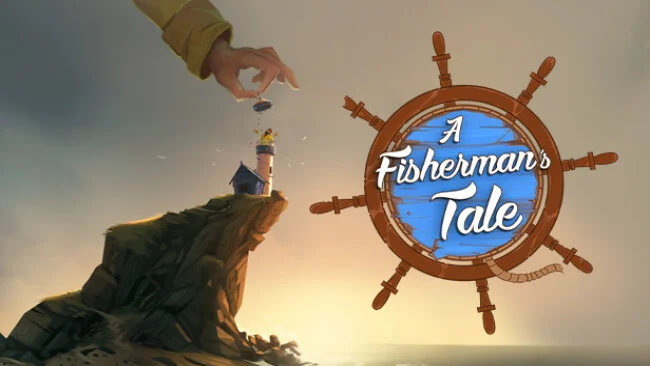
A lonely lighthouse keeper’s routine turns into a wonderfully strange lesson in perspective, scale, and self-discovery. A Fisherman’s Tale is a compact VR puzzle adventure that casts you as Bob, a wooden fisherman puppet living in a coastal cabin beneath a looming lighthouse. A storm approaches, a radio issues a warning, and lighting the beacon seems like a simple job—until the world beyond Bob’s room reveals impossible layers of reality. The mood balances cozy storybook charm with an unsettling surrealism, using its miniature setting to make every revelation feel personal.
Play unfolds through direct VR hand interactions: you grab tools, open doors, pull levers, toss objects, and combine everyday items to solve environmental puzzles. The central trick involves nested versions of the same lighthouse, where actions performed on a tiny model can affect the full-sized space around you, and vice versa. Perspective is not merely visual decoration; size, distance, and your own position become the key to moving forward. Puzzles usually ask for observation rather than quick reflexes, though the game occasionally demands careful physical manipulation and benefits from clear room-scale tracking. Its campaign is short, generally lasting a few hours, but the tightly paced progression keeps introducing new ways to think about the same spaces.
What makes A Fisherman’s Tale memorable is how naturally it sells ideas that would be difficult to communicate outside VR. Looking down at a miniature copy of your room, then seeing a smaller Bob mimic your movements inside it, creates a clever recursive illusion that feels genuinely magical the first time it clicks. The handcrafted puppets, detailed cabin props, and narrated tale give the experience more warmth than a purely abstract puzzle game. Fans of Moss, The Room VR, and Portal-style spatial problem-solving find plenty to appreciate, while VR newcomers get an accessible, low-pressure introduction to immersive interaction.
Screenshots
Installation
- Select the Download button at the top of this page to open UploadHaven.
- On UploadHaven, wait for any countdown, then select Free Download. Optional: UploadHaven Pro for faster downloads.
- When complete, extract the archive to a A Fisherman's Tale folder using 7-Zip.
- Open the extracted folder and start the game normally.
- For errors, check Setup Guide & Troubleshooting below. Keep your security software enabled.
System Requirements
- Requires a 64-bit processor and operating system
- OS *: Windows 7, 8, 8.1, 10
- Processor: Intel® i5-4590 / AMD FX 8350 equivalent or greater
- Memory: 4 GB RAM
- Graphics: NVIDIA GeForce® GTX 970 / AMD Radeon™ R9 290 equivalent or greater
- Storage: 10 GB available space
- VR Support: SteamVR
- Additional Notes: VR Required
Setup Guide & Troubleshooting
How do I fix missing DLL errors for A Fisherman’s Tale?
After extracting A Fisherman’s Tale, navigate to the _Redist or _CommonRedist folder inside the game directory and install DirectX, Vcredist, and any other dependencies included.
What should I do if the downloaded file is corrupted?
The full archive is 6.79 GB — make sure your download completed fully before extracting. Use 7-Zip to extract the files. If you still see a "file corrupted" error, re-download and try again.
Do I need to run the game as administrator?
Usually, no. Start the game normally from the extracted folder. If you see a permissions or save error, check that the folder is writable and follow the game's documented fix. Only grant administrator access when a trusted game's specific setup requires it.
How do I update my GPU drivers for this game?
The game won't launch — what should I try?
Check that extraction completed and your PC meets the system requirements. Note any error message before choosing a fix. If it identifies a missing runtime, install the required DirectX components or Microsoft Visual C++ Redistributable from Microsoft.
My antivirus is blocking the game — is it safe?
A warning needs to be investigated; the download source alone cannot confirm that a file is safe. Keep your security software enabled and review the detection details. Do not run or restore a flagged file unless you have verified that it is a false positive. If you are unsure, leave it quarantined.