
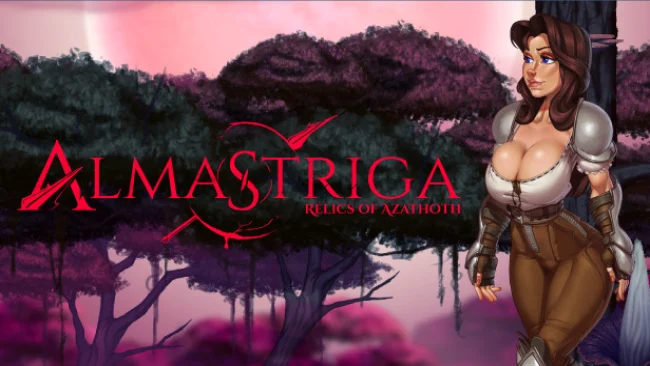
Almastriga: Relics Of Azathoth (v44.0 & Uncensored)
Game Overview
A lone soldier’s homecoming turns into a grim supernatural campaign when an ancient curse unleashes eldritch horrors across the land. Almastriga: Relics Of Azathoth is a mature 2D action-RPG that follows Jane, a battle-tested protagonist forced to trade the certainty of war for a much stranger threat. Its tone mixes dark fantasy, cosmic horror, and explicitly adult material, with the central objective focused on finding the origin of the corruption before it consumes Jane’s life. Rather than presenting a sprawling open world, it builds its adventure around distinct handcrafted regions and a returning town hub.
Combat and exploration form the main loop as Jane pushes through hostile zones, battles monstrous enemies, searches for routes forward, and collects equipment that broadens her options in a fight. Weapons are more than simple upgrades, encouraging players to try different tools as encounters and environments demand a change in approach. Between expeditions, the hub provides NPC companions to meet and a sense of continuity between the game’s dangerous excursions. The adult scenes are a prominent part of the package, but the adventure still frames them within Jane’s curse, character encounters, and the wider invasion rather than treating combat as an afterthought.
What helps Almastriga stand apart is its combination of side-scrolling action-RPG structure with a deliberately erotic, illustrated presentation and Lovecraft-inspired enemy design. The handcrafted areas promise a more directed experience than a sandbox loot grinder, making progress and weapon discoveries the primary motivation to keep pressing forward. Fans of adult games who still want traditional exploration, enemy encounters, and a recognizable fantasy-horror plot should find more substance here than in a purely scene-driven visual novel. It is best suited to players comfortable with explicit mature themes and who enjoy 2D action adventures with a dark, pulpy atmosphere.
Screenshots
Installation
- Select the Download button at the top of this page to open UploadHaven.
- On UploadHaven, wait for any countdown, then select Free Download. Optional: UploadHaven Pro for faster downloads.
- When complete, extract the archive to a Almastriga: Relics Of Azathoth folder using 7-Zip.
- Open the extracted folder and start the game normally.
- For errors, check Setup Guide & Troubleshooting below. Keep your security software enabled.
System Requirements
- OS: Windows 7 and Newer
- Processor: 1.8GHz Dual-Core CPU
- Memory: 4 GB RAM
- Graphics: Integrated graphics
- Storage: 2 GB available space
Setup Guide & Troubleshooting
How do I fix missing DLL errors for Almastriga: Relics Of Azathoth (v44.0 & Uncensored)?
After extracting Almastriga: Relics Of Azathoth (v44.0 & Uncensored), navigate to the _Redist or _CommonRedist folder inside the game directory and install DirectX, Vcredist, and any other dependencies included.
What should I do if the downloaded file is corrupted?
The full archive is 308.56 MB — make sure your download completed fully before extracting. Use 7-Zip to extract the files. If you still see a "file corrupted" error, re-download and try again.
Do I need to run the game as administrator?
Usually, no. Start the game normally from the extracted folder. If you see a permissions or save error, check that the folder is writable and follow the game's documented fix. Only grant administrator access when a trusted game's specific setup requires it.
How do I update my GPU drivers for this game?
The game won't launch — what should I try?
Check that extraction completed and your PC meets the system requirements. Note any error message before choosing a fix. If it identifies a missing runtime, install the required DirectX components or Microsoft Visual C++ Redistributable from Microsoft.
My antivirus is blocking the game — is it safe?
A warning needs to be investigated; the download source alone cannot confirm that a file is safe. Keep your security software enabled and review the detection details. Do not run or restore a flagged file unless you have verified that it is a false positive. If you are unsure, leave it quarantined.