
Game Overview
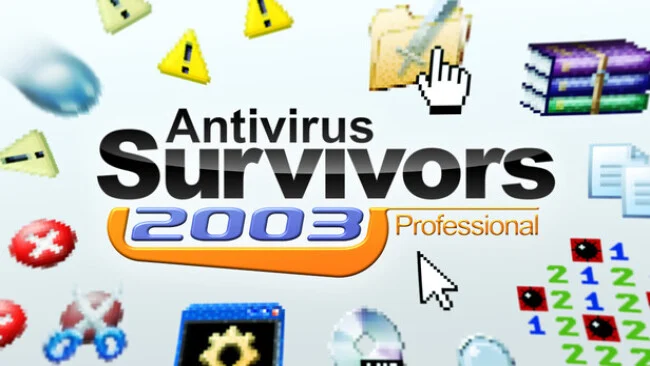
A cursed early-2000s desktop becomes the battlefield in this brisk, mouse-driven survivor roguelite. Antivirus Survivors 2003 Professional turns familiar folders, file icons, error windows, and gaudy wallpapers into a surprisingly hostile arena where malware floods the screen and every double-click can mean loot or danger. Its Y2K presentation is more than a joke: CRT-styled menus, fake operating-system clutter, and obnoxious pop-ups sell the fantasy of wrestling control back from a computer that has gone terribly wrong. Runs last roughly half an hour, making it an easy game to revisit when you want dense action without a huge time commitment.
Movement, targeting, and interaction revolve around navigating a cluttered desktop while swarms of viruses close in. Players open folders and files to uncover experience, keys, temporary advantages, and task progress, then spend level-up choices on damage, movement, luck, survivability, and other stat boosts. Weapons draw from old PC staples—expect offensive spins on Solitaire, Mines, pinball, firewalls, and similar digital relics—while Drivers alter their behavior in more specialized ways. Plugins add another layer of buildcraft, enabling wildly different loadouts as you combine weapon evolutions, passive bonuses, and file-based rewards to survive escalating protocol folders and their bosses.
The strongest idea is how completely the game commits to its computer-interface theme without letting the nostalgia overwhelm the combat. Opening files feels like looting chests in other survivors-likes, but the act of clicking through a simulated desktop gives the action a playful, tactile identity. A large pool of unlockable weapons, file types, modifiers, challenges, cosmetics, and permanent upgrades gives repeated runs meaningful goals, while higher difficulties and Policies push experienced players into riskier setups. Fans of Vampire Survivors-style build experimentation who enjoy absurd retro-tech aesthetics should find plenty to like, and newcomers benefit from its straightforward loop even if the later challenge modes demand smarter upgrade choices.
Screenshots
Installation
- Select the Download button at the top of this page to open UploadHaven.
- On UploadHaven, wait for any countdown, then select Free Download. Optional: UploadHaven Pro for faster downloads.
- When complete, extract the archive to a Antivirus Survivors 2003 Professional folder using 7-Zip.
- Open the extracted folder and start the game normally.
- For errors, check Setup Guide & Troubleshooting below. Keep your security software enabled.
System Requirements
- Requires a 64-bit processor and operating system
- OS: Windows 10
- Processor: 2.0 GHz
- Memory: 1 GB RAM
- Graphics: 512 MB VRAM
- Storage: 256 MB available space
Setup Guide & Troubleshooting
How do I fix missing DLL errors for Antivirus Survivors 2003 Professional?
After extracting Antivirus Survivors 2003 Professional, navigate to the _Redist or _CommonRedist folder inside the game directory and install DirectX, Vcredist, and any other dependencies included.
What should I do if the downloaded file is corrupted?
The full archive is 252.71 MB — make sure your download completed fully before extracting. Use 7-Zip to extract the files. If you still see a "file corrupted" error, re-download and try again.
Do I need to run the game as administrator?
Usually, no. Start the game normally from the extracted folder. If you see a permissions or save error, check that the folder is writable and follow the game's documented fix. Only grant administrator access when a trusted game's specific setup requires it.
How do I update my GPU drivers for this game?
The game won't launch — what should I try?
Check that extraction completed and your PC meets the system requirements. Note any error message before choosing a fix. If it identifies a missing runtime, install the required DirectX components or Microsoft Visual C++ Redistributable from Microsoft.
My antivirus is blocking the game — is it safe?
A warning needs to be investigated; the download source alone cannot confirm that a file is safe. Keep your security software enabled and review the detection details. Do not run or restore a flagged file unless you have verified that it is a false positive. If you are unsure, leave it quarantined.