
Game Overview
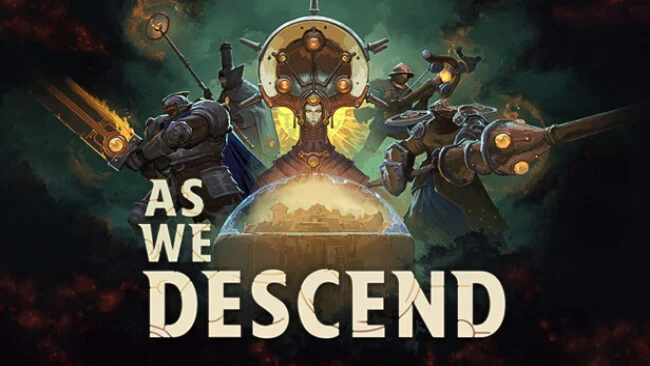
Humanity’s last refuge is a layered city built above a lethal abyss, and every expedition downward risks the future of everyone left behind. As We Descend combines roguelike deckbuilding with squad-based tactical combat, framing its runs around scavenged machinery, political pressure, and an increasingly hostile subterranean world. The mood is bleak but not hopeless: every loss exposes another piece of the City-Vault’s secrets and leaves your faction better prepared for the next attempt. Rather than simply chasing powerful cards, you are trying to build a force capable of surviving both the ruins below and the feudal rivalries above.
Combat revolves around recruiting distinct squad archetypes and shaping their individual card pools through additions, removals, and upgrades. Positioning matters as much as a strong hand, since units move between Guard and Support zones to intercept threats, avoid incoming attacks, and enable defensive or offensive combinations. Reading enemy intentions is crucial, giving battles a deliberate, puzzle-like rhythm where a bad deployment can unravel an otherwise promising run. Expeditions cross three biomes full of resources, dangerous opponents, and unknown encounters, while the City-Vault hub demands that you spend limited time and assets wisely before committing to another descent.
Its two connected layers of deckbuilding give the game a more tactical identity than a standard card battler: you improve cards, but also decide which squads deserve a place in the operation at all. Between runs, diplomacy and faction maneuvering add a strategic-management angle, as alliances can provide support while political missteps create new problems. The descent structure, persistent discoveries, and shifting squad combinations make replaying failures feel productive rather than punishing. Players who enjoy Slay the Spire’s adaptable builds but want positioning closer to Into the Breach should find plenty to chew on, while newcomers should expect a demanding learning curve built around careful planning instead of quick reactions.
Screenshots
Installation
- Select the Download button at the top of this page to open UploadHaven.
- On UploadHaven, wait for any countdown, then select Free Download. Optional: UploadHaven Pro for faster downloads.
- When complete, extract the archive to a As We Descend folder using 7-Zip.
- Open the extracted folder and start the game normally.
- For errors, check Setup Guide & Troubleshooting below. Keep your security software enabled.
System Requirements
- OS: Windows 10
- Processor: i5 4690k
- Memory: 8 GB RAM
- Graphics: GTX 1050 Ti (4GB VRAM)
- Storage: 6 GB available space
Setup Guide & Troubleshooting
How do I fix missing DLL errors for As We Descend (v0.17.0.1)?
After extracting As We Descend (v0.17.0.1), navigate to the _Redist or _CommonRedist folder inside the game directory and install DirectX, Vcredist, and any other dependencies included.
What should I do if the downloaded file is corrupted?
The full archive is 3.21 GB — make sure your download completed fully before extracting. Use 7-Zip to extract the files. If you still see a "file corrupted" error, re-download and try again.
Do I need to run the game as administrator?
Usually, no. Start the game normally from the extracted folder. If you see a permissions or save error, check that the folder is writable and follow the game's documented fix. Only grant administrator access when a trusted game's specific setup requires it.
How do I update my GPU drivers for this game?
The game won't launch — what should I try?
Check that extraction completed and your PC meets the system requirements. Note any error message before choosing a fix. If it identifies a missing runtime, install the required DirectX components or Microsoft Visual C++ Redistributable from Microsoft.
My antivirus is blocking the game — is it safe?
A warning needs to be investigated; the download source alone cannot confirm that a file is safe. Keep your security software enabled and review the detection details. Do not run or restore a flagged file unless you have verified that it is a false positive. If you are unsure, leave it quarantined.