
Game Overview
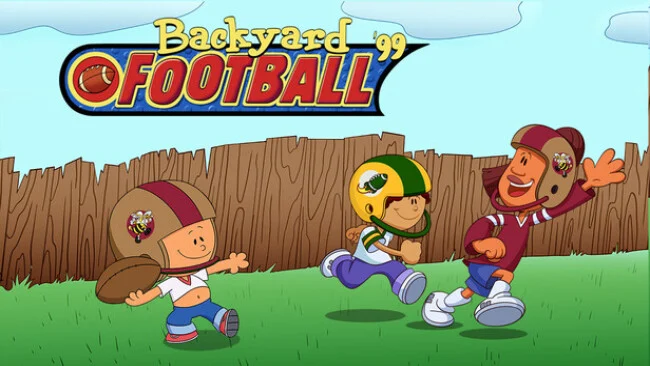
Cartoonish neighborhood football trades simulation-heavy playbooks for quick reads, oversized personalities, and the kind of last-second chaos that turns a schoolyard game into a legend. Backyard Football ’99 brings the original Backyard Sports formula to the gridiron, mixing fictional kids with NFL stars such as Jerry Rice, Barry Sanders, John Elway, and Dan Marino. Pablo Sanchez remains the headline act: a tiny all-around powerhouse who can reshape a draft if you manage to claim him. The tone stays playful and colorful, with Sunny Day and Chuck Downfield supplying energetic commentary as every tackle, interception, and long touchdown unfolds.
Matches revolve around simple passing, running, tackling, and kicking controls designed to keep the pace moving without requiring deep football knowledge. Before a game or full season, you assemble a seven-player squad from a roster of 30 children and pros, then use each athlete’s strengths to make the most of short fields and compact teams. Season Mode gives the experience real structure, sending your club through a 14-game schedule against rival teams before the playoffs and the Super Colossal Cereal Bowl, while Single Game is ideal for a fast pick-up match. Power-ups earned by successful plays add the signature twist: receivers can suddenly warp downfield, runners can vault defenders, punts gain absurd force, and defensive tricks can force fumbles or launch a lineman toward the quarterback.
Five backyard venues and shifting weather help games feel less repetitive, while editable team logos provide a small but welcome personal touch. Its remastered presentation runs more cleanly on current hardware, sharpens the old cartoon art, and adds achievements without losing the deliberately simple look of the 1999 original. The appeal comes from its accessible arcade rules rather than realistic NFL strategy; it plays closer to NFL Blitz filtered through a children’s cartoon than a modern Madden season. Fans returning for nostalgia get the familiar draft-and-power-up charm, while younger players and football newcomers get an unusually friendly introduction to the sport.
Screenshots
Installation
- Select the Download button at the top of this page to open UploadHaven.
- On UploadHaven, wait for any countdown, then select Free Download. Optional: UploadHaven Pro for faster downloads.
- When complete, extract the archive to a Backyard Football '99 folder using 7-Zip.
- Open the extracted folder and start the game normally.
- For errors, check Setup Guide & Troubleshooting below. Keep your security software enabled.
System Requirements
- OS: Windows 10 32bit
- Processor: 2.0+ Ghz
- Memory: 512 MB RAM
- Graphics: AMD Radeon HD 5670 1GB DDR3 Sapphire
- Storage: 200 MB available space
Setup Guide & Troubleshooting
How do I fix missing DLL errors for Backyard Football ’99?
After extracting Backyard Football ’99, navigate to the _Redist or _CommonRedist folder inside the game directory and install DirectX, Vcredist, and any other dependencies included.
What should I do if the downloaded file is corrupted?
The full archive is 243.83 MB — make sure your download completed fully before extracting. Use 7-Zip to extract the files. If you still see a "file corrupted" error, re-download and try again.
Do I need to run the game as administrator?
Usually, no. Start the game normally from the extracted folder. If you see a permissions or save error, check that the folder is writable and follow the game's documented fix. Only grant administrator access when a trusted game's specific setup requires it.
How do I update my GPU drivers for this game?
The game won't launch — what should I try?
Check that extraction completed and your PC meets the system requirements. Note any error message before choosing a fix. If it identifies a missing runtime, install the required DirectX components or Microsoft Visual C++ Redistributable from Microsoft.
My antivirus is blocking the game — is it safe?
A warning needs to be investigated; the download source alone cannot confirm that a file is safe. Keep your security software enabled and review the detection details. Do not run or restore a flagged file unless you have verified that it is a false positive. If you are unsure, leave it quarantined.