
Game Overview
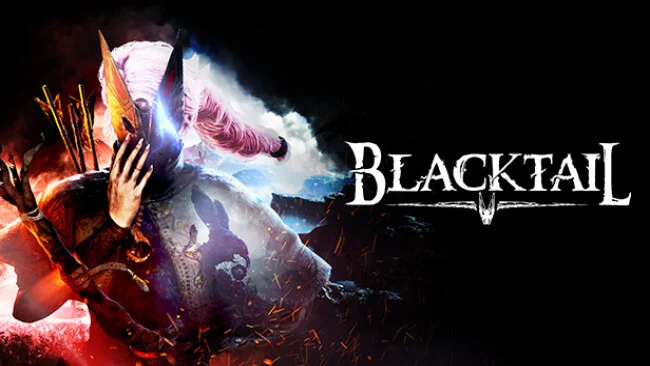
A hostile Slavic fairy tale takes shape around Yaga, a teenage outcast whose exile from her village begins a search for the truth behind her family, her visions, and the name Baba Yaga. BLACKTAIL mixes first-person action adventure with a strange, storybook wilderness full of talking creatures, eerie memory-spirits, and unsettling folklore rather than grim medieval realism. Its colorful forests and crooked paths can look inviting one moment and deeply wrong the next, giving the game a mood somewhere between a children’s fable and a supernatural revenge tale. The central appeal is deciding whether Yaga grows into a protector of the woods or a feared witch who answers cruelty with more cruelty.
Combat revolves around a bow that demands movement, aim, and resource awareness, supported by a magical gauntlet that unlocks offensive and utility powers. Players hunt animals, gather herbs and materials, search for recipes, and craft specialized arrows, potions, and elixirs before taking on aggressive enemies and larger boss encounters. Exploration is semi-open and rewards poking through side paths for collectibles, secrets, and bits of lore that flesh out the forest’s inhabitants. Difficulty comes less from complex controls than from managing ammunition, choosing the right crafted tools, and avoiding attacks while landing precise shots.
Its defining system is Aura, a morality mechanic shaped by decisions in quests and moment-to-moment behavior, including how Yaga treats the creatures she meets. That alignment affects upgrades and abilities, so a benevolent playstyle and a ruthless one can feel mechanically different instead of merely changing dialogue. BLACKTAIL stands out from standard open-world crafting adventures through its first-person archery, focused fantasy setting, and willingness to make an iconic witch figure vulnerable, angry, and morally uncertain. Fans of darker folklore, light survival crafting, and games such as Kena: Bridge of Spirits or first-person fantasy adventures will find plenty to enjoy, while players seeking nonstop action should expect a slower, exploration-led pace between fights.
Screenshots
Installation
- Select the Download button at the top of this page to open UploadHaven.
- On UploadHaven, wait for any countdown, then select Free Download. Optional: UploadHaven Pro for faster downloads.
- When complete, extract the archive to a BLACKTAIL folder using 7-Zip.
- Open the extracted folder and start the game normally.
- For errors, check Setup Guide & Troubleshooting below. Keep your security software enabled.
System Requirements
- Requires a 64-bit processor and operating system
- OS: Windows 10 (64bit only)
- Processor: Intel Core i5-3570K / AMD FX-4300
- Memory: 8 GB RAM
- Graphics: 4 GB VRAM, NVIDIA GeForce GTX 960 / Radeon RX 470
- DirectX: Version 11
- Storage: 20 GB available space
Setup Guide & Troubleshooting
How do I fix missing DLL errors for BLACKTAIL (v1.5a)?
After extracting BLACKTAIL (v1.5a), navigate to the _Redist or _CommonRedist folder inside the game directory and install DirectX, Vcredist, and any other dependencies included.
What should I do if the downloaded file is corrupted?
The full archive is 11.52 GB — make sure your download completed fully before extracting. Use 7-Zip to extract the files. If you still see a "file corrupted" error, re-download and try again.
Do I need to run the game as administrator?
Usually, no. Start the game normally from the extracted folder. If you see a permissions or save error, check that the folder is writable and follow the game's documented fix. Only grant administrator access when a trusted game's specific setup requires it.
How do I update my GPU drivers for this game?
The game won't launch — what should I try?
Check that extraction completed and your PC meets the system requirements, including Version 11. Note any error message before choosing a fix. If it identifies a missing runtime, install the required DirectX components or Microsoft Visual C++ Redistributable from Microsoft.
My antivirus is blocking the game — is it safe?
A warning needs to be investigated; the download source alone cannot confirm that a file is safe. Keep your security software enabled and review the detection details. Do not run or restore a flagged file unless you have verified that it is a false positive. If you are unsure, leave it quarantined.