
Boring Car Stories – Maghrebine des transports et logistique
Game Overview
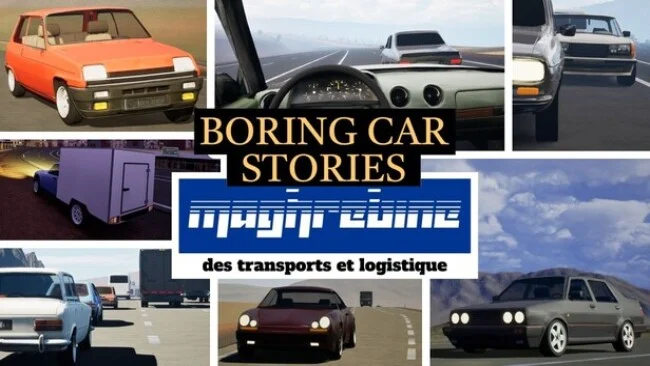
Speed comes from commitment rather than horsepower in this unusual driving story set across an 1980s-inspired Maghreb. Boring Car Stories – Maghrebine des transports et logistique casts players as Yassine, a young man taking jobs for a regional transport company while gradually finding his place in adult life. Its mood is deliberately unglamorous: dusty highways, cramped roads, basic work vehicles, traffic, and long stretches where the pleasure lies in reading the road correctly. Anyone expecting exotic supercars, showroom-perfect scenery, or instant thrills is looking in the wrong place.
Most assignments involve driving from one destination to another, often for twenty minutes or more, in cars that range from roughly 80 to 180 horsepower. Manual gearboxes, varying drivetrains, diesel and petrol engines, turbocharged and naturally aspirated setups give each vehicle a different character, while the narrow, uneven roads make modest speeds feel genuinely involving. Navigation remains intentionally sparse, offering directional guidance rather than constant maps, speed readouts, or hand-holding; staying on the tarmac and avoiding collisions matters because off-road behavior and crash physics are not the focus. Progression starts with everyday delivery work before opening different roles and vehicles, and the story provides a reason to keep moving beyond simply chasing lap times.
What makes it stand out is its refusal to treat normal cars as filler between high-performance machines. Road design, traffic, vehicle weight transfer, and responsive simcade handling are built around the “slow car fast” idea, so a modest hatchback or sedan can demand concentration without reaching absurd speeds. Force-feedback wheel support is a major attraction, especially for drivers who enjoy working a manual car over rough surfaces, though controllers remain viable and keyboard play is possible. Fans of BeamNG.drive’s everyday-car appeal or the road-focused side of Euro Truck Simulator may appreciate its patient rhythm, but it suits driving enthusiasts far more than players seeking polished AAA presentation or arcade spectacle.
Screenshots
Installation
- Select the Download button at the top of this page to open UploadHaven.
- On UploadHaven, wait for any countdown, then select Free Download. Optional: UploadHaven Pro for faster downloads.
- When complete, extract the archive to a Boring Car Stories - Maghrebine des transports et logistique folder using 7-Zip.
- Open the extracted folder and start the game normally.
- For errors, check Setup Guide & Troubleshooting below. Keep your security software enabled.
System Requirements
- OS: Windows 10
- Processor: i5-7300HQ 2.50Ghz
- Memory: 8 GB RAM
- Graphics: NVIDIA GTX 1050
- Storage: 1 GB available space
- Additional Notes: Should run on anything made in the last 10 years with a dedicated graphics card
Setup Guide & Troubleshooting
How do I fix missing DLL errors for Boring Car Stories – Maghrebine des transports et logistique?
After extracting Boring Car Stories – Maghrebine des transports et logistique, navigate to the _Redist or _CommonRedist folder inside the game directory and install DirectX, Vcredist, and any other dependencies included.
What should I do if the downloaded file is corrupted?
The full archive is 827.14 MB — make sure your download completed fully before extracting. Use 7-Zip to extract the files. If you still see a "file corrupted" error, re-download and try again.
Do I need to run the game as administrator?
Usually, no. Start the game normally from the extracted folder. If you see a permissions or save error, check that the folder is writable and follow the game's documented fix. Only grant administrator access when a trusted game's specific setup requires it.
How do I update my GPU drivers for this game?
The game won't launch — what should I try?
Check that extraction completed and your PC meets the system requirements. Note any error message before choosing a fix. If it identifies a missing runtime, install the required DirectX components or Microsoft Visual C++ Redistributable from Microsoft.
My antivirus is blocking the game — is it safe?
A warning needs to be investigated; the download source alone cannot confirm that a file is safe. Keep your security software enabled and review the detection details. Do not run or restore a flagged file unless you have verified that it is a false positive. If you are unsure, leave it quarantined.