
Game Overview
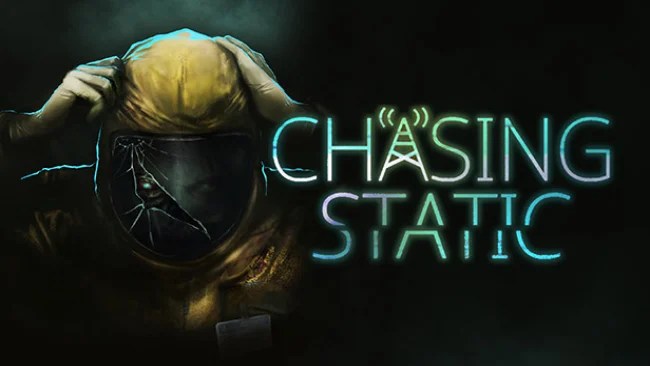
A rain-lashed road in rural Wales becomes the start of a compact, unnerving mystery built more on dread than jump scares. Chris Selwood takes shelter at an isolated café, witnesses something impossible, and wakes to find the place abandoned and decayed. Chasing Static turns that simple nightmare setup into a surreal investigation across empty hills, ruined buildings, and the remains of a secretive research site. Its mood lands somewhere between vintage science-fiction horror and a strange late-night broadcast that never explains quite enough.
Gameplay centers on first-person exploration, environmental storytelling, and an experimental device that detects unusual frequencies hidden around the landscape. Players sweep locations for signals, listen carefully to distorted audio, and use the information they uncover to assemble the fate of Hearth’s vanished residents. There is no combat system to master, so tension comes from isolation, ominous sound design, and the uncertainty of what may be watching from beyond the visible world. The open-ended structure lets you choose where to investigate next, making the short adventure feel less like a guided haunted-house ride and more like wandering through a fractured memory.
Its strongest idea is the way sound functions as both tool and threat: static, voices, and electronic interference are clues, but they also make every discovery deeply uncomfortable. Low-poly visuals deliberately echo the rough-edged look of PlayStation-era horror, while clean voice work and modern audio production prevent the presentation from feeling merely nostalgic. The story lasts roughly two hours, which suits its focused, self-contained format and makes it easy to finish in one tense sitting. Fans of Silent Hill’s lonely atmosphere, Firewatch-style walking adventures, or experimental horror such as Paratopic should find plenty to appreciate, especially if they prefer unsettling mysteries over action-heavy scares.
Screenshots
Installation
- Select the Download button at the top of this page to open UploadHaven.
- On UploadHaven, wait for any countdown, then select Free Download. Optional: UploadHaven Pro for faster downloads.
- When complete, extract the archive to a Chasing Static folder using 7-Zip.
- Open the extracted folder and start the game normally.
- For errors, check Setup Guide & Troubleshooting below. Keep your security software enabled.
System Requirements
- OS: Windows 7/8.1/10 64-bit
- Processor: i5 2300 or AMD FX-6120
- Memory: 8 GB RAM
- Graphics: NVIDIA GeForce GTX 550 Ti or AMD Radeon HD 6770
- DirectX: Version 11
- Storage: 1 GB available space
Setup Guide & Troubleshooting
How do I fix missing DLL errors for Chasing Static?
After extracting Chasing Static, navigate to the _Redist or _CommonRedist folder inside the game directory and install DirectX, Vcredist, and any other dependencies included.
What should I do if the downloaded file is corrupted?
The full archive is 858.41 MB — make sure your download completed fully before extracting. Use 7-Zip to extract the files. If you still see a "file corrupted" error, re-download and try again.
Do I need to run the game as administrator?
Usually, no. Start the game normally from the extracted folder. If you see a permissions or save error, check that the folder is writable and follow the game's documented fix. Only grant administrator access when a trusted game's specific setup requires it.
How do I update my GPU drivers for this game?
The game won't launch — what should I try?
Check that extraction completed and your PC meets the system requirements, including Version 11. Note any error message before choosing a fix. If it identifies a missing runtime, install the required DirectX components or Microsoft Visual C++ Redistributable from Microsoft.
My antivirus is blocking the game — is it safe?
A warning needs to be investigated; the download source alone cannot confirm that a file is safe. Keep your security software enabled and review the detection details. Do not run or restore a flagged file unless you have verified that it is a false positive. If you are unsure, leave it quarantined.