
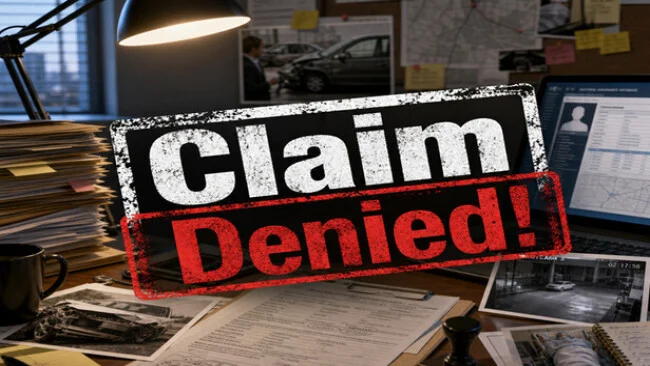
Game Overview
Behind every accident report sits a story that may not add up, and Claim Denied! turns that suspicion into a tense desktop investigation sim. You work as an insurance claims investigator processing collisions, injuries, damaged property, and increasingly messy cases where the evidence rarely agrees. The mood is less about action than pressure: a normal office day becomes a battle against deception, deadlines, and the cost of making the wrong call. Approve a scam and company losses rise; deny an honest person and reputational damage, legal trouble, and public outrage follow.
Each case asks you to compare documents, witness accounts, hospital assessments, police files, security footage, and database information before choosing whether to approve, reject, or negotiate a settlement. The central loop rewards careful reading and attention to contradictions, since small details can expose a staged crash, exaggerated injury, or suspicious timeline. Work runs from 9 AM to 6 PM, with limited energy forcing you to decide which leads deserve closer scrutiny rather than checking every piece of evidence without consequence. Career progress unlocks new investigator abilities, while performance tracking keeps profit, losses, reputation, and client satisfaction in constant tension.
What makes the premise work is its willingness to treat insurance work as a balancing act rather than a simple fraud-hunting fantasy. Special cases involving corruption attempts, high-profile clients, media storms, and fraud raids break up the routine and test whether you value honesty, personal gain, or corporate results. The interface-driven casework has the methodical appeal of Papers, Please and the deduction-focused side of Her Story, though its subject matter is more grounded in modern bureaucracy. It suits players who enjoy reading clues, making uncomfortable judgment calls, and living with imperfect outcomes; action-focused players may find its deliberately administrative pace less appealing.
Screenshots
Installation
- Select the Download button at the top of this page to open UploadHaven.
- On UploadHaven, wait for any countdown, then select Free Download. Optional: UploadHaven Pro for faster downloads.
- When complete, extract the archive to a Claim Denied! folder using 7-Zip.
- Open the extracted folder and start the game normally.
- For errors, check Setup Guide & Troubleshooting below. Keep your security software enabled.
System Requirements
- Storage: 2 GB available space
Setup Guide & Troubleshooting
How do I fix missing DLL errors for Claim Denied!?
After extracting Claim Denied!, navigate to the _Redist or _CommonRedist folder inside the game directory and install DirectX, Vcredist, and any other dependencies included.
What should I do if the downloaded file is corrupted?
The full archive is 526.19 MB — make sure your download completed fully before extracting. Use 7-Zip to extract the files. If you still see a "file corrupted" error, re-download and try again.
Do I need to run the game as administrator?
Usually, no. Start the game normally from the extracted folder. If you see a permissions or save error, check that the folder is writable and follow the game's documented fix. Only grant administrator access when a trusted game's specific setup requires it.
How do I update my GPU drivers for this game?
The game won't launch — what should I try?
Check that extraction completed and your PC meets the system requirements. Note any error message before choosing a fix. If it identifies a missing runtime, install the required DirectX components or Microsoft Visual C++ Redistributable from Microsoft.
My antivirus is blocking the game — is it safe?
A warning needs to be investigated; the download source alone cannot confirm that a file is safe. Keep your security software enabled and review the detection details. Do not run or restore a flagged file unless you have verified that it is a false positive. If you are unsure, leave it quarantined.