
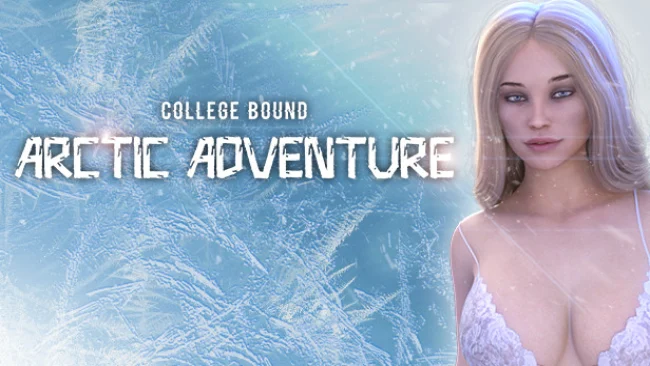
College Bound: Arctic Adventure (v2022.03.22 & Uncensored)
Game Overview
A winter break in Iceland becomes far more than a sightseeing trip when a remote town falls under the shadow of a strange, disabling curse. College Bound: Arctic Adventure is an adult visual-novel spin-off that trades the original’s campus routine for snow-covered streets, aurora-lit nights, and a cast of familiar friends and unpredictable locals. Its tone moves between holiday romance, playful social comedy, action-oriented detours, and a small-town mystery with real danger behind the postcard scenery. The setting gives the adventure a welcome sense of escape, while the mature content remains tied to the relationships the player chooses to pursue.
Most of the experience revolves around reading scenes, making dialogue decisions, and steering the protagonist toward friendships, romances, rivalries, or trouble. Conversations with returning characters such as Blanca, Summer, Jess, Lynda, and Amber sit alongside new faces including Zoe, Stacy, Katla, Isak, and Zack, each bringing different attitudes and possible story directions. Winter activities, seduction-focused choices, combat-related moments, and detective work break up the visual-novel format, asking players to use observation and judgment as they investigate what has happened to the town. Progress depends on playing social situations carefully, since the best outcomes are not simply about choosing the boldest response but understanding what each character wants.
The Icelandic backdrop is the strongest distinction here: skating, cold-weather excursions, and northern lights give its romantic scenes more personality than the usual dorm-room visual novel. Combining dating routes with a supernatural investigation also creates more momentum than a purely relationship-driven adult game, even if players should expect choice-based storytelling rather than deep action systems. Fans of the original College Bound get worthwhile callbacks without needing every prior detail, while newcomers can treat it as a self-contained vacation episode. Players who enjoy adult dating sims, branching visual novels, and lighter mystery plots in the vein of relationship-focused narrative games will find the most to like here.
Screenshots
Installation
- Select the Download button at the top of this page to open UploadHaven.
- On UploadHaven, wait for any countdown, then select Free Download. Optional: UploadHaven Pro for faster downloads.
- When complete, extract the archive to a College Bound: Arctic Adventure folder using 7-Zip.
- Open the extracted folder and start the game normally.
- For errors, check Setup Guide & Troubleshooting below. Keep your security software enabled.
System Requirements
- OS: Windows 7 or newer
- Processor: 2.0 GHz Core 2 Duo
- Memory: 2 GB RAM
- Graphics: OpenGL 2.0 or DirectX 9.0c
- Storage: 3 GB available space
Setup Guide & Troubleshooting
How do I fix missing DLL errors for College Bound: Arctic Adventure (v2022.03.22 & Uncensored)?
After extracting College Bound: Arctic Adventure (v2022.03.22 & Uncensored), navigate to the _Redist or _CommonRedist folder inside the game directory and install DirectX, Vcredist, and any other dependencies included.
What should I do if the downloaded file is corrupted?
The full archive is 3.50 GB — make sure your download completed fully before extracting. Use 7-Zip to extract the files. If you still see a "file corrupted" error, re-download and try again.
Do I need to run the game as administrator?
Usually, no. Start the game normally from the extracted folder. If you see a permissions or save error, check that the folder is writable and follow the game's documented fix. Only grant administrator access when a trusted game's specific setup requires it.
How do I update my GPU drivers for this game?
The game won't launch — what should I try?
Check that extraction completed and your PC meets the system requirements. Note any error message before choosing a fix. If it identifies a missing runtime, install the required DirectX components or Microsoft Visual C++ Redistributable from Microsoft.
My antivirus is blocking the game — is it safe?
A warning needs to be investigated; the download source alone cannot confirm that a file is safe. Keep your security software enabled and review the detection details. Do not run or restore a flagged file unless you have verified that it is a false positive. If you are unsure, leave it quarantined.