
Game Overview
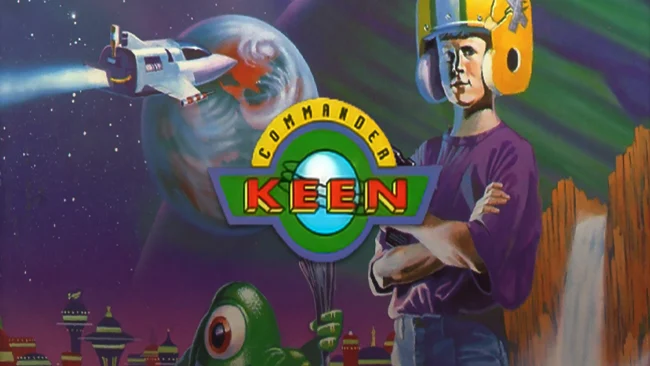
A homemade rocket, a football helmet, and an eight-year-old super-genius are enough to launch one of PC gaming’s most influential platforming series. Commander Keen Complete Pack collects Billy Blaze’s first five spacefaring episodes, from his escape across Mars in Invasion of the Vorticons to the stranger, more colorful worlds of Goodbye Galaxy. The tone is cheerfully pulp-science-fiction, packed with alien castles, dangerous machinery, oddball creatures, and the kind of Saturday-morning imagination that makes every screen feel like a child genius’s dream project. Beneath its cartoon exterior, though, Keen remains a demanding old-school platformer with real teeth.
Players guide Keen through compact 2D stages, searching for keycards, navigating vertical routes, avoiding traps, and reaching each level’s exit while collecting treasures along the way. His signature pogo stick turns movement into the central skill: it lets him clear hazards, bounce to hidden ledges, and maintain momentum through enemy-filled rooms, while the neural stunner temporarily disables many threats. The earlier Vorticons episodes lean into sparse visuals, maze-like level layouts, and unforgiving jumps, whereas the Goodbye Galaxy pair adds smoother presentation, richer scenery, more imaginative enemies, and more elaborate stage design. Exploration matters as much as reflexes, since optional items, secrets, and alternate paths reward players willing to poke around rather than sprint for the goal.
What makes the collection valuable is seeing id Software’s platforming craft evolve in real time, years before the studio becomes synonymous with Doom and Quake. Keen’s responsive movement and screen-by-screen problem solving feel closer to the exploratory challenge of early Mega Man, while its quirky humor and pogo-based traversal give it a personality no console mascot quite matches. Expect occasional rough edges typical of early-1990s PC design, including punishing hazards and limited forgiveness, but the episodes remain charming precisely because they ask players to learn their layouts. It suits retro-platformer veterans best, yet newcomers with patience will find an essential, surprisingly playful piece of PC history.
Screenshots
Installation
- Select the Download button at the top of this page to open UploadHaven.
- On UploadHaven, wait for any countdown, then select Free Download. Optional: UploadHaven Pro for faster downloads.
- When complete, extract the archive to a Commander Keen Complete Pack folder using 7-Zip.
- Open the extracted folder and start the game normally.
- For errors, check Setup Guide & Troubleshooting below. Keep your security software enabled.
System Requirements
- Windows 7 / 8 / 10
- 1.8 GHz
- 512MB RAM
- 3D graphics card compatible with DirectX 9
- DirectX 9
- 1MB of free space
Setup Guide & Troubleshooting
How do I fix missing DLL errors for Commander Keen Complete Pack (GOG)?
After extracting Commander Keen Complete Pack (GOG), navigate to the _Redist or _CommonRedist folder inside the game directory and install DirectX, Vcredist, and any other dependencies included.
What should I do if the downloaded file is corrupted?
The full archive is 59.13 MB — make sure your download completed fully before extracting. Use 7-Zip to extract the files. If you still see a "file corrupted" error, re-download and try again.
Do I need to run the game as administrator?
Usually, no. Start the game normally from the extracted folder. If you see a permissions or save error, check that the folder is writable and follow the game's documented fix. Only grant administrator access when a trusted game's specific setup requires it.
How do I update my GPU drivers for this game?
The game won't launch — what should I try?
Check that extraction completed and your PC meets the system requirements. Note any error message before choosing a fix. If it identifies a missing runtime, install the required DirectX components or Microsoft Visual C++ Redistributable from Microsoft.
My antivirus is blocking the game — is it safe?
A warning needs to be investigated; the download source alone cannot confirm that a file is safe. Keep your security software enabled and review the detection details. Do not run or restore a flagged file unless you have verified that it is a false positive. If you are unsure, leave it quarantined.