
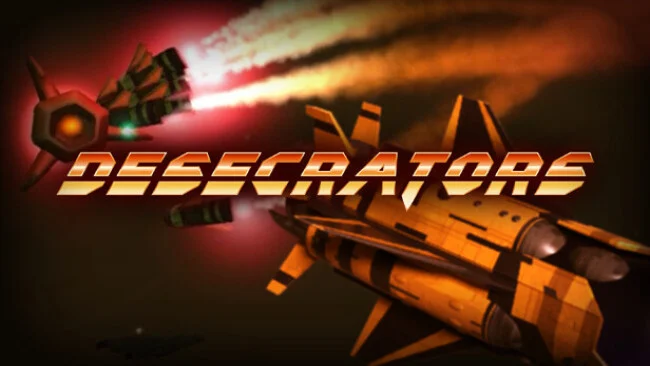
Game Overview
The Nightingale turns deep-space burglary into a fast, violent six-degrees-of-freedom shooter where every abandoned refinery, temple, and corporate installation hides another chance to get rich or get vaporized. Set in 4096 across a heavily colonized Milky Way, Desecrators casts you as a notorious raider chasing enough stolen military hardware to crack the mythical Galactic Treasury. Its tone is gleefully reckless: you are not saving civilization, but stripping its most fortified monuments clean while alarms blare and rival scavengers close in. The result feels like a compact space-combat sandbox built around greed, momentum, and spectacular destruction.
Piloting is the heart of the action, with full 6DOF movement letting you boost, roll, strafe, and attack from any angle through dense interiors and open orbital spaces. Each run sends you through procedurally assembled installations packed with automated defenses, environmental hazards, concealed loot, and hostile Desecrator teams competing for the same prizes. More than 25 weapons support different approaches, from aggressive plasma-based close-range tools to railguns made for picking off targets across a chamber, while collected gear steadily improves the Nightingale’s combat potential. Enemy machines are not simply stationary targets either; they communicate, coordinate, and become more dangerous as the raids push into tougher facilities, with enormous Anomalies providing the kind of threat that justifies a nuclear response.
What separates Desecrators from a standard spaceship shooter is its focus on navigating physical, loot-filled locations rather than only fighting in empty space. The blend of rotating ship control, randomized raids, escalating equipment, and enemies that attack everyone creates a tense free-for-all atmosphere reminiscent of Descent-style movement mixed with a co-op extraction raid. Solo players can learn the ship and tackle the galaxy at their own pace, while online squads of up to four can turn chaotic assaults into coordinated treasure hunts. It suits veterans of twitchy 3D shooters especially well, but newcomers willing to master spatial awareness find a satisfying, high-energy sci-fi heist game.
Screenshots
Installation
- Select the Download button at the top of this page to open UploadHaven.
- On UploadHaven, wait for any countdown, then select Free Download. Optional: UploadHaven Pro for faster downloads.
- When complete, extract the archive to a Desecrators folder using 7-Zip.
- Open the extracted folder and start the game normally.
- For errors, check Setup Guide & Troubleshooting below. Keep your security software enabled.
System Requirements
- OS *: Windows 7
- Processor: Intel CPU Core i3
- Memory: 4 GB RAM
- Graphics: GeForce GT 440 / Radeon HD 4890
- DirectX: Version 9.0
- Storage: 1 GB available space
Setup Guide & Troubleshooting
How do I fix missing DLL errors for Desecrators (v1.0.6)?
After extracting Desecrators (v1.0.6), navigate to the _Redist or _CommonRedist folder inside the game directory and install DirectX, Vcredist, and any other dependencies included.
What should I do if the downloaded file is corrupted?
The full archive is 901.35 MB — make sure your download completed fully before extracting. Use 7-Zip to extract the files. If you still see a "file corrupted" error, re-download and try again.
Do I need to run the game as administrator?
Usually, no. Start the game normally from the extracted folder. If you see a permissions or save error, check that the folder is writable and follow the game's documented fix. Only grant administrator access when a trusted game's specific setup requires it.
How do I update my GPU drivers for this game?
The game won't launch — what should I try?
Check that extraction completed and your PC meets the system requirements, including Version 9.0. Note any error message before choosing a fix. If it identifies a missing runtime, install the required DirectX components or Microsoft Visual C++ Redistributable from Microsoft.
My antivirus is blocking the game — is it safe?
A warning needs to be investigated; the download source alone cannot confirm that a file is safe. Keep your security software enabled and review the detection details. Do not run or restore a flagged file unless you have verified that it is a false positive. If you are unsure, leave it quarantined.