
Game Overview
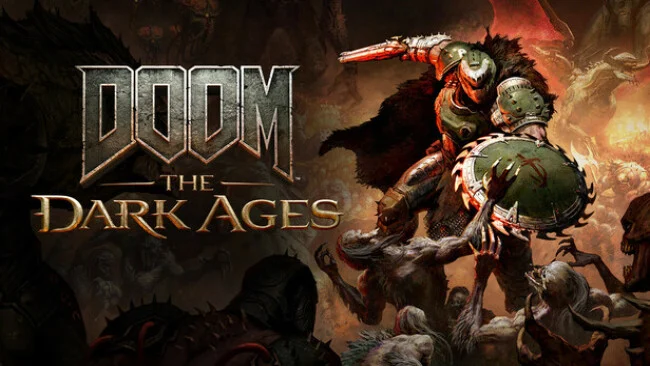
Steel, skulls, and scorched stone replace the ruined space stations of earlier entries, giving the Slayer’s war a brutal medieval weight. DOOM: The Dark Ages functions as a prequel to DOOM (2016) and DOOM Eternal, following the legendary marine while gods, kings, and Hell itself seek to use his unmatched violence for their own ends. The tone is grander and more cinematic than before, but it remains an unapologetically savage single-player shooter where every arena becomes a desperate fight for control. Its dark-fantasy imagery mixes castles, siege fields, occult machinery, and infernal landscapes with the series’ familiar sci-fi excess.
Combat trades some of Eternal’s constant airborne acrobatics for a more grounded, stand-your-ground rhythm built around blocking, parrying, and punishing openings. The new Shield Saw acts as both defense and weapon: it catches attacks, deflects projectiles, stuns enemies, and can be hurled through demon ranks, while the Super Shotgun and an expanding arsenal provide the expected close-range carnage. Melee tools add another layer to the loop, letting players restore resources through aggressive brawling rather than retreating to safety. Large maps encourage detours for upgrades, hidden collectibles, and optional encounters, while vehicle-scale sequences involving a massive Atlan war machine and a cybernetic dragon broaden the campaign beyond standard arena battles.
id Software’s latest engine makes the violence exceptionally readable, with heavy impacts, dense enemy formations, and environments that look built to be torn apart in combat. The campaign’s broader spaces offer more room to search than prior modern DOOM games, yet the focus stays firmly on handcrafted combat challenges rather than open-world busywork. Players who enjoy the speed and weapon-swapping of DOOM Eternal should appreciate the tactical parry system and heavier feel, while newcomers can follow its clear progression without needing deep series knowledge. For anyone wanting a polished, high-intensity FPS with a metal-album medieval aesthetic, it stands as one of the genre’s most distinctive modern campaigns.
Screenshots
Installation
- Select the Download button at the top of this page to open UploadHaven.
- On UploadHaven, wait for any countdown, then select Free Download. Optional: UploadHaven Pro for faster downloads.
- When complete, extract the archive to a DOOM: The Dark Ages folder using 7-Zip.
- Open the extracted folder and start the game normally.
- For errors, check Setup Guide & Troubleshooting below. Keep your security software enabled.
System Requirements
- Requires a 64-bit processor and operating system
- OS: Windows 10 64-Bit / Windows 11 64-Bit
- Processor: AMD Zen 2 or Intel 10th Generation CPU @3.2Ghz with 8 cores / 16 threads or better (examples: AMD Ryzen 7 3700X or better, or Intel Core i7 10700K or better)
- Memory: 16 GB RAM
- Graphics: NVIDIA or AMD hardware Raytracing-capable GPU with 8GB dedicated VRAM or better (examples: NVIDIA RTX 2060 SUPER or better, AMD RX 6600 or better)
- Storage: 100 GB available space
- Additional Notes: 1080p / 60 FPS / Low Quality Settings, NVME SSD storage required
Setup Guide & Troubleshooting
How do I fix missing DLL errors for DOOM: The Dark Ages?
After extracting DOOM: The Dark Ages, navigate to the _Redist or _CommonRedist folder inside the game directory and install DirectX, Vcredist, and any other dependencies included.
What should I do if the downloaded file is corrupted?
The full archive is 81.19 GB — make sure your download completed fully before extracting. Use 7-Zip to extract the files. If you still see a "file corrupted" error, re-download and try again.
Do I need to run the game as administrator?
Usually, no. Start the game normally from the extracted folder. If you see a permissions or save error, check that the folder is writable and follow the game's documented fix. Only grant administrator access when a trusted game's specific setup requires it.
How do I update my GPU drivers for this game?
The game won't launch — what should I try?
Check that extraction completed and your PC meets the system requirements. Note any error message before choosing a fix. If it identifies a missing runtime, install the required DirectX components or Microsoft Visual C++ Redistributable from Microsoft.
My antivirus is blocking the game — is it safe?
A warning needs to be investigated; the download source alone cannot confirm that a file is safe. Keep your security software enabled and review the detection details. Do not run or restore a flagged file unless you have verified that it is a false positive. If you are unsure, leave it quarantined.