
Game Overview
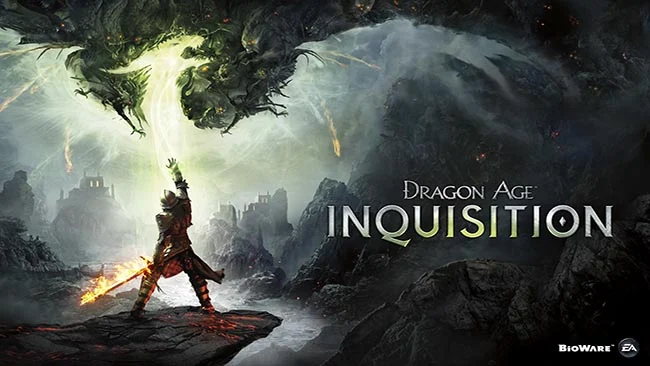
A magical breach tears open the sky above Thedas, flooding a fractured continent with demons and forcing an unlikely leader into the spotlight. Dragon Age: Inquisition blends party-based role-playing with real-time action combat, political intrigue, and a sprawling fantasy war in which nearly every alliance carries a cost. As the Inquisitor, you are not simply hunting monsters; you are building an organization powerful enough to challenge mages, templars, nobility, ancient threats, and the consequences of your own decisions. The tone balances heroic spectacle with darker personal drama, making victories feel earned rather than inevitable.
Character creation shapes your hero’s race, class, appearance, voice, and social position, while dialogue choices influence romances, companion loyalty, faction support, and major story outcomes. Combat lets you directly control a warrior, rogue, or mage in fast-paced encounters, then switch to any companion or pause the action through Tactical Camera to position the party, queue abilities, and exploit enemy weaknesses. Exploration spans large regions filled with rifts to close, dragons to challenge, camps to establish, resources to gather, and side quests that range from local disputes to elaborate political missions. Power and Influence earned through your actions unlock new operations at the War Table, while gear crafting, skill trees, and a flexible party roster give you room to tailor both tactics and role-playing style.
Its strongest feature is the sense that the Inquisition grows around your choices: a ruined fortress becomes a working headquarters, agents join the cause, and companions react to the person you become. The complete DLC collection adds meaningful adventures, including the Deep Roads expedition of The Descent, the wilderness-focused Jaws of Hakkon, and Trespasser, an essential epilogue that brings the central story forward. BioWare’s open areas can feel busy with familiar collectible tasks, but the memorable cast, strong companion banter, and strategic battles keep the journey engaging. Fans of Mass Effect, Baldur’s Gate, or choice-heavy fantasy RPGs find plenty to enjoy, while newcomers can comfortably rely on lower difficulties and tactical pausing.
Screenshots
Installation
- Select the Download button at the top of this page to open UploadHaven.
- On UploadHaven, wait for any countdown, then select Free Download. Optional: UploadHaven Pro for faster downloads.
- When complete, extract the archive to a Dragon Age Inquisition folder using 7-Zip.
- Open the extracted folder and start the game normally.
- For errors, check Setup Guide & Troubleshooting below. Keep your security software enabled.
System Requirements
- OS: OS 64-bit Windows 7
- Processor: Quad core @ 2.0 GHz
- Memory: 4 GB RAM
- Graphics: GeForce 8800 GT / Radeon HD 4870
- DirectX: Version 11
- Storage: 43 GB available space
Setup Guide & Troubleshooting
How do I fix missing DLL errors for Dragon Age Inquisition (Incl. ALL DLC’s)?
After extracting Dragon Age Inquisition (Incl. ALL DLC’s), navigate to the _Redist or _CommonRedist folder inside the game directory and install DirectX, Vcredist, and any other dependencies included.
What should I do if the downloaded file is corrupted?
The full archive is 43.02 GB — make sure your download completed fully before extracting. Use 7-Zip to extract the files. If you still see a "file corrupted" error, re-download and try again.
Do I need to run the game as administrator?
Usually, no. Start the game normally from the extracted folder. If you see a permissions or save error, check that the folder is writable and follow the game's documented fix. Only grant administrator access when a trusted game's specific setup requires it.
How do I update my GPU drivers for this game?
The game won't launch — what should I try?
Check that extraction completed and your PC meets the system requirements, including Version 11. Note any error message before choosing a fix. If it identifies a missing runtime, install the required DirectX components or Microsoft Visual C++ Redistributable from Microsoft.
My antivirus is blocking the game — is it safe?
A warning needs to be investigated; the download source alone cannot confirm that a file is safe. Keep your security software enabled and review the detection details. Do not run or restore a flagged file unless you have verified that it is a false positive. If you are unsure, leave it quarantined.