
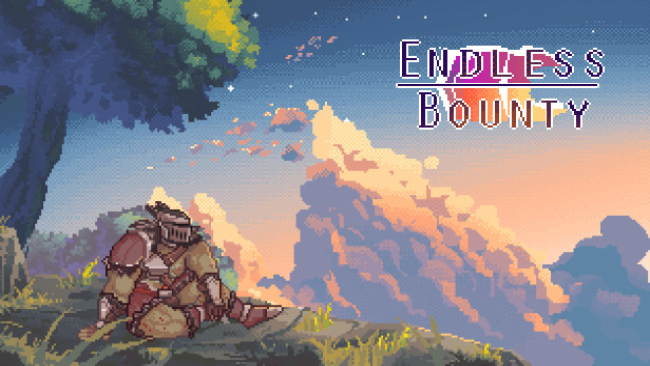
Game Overview
An orc mercenary’s latest contract turns a modest manhunt into a sleazy, offbeat fantasy mystery. Endless Bounty follows veteran tracker Drok’tar as he arrives in the town of Gabranth looking for a target who knows how to stay hidden. The tone mixes traditional tavern-and-monster fantasy with adult comedy and erotic encounters, making the adventure feel less like a grim hunt and more like a knowingly raunchy detour through a strange frontier town. Its uncensored presentation is central to the package, though the main throughline remains Drok’tar’s effort to earn his pay.
Progress comes through classic point-and-click adventuring: moving between town locations and nearby wilderness, questioning locals, examining points of interest, and following leads that gradually narrow the search. Conversations are the heart of the experience, since information often comes from choosing the right approach, helping a character, or noticing a useful detail in the environment. Rather than emphasizing action-heavy combat, the game focuses on dialogue, light puzzle-solving, and deciding which threads to pursue next. Adult scenes are tied to interactions with the cast, so players who investigate thoroughly and make favorable choices can uncover more than the mandatory bounty route.
Gabranth’s appeal comes from its colorful collection of fantasy residents and the contrast between Drok’tar’s professional, no-nonsense job and the increasingly distracting situations surrounding it. The game uses the familiar structure of old-school adventure titles to give its erotic content a sense of place and purpose instead of presenting isolated scenes with no story attached. Expect a compact, character-driven experience rather than a sprawling RPG, with replay value coming from alternate conversations, missed clues, and optional encounters. Fans of adult visual adventures and point-and-click mysteries who want a humorous fantasy setting will find the best fit here, while players seeking deep combat systems or a serious epic should look elsewhere.
Screenshots
Installation
- Select the Download button at the top of this page to open UploadHaven.
- On UploadHaven, wait for any countdown, then select Free Download. Optional: UploadHaven Pro for faster downloads.
- When complete, extract the archive to a Endless Bounty (Uncensored) folder using 7-Zip.
- Open the extracted folder and start the game normally.
- For errors, check Setup Guide & Troubleshooting below. Keep your security software enabled.
System Requirements
- OS: Windows 7
- Processor: 1GHZ
- Memory: 512 MB RAM
- Graphics: DirectX Compatible Card
- Storage: 200 MB available space
Setup Guide & Troubleshooting
How do I fix missing DLL errors for Endless Bounty (Uncensored)?
After extracting Endless Bounty (Uncensored), navigate to the _Redist or _CommonRedist folder inside the game directory and install DirectX, Vcredist, and any other dependencies included.
What should I do if the downloaded file is corrupted?
The full archive is 126.53 MB — make sure your download completed fully before extracting. Use 7-Zip to extract the files. If you still see a "file corrupted" error, re-download and try again.
Do I need to run the game as administrator?
Usually, no. Start the game normally from the extracted folder. If you see a permissions or save error, check that the folder is writable and follow the game's documented fix. Only grant administrator access when a trusted game's specific setup requires it.
How do I update my GPU drivers for this game?
The game won't launch — what should I try?
Check that extraction completed and your PC meets the system requirements. Note any error message before choosing a fix. If it identifies a missing runtime, install the required DirectX components or Microsoft Visual C++ Redistributable from Microsoft.
My antivirus is blocking the game — is it safe?
A warning needs to be investigated; the download source alone cannot confirm that a file is safe. Keep your security software enabled and review the detection details. Do not run or restore a flagged file unless you have verified that it is a false positive. If you are unsure, leave it quarantined.