
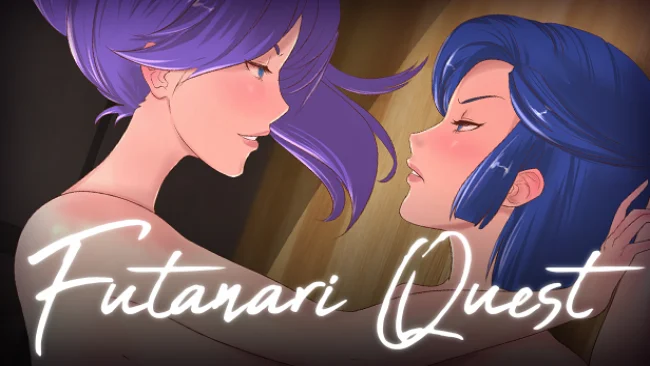
Futanari Quest (v1.1.0 & Uncensored)
Game Overview
A playful adult fantasy quest frames its risqué premise around Yui, a young woman whose sudden transformation upends her ordinary life and gives her an unusual duty tied to her family line. Futanari Quest pairs her with Clit, an upbeat fairy companion who keeps the tone mischievous even as the journey moves through dangerous territory. The result is a character-driven hentai RPG with yuri themes, colorful monster girls, and a light comic sensibility rather than a grim or punishing atmosphere.
Yui travels between distinct areas, meets potential allies and rivals, and chooses whether to confront monster girls in battle or speak with them to build trust. That split gives the adventure a welcome bit of role-playing flexibility: not every encounter needs to end in a fight, and conversations help sell the personalities behind the character art. Exploration and story progress gradually open more scenes, locations, and collectible gallery material, while voiced sequences give important moments more presence than a typical dialogue-only adult RPG. Combat appears to serve the adventure rather than overwhelm it with complex systems, making the game approachable for players who want a straightforward story-led experience.
The strongest draw is its polished presentation, including detailed character portraits, illustrated event scenes with variations, and English voice work throughout its major adult encounters. Its cast deliberately covers several familiar fantasy archetypes—confident fighters, reserved royalty, aloof assassins—but the game’s breezy humor and companion banter keep them from feeling entirely interchangeable. Players looking for a deep tactical RPG or a huge open-ended sandbox may find the scope modest, yet fans of accessible adult visual novels with exploration and light battles should find plenty to unlock. It suits newcomers to mature RPGs especially well, while genre regulars who value voiced scenes, gallery completion, and character-focused yuri fantasy will get the most from it.
Screenshots
Installation
- Select the Download button at the top of this page to open UploadHaven.
- On UploadHaven, wait for any countdown, then select Free Download. Optional: UploadHaven Pro for faster downloads.
- When complete, extract the archive to a Futanari Quest folder using 7-Zip.
- Open the extracted folder and start the game normally.
- For errors, check Setup Guide & Troubleshooting below. Keep your security software enabled.
System Requirements
- OS *: Windows 7/8/8.1/10 (32bit/64bit)
- Processor: Intel Core2 Duo or better
- Memory: 2 GB RAM
- Graphics: DirectX 9/OpenGL 4.1 capable GPU
- DirectX: Version 9.0
- Network: Broadband Internet connection
- Storage: 3 GB available space
Setup Guide & Troubleshooting
How do I fix missing DLL errors for Futanari Quest (v1.1.0 & Uncensored)?
After extracting Futanari Quest (v1.1.0 & Uncensored), navigate to the _Redist or _CommonRedist folder inside the game directory and install DirectX, Vcredist, and any other dependencies included.
What should I do if the downloaded file is corrupted?
The full archive is 478.97 MB — make sure your download completed fully before extracting. Use 7-Zip to extract the files. If you still see a "file corrupted" error, re-download and try again.
Do I need to run the game as administrator?
Usually, no. Start the game normally from the extracted folder. If you see a permissions or save error, check that the folder is writable and follow the game's documented fix. Only grant administrator access when a trusted game's specific setup requires it.
How do I update my GPU drivers for this game?
The game won't launch — what should I try?
Check that extraction completed and your PC meets the system requirements, including Version 9.0. Note any error message before choosing a fix. If it identifies a missing runtime, install the required DirectX components or Microsoft Visual C++ Redistributable from Microsoft.
My antivirus is blocking the game — is it safe?
A warning needs to be investigated; the download source alone cannot confirm that a file is safe. Keep your security software enabled and review the detection details. Do not run or restore a flagged file unless you have verified that it is a false positive. If you are unsure, leave it quarantined.