
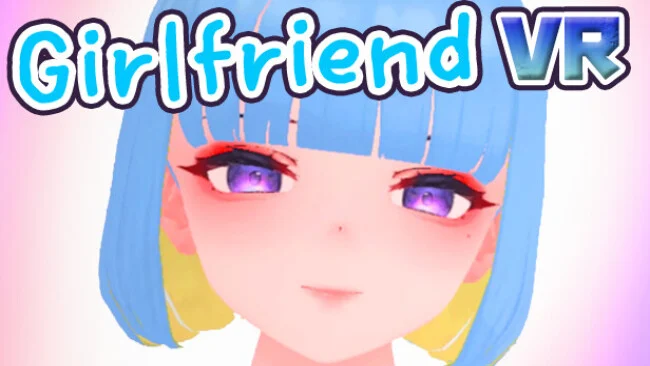
Game Overview
Built as an adult virtual-reality sandbox rather than a story-driven romance, it focuses on private, customizable encounters with a single computer-controlled partner. The tone is unapologetically erotic, but its appeal rests as much on presence and player control as on its mature premise: you occupy a compact apartment-like space and decide where and how scenes unfold. All depicted characters are stated to be adults, and the experience is designed for VR headsets with motion controllers. There is no campaign, relationship simulation, or wider world to uncover, so expectations should be set accordingly.
Interaction revolves around room-scale movement, hand tracking, and direct object or character manipulation. Players can relocate their partner to areas such as the bed, couch, bathroom, or restroom, trigger adult animations, and use scene controls to change viewpoints, loop sequences, or remove interface elements. A smartwatch-style menu adjusts height and gaze behavior, while optional mirrors and background settings help tailor the presentation to a particular VR setup. Performance can vary substantially with headset configuration and PC hardware, especially during more animation-heavy moments, and the developer includes a recovery control for cases where the character model becomes stuck.
Customization is the strongest feature beyond the core mature content. Outfit layers, cosplay costumes, hairstyle, accessories, makeup, colored contacts, nails, tan level, and body proportions can all be adjusted, giving the lone character a more personal look than in many basic adult VR apps. Original voice work, animated reactions, and a dedicated nude-mode material aim to sell physical proximity, although the limited environment and lack of broader progression make repetition inevitable. GirlFriend VR suits adults seeking a highly direct, configurable VR intimacy simulator, not players looking for the dating systems of VR Kanojo or the open-ended social spaces of VRChat.
Screenshots
Installation
- Select the Download button at the top of this page to open UploadHaven.
- On UploadHaven, wait for any countdown, then select Free Download. Optional: UploadHaven Pro for faster downloads.
- When complete, extract the archive to a GirlFriend VR folder using 7-Zip.
- Open the extracted folder and start the game normally.
- For errors, check Setup Guide & Troubleshooting below. Keep your security software enabled.
System Requirements
- Requires a 64-bit processor and operating system
- OS: Windows 10 (64bit)
- Processor: Intel® i5-4590 or AMD FX 8350 or better
- Memory: 4 GB RAM
- Graphics: Nvidia GeForce® GTX 970 or AMD Radeon™ R9 290 equivalent or better
- DirectX: Version 9.0
- Storage: 1 GB available space
- VR Support: SteamVR
Setup Guide & Troubleshooting
How do I fix missing DLL errors for GirlFriend VR (R18)?
After extracting GirlFriend VR (R18), navigate to the _Redist or _CommonRedist folder inside the game directory and install DirectX, Vcredist, and any other dependencies included.
What should I do if the downloaded file is corrupted?
The full archive is 4.02 GB — make sure your download completed fully before extracting. Use 7-Zip to extract the files. If you still see a "file corrupted" error, re-download and try again.
Do I need to run the game as administrator?
Usually, no. Start the game normally from the extracted folder. If you see a permissions or save error, check that the folder is writable and follow the game's documented fix. Only grant administrator access when a trusted game's specific setup requires it.
How do I update my GPU drivers for this game?
The game won't launch — what should I try?
Check that extraction completed and your PC meets the system requirements, including Version 9.0. Note any error message before choosing a fix. If it identifies a missing runtime, install the required DirectX components or Microsoft Visual C++ Redistributable from Microsoft.
My antivirus is blocking the game — is it safe?
A warning needs to be investigated; the download source alone cannot confirm that a file is safe. Keep your security software enabled and review the detection details. Do not run or restore a flagged file unless you have verified that it is a false positive. If you are unsure, leave it quarantined.