
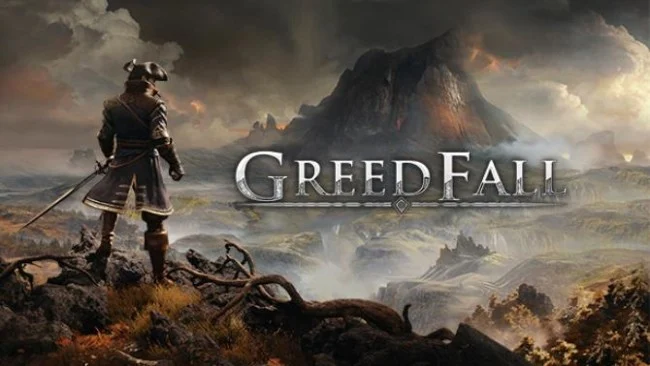
Game Overview
Teer Fradee offers a colonial fantasy setting where plague-ravaged diplomats, mercenary companies, native clans, and religious powers all compete for control of a magical island. GreedFall is a third-person action RPG built around political maneuvering as much as swordplay, casting you as a noble envoy searching for a cure while deciding who deserves your loyalty. Its mood is more grounded than most high-fantasy adventures, mixing ornate 17th-century-inspired fashion and firearms with monsters, ancient rituals, and uneasy colonial conflict. The included DLC adds another conspiracy-focused storyline that broadens the island’s political tensions.
Most quests begin with investigation and conversation, then branch according to the skills, allies, and approach you bring to the problem. You can talk guards into standing aside, disguise yourself to infiltrate a faction, pick locks, sneak through enemy camps, or settle matters with blades, guns, traps, and magic. Combat plays in real time but allows tactical pauses for assigning attacks, healing, and abilities, making party management useful without turning every encounter into a fully turn-based battle. Character building is flexible: choose from warrior, technical, or magic-focused foundations, invest in talents such as charisma and craftsmanship, equip companions, and raise or damage your standing with major factions through story choices.
Rather than presenting one seamless map, GreedFall uses a network of sizable regions, faction settlements, wilderness routes, and quest hubs that reward returning with new tools or alliances. Companion relationships matter, offering personal missions and practical bonuses, while reputation can open peaceful solutions or close doors permanently. Spiders’ RPG carries echoes of BioWare’s older companion-driven adventures, particularly Dragon Age, though its budget and combat polish sit below genre giants. Players who enjoy choice-heavy quests, unusual fantasy settings, and role-playing a diplomat who can still win a duel will find plenty to like, while anyone expecting a huge sandbox or exceptionally refined action combat should adjust expectations.
Screenshots
Installation
- Select the Download button at the top of this page to open UploadHaven.
- On UploadHaven, wait for any countdown, then select Free Download. Optional: UploadHaven Pro for faster downloads.
- When complete, extract the archive to a Greedfall folder using 7-Zip.
- Open the extracted folder and start the game normally.
- For errors, check Setup Guide & Troubleshooting below. Keep your security software enabled.
System Requirements
- Requires a 64-bit processor and operating system
- OS: Windows 7/8/10 (64 bits)
- Processor: Intel Core i5-3450 (3.1 GHz) / AMD FX-6300 X6 (3.5 GHz)
- Memory: 8 GB RAM
- Graphics: 2 GB, GeForce GTX 660/Radeon HD 7870
- Storage: 25 GB available space
Setup Guide & Troubleshooting
How do I fix missing DLL errors for Greedfall (Incl. ALL DLC’s)?
After extracting Greedfall (Incl. ALL DLC’s), navigate to the _Redist or _CommonRedist folder inside the game directory and install DirectX, Vcredist, and any other dependencies included.
What should I do if the downloaded file is corrupted?
The full archive is 19.20 GB — make sure your download completed fully before extracting. Use 7-Zip to extract the files. If you still see a "file corrupted" error, re-download and try again.
Do I need to run the game as administrator?
Usually, no. Start the game normally from the extracted folder. If you see a permissions or save error, check that the folder is writable and follow the game's documented fix. Only grant administrator access when a trusted game's specific setup requires it.
How do I update my GPU drivers for this game?
The game won't launch — what should I try?
Check that extraction completed and your PC meets the system requirements. Note any error message before choosing a fix. If it identifies a missing runtime, install the required DirectX components or Microsoft Visual C++ Redistributable from Microsoft.
My antivirus is blocking the game — is it safe?
A warning needs to be investigated; the download source alone cannot confirm that a file is safe. Keep your security software enabled and review the detection details. Do not run or restore a flagged file unless you have verified that it is a false positive. If you are unsure, leave it quarantined.