
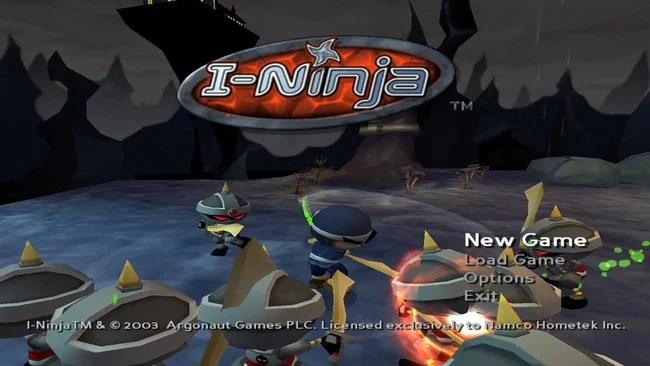
Game Overview
A bad-tempered young ninja takes center stage in a bright, cartoonishly violent 3D platforming adventure where every problem seems to require a sword, an impossible jump, or a spectacular tantrum. I-Ninja pits its pint-sized hero against Emperor O-Doru’s robot army, sending him through themed regions packed with traps, hostile machines, and exaggerated boss encounters. The tone is deliberately silly rather than grim, with slapstick cutscenes and loud personalities balancing a surprisingly demanding action game. Beneath its colorful surface, it delivers the quick reactions and exact timing associated with the stronger console platformers of its era.
Combat revolves around close-range sword strikes, aerial attacks, and evasive movement, with enemies often forcing players to stay mobile instead of simply mashing through encounters. Ninja earns progression through belt upgrades that expand his moveset and improve his combat potential, while rage builds during fights and unlocks a powerful temporary state for tearing through tougher opposition. Platforming asks for more than routine jumping: wall-running, swinging, riding unusual devices, and navigating environmental hazards regularly change the rhythm from level to level. Bosses act as mechanical tests, demanding that players read patterns, exploit openings, and make good use of the tools learned throughout each area.
What makes I-Ninja memorable is its willingness to mix traditional collectathon-style 3D platforming with fast, arcade-like swordplay and bizarre set pieces. Its chunky character models, bold colors, and irreverent humor firmly place it alongside early-2000s releases, but the responsive movement keeps the action enjoyable rather than merely nostalgic. Players who like the acrobatic obstacle courses of Jak and Daxter or the energetic combat of classic action-platformers find plenty to enjoy, though some precision sections can challenge newcomers. It suits retro fans best, especially those looking for a compact, personality-driven ninja adventure that values momentum, variety, and a little controlled chaos.
Screenshots
Installation
- Select the Download button at the top of this page to open UploadHaven.
- On UploadHaven, wait for any countdown, then select Free Download. Optional: UploadHaven Pro for faster downloads.
- When complete, extract the archive to a I-Ninja folder using 7-Zip.
- Open the extracted folder and start the game normally.
- For errors, check Setup Guide & Troubleshooting below. Keep your security software enabled.
System Requirements
- OS: Windows XP / Windows Vista / Windows 7 / Windows 10 / Windows 11
- Processor: 1 GHz Processor
- Memory: 256 MB RAM
- Graphics: 32 MB DirectX-compatible video card
- DirectX®: DirectX 9.0
- Hard Drive: 1.3 GB free space
- Sound: DirectX compatible sound card
Setup Guide & Troubleshooting
How do I fix missing DLL errors for I-Ninja?
After extracting I-Ninja, navigate to the _Redist or _CommonRedist folder inside the game directory and install DirectX, Vcredist, and any other dependencies included.
What should I do if the downloaded file is corrupted?
The full archive is 1.34 GB — make sure your download completed fully before extracting. Use 7-Zip to extract the files. If you still see a "file corrupted" error, re-download and try again.
Do I need to run the game as administrator?
Usually, no. Start the game normally from the extracted folder. If you see a permissions or save error, check that the folder is writable and follow the game's documented fix. Only grant administrator access when a trusted game's specific setup requires it.
How do I update my GPU drivers for this game?
The game won't launch — what should I try?
Check that extraction completed and your PC meets the system requirements. Note any error message before choosing a fix. If it identifies a missing runtime, install the required DirectX components or Microsoft Visual C++ Redistributable from Microsoft.
My antivirus is blocking the game — is it safe?
A warning needs to be investigated; the download source alone cannot confirm that a file is safe. Keep your security software enabled and review the detection details. Do not run or restore a flagged file unless you have verified that it is a false positive. If you are unsure, leave it quarantined.