
Game Overview
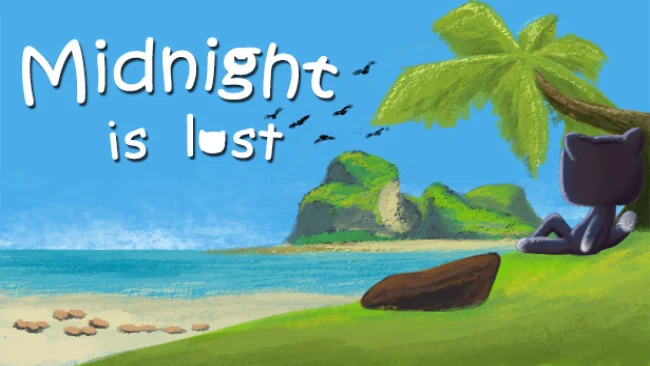
A clever feline familiar becomes stranded on a strange island where every route home is blocked by a puzzle. Midnight is Lost turns the familiar crate-pushing logic of Sokoban into a compact adventure with an unusual twist: success depends on thinking backward rather than simply pushing ahead. Its mood is mysterious but approachable, pairing an enchanted setting with the focused, methodical rhythm of a classic brain teaser. Midnight’s cautious personality fits the experience well, since every move needs to be considered before it is made.
Players guide the cat through 30 handcrafted stages built around positioning objects, opening paths, and avoiding the irreversible mistakes that define the Sokoban genre. The key mechanic asks you to solve situations in reverse, changing how you read rooms and forcing you to plan from the intended solution back toward your current position. A level may look simple at first glance, but a misplaced box can quickly turn a workable route into a dead end, so patience and experimentation are essential. Progress comes from learning the rules of each puzzle space, recognizing where objects must eventually end up, and carefully executing a plan without trapping Midnight or blocking the exit.
The reverse-solving concept gives Midnight is Lost a distinct identity among small-scale puzzle adventures, making familiar Sokoban principles feel less routine and more like a logic exercise. Its illustrated fantasy atmosphere and dedicated soundtrack provide a pleasant backdrop without distracting from the clean, deliberate puzzle design, while hidden minigames reward players who inspect the island beyond the obvious routes. Levels are designed for short sessions, though tougher challenges can demand repeated attempts and a willingness to restart. Fans of Sokoban, Baba Is You-style spatial reasoning, or relaxed but demanding indie puzzlers should find plenty to enjoy, while newcomers may appreciate its contained level structure even if the backward logic takes time to click.
Screenshots
Installation
- Select the Download button at the top of this page to open UploadHaven.
- On UploadHaven, wait for any countdown, then select Free Download. Optional: UploadHaven Pro for faster downloads.
- When complete, extract the archive to a Midnight is Lost folder using 7-Zip.
- Open the extracted folder and start the game normally.
- For errors, check Setup Guide & Troubleshooting below. Keep your security software enabled.
System Requirements
- OS: Windows 7/8/10
- Processor: Intel Core i5 or AMD equivalent
- Memory: 2 GB RAM
- Graphics: NVIDIA GTX 660 or AMD Radeon HD 7950
- Storage: 700 MB available space
- Sound Card: Any
Setup Guide & Troubleshooting
How do I fix missing DLL errors for Midnight is Lost?
After extracting Midnight is Lost, navigate to the _Redist or _CommonRedist folder inside the game directory and install DirectX, Vcredist, and any other dependencies included.
What should I do if the downloaded file is corrupted?
The full archive is 183.22 MB — make sure your download completed fully before extracting. Use 7-Zip to extract the files. If you still see a "file corrupted" error, re-download and try again.
Do I need to run the game as administrator?
Usually, no. Start the game normally from the extracted folder. If you see a permissions or save error, check that the folder is writable and follow the game's documented fix. Only grant administrator access when a trusted game's specific setup requires it.
How do I update my GPU drivers for this game?
The game won't launch — what should I try?
Check that extraction completed and your PC meets the system requirements. Note any error message before choosing a fix. If it identifies a missing runtime, install the required DirectX components or Microsoft Visual C++ Redistributable from Microsoft.
My antivirus is blocking the game — is it safe?
A warning needs to be investigated; the download source alone cannot confirm that a file is safe. Keep your security software enabled and review the detection details. Do not run or restore a flagged file unless you have verified that it is a false positive. If you are unsure, leave it quarantined.