
Game Overview
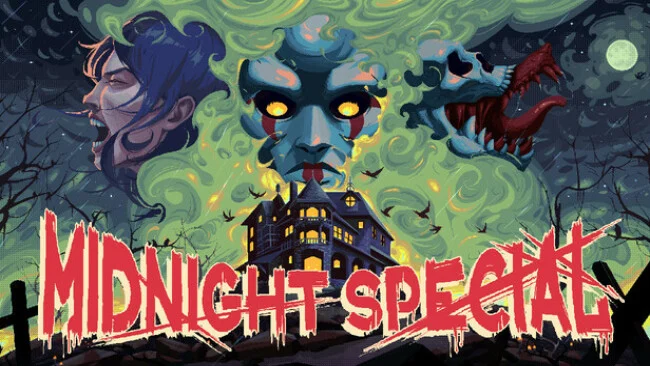
Boyd Manor turns a routine babysitting job into a slow-burning nightmare of blackouts, wrong-number calls, and rooms that no longer behave as they should. Midnight Special is a point-and-click survival horror adventure built around the anxious pacing and vulnerable protagonists of late-1990s genre staples. Sarah arrives to watch Jon and Ellie Boyd, only for the electricity to fail and the manor’s familiar domestic spaces to become hostile, surreal, and increasingly bloody. Its mood balances psychological dread with pulpy giallo violence, slasher-film tension, and strange retro science-fiction imagery.
Players guide Sarah through the house, inspect objects, collect useful items, and solve environmental puzzles that gradually expose what is happening beneath the manor’s polished surface. Progress depends on paying attention to visual details, eerie sounds, changing rooms, and clues hidden in seemingly ordinary household clutter rather than on fast reflexes. The game keeps pressure high through its ominous atmosphere and deliberate uncertainty: a foul smell from the floorboards or a plastic dinosaur in the hallway can become just as disturbing as an overt threat. Saving is handled manually through an early cigarette-pack interaction, giving exploration and risky puzzle attempts a welcome old-school edge.
Handcrafted 16-bit pixel art gives every room a grimy, cinematic character, with strong lighting and animation making darkness feel like an active presence. The soundtrack and sharp audio cues do much of the heavy lifting, turning phone rings, creaking boards, and distant noises into reasons to hesitate before opening the next door. Rather than simply recreating Clock Tower or classic Resident Evil, Midnight Special uses their tension, fixed-location mystery, and survival-horror sensibility for a compact supernatural story with its own bizarre personality. It suits players who enjoy puzzle-led horror, patient investigation, and unsettling ambiguity more than action-heavy scares, especially fans of retro-styled indie horror.
Screenshots
Installation
- Select the Download button at the top of this page to open UploadHaven.
- On UploadHaven, wait for any countdown, then select Free Download. Optional: UploadHaven Pro for faster downloads.
- When complete, extract the archive to a Midnight Special folder using 7-Zip.
- Open the extracted folder and start the game normally.
- For errors, check Setup Guide & Troubleshooting below. Keep your security software enabled.
System Requirements
- Requires a 64-bit processor and operating system
- OS *: Windows 7 64-bit
- Processor: Intel Pentium N3700 @ 1.60GHz
- Memory: 2 GB RAM
- Graphics: DX 11 based graphics card
- DirectX: Version 11
- Storage: 500 MB available space
- Additional Notes: Let the Midnight Special…
Setup Guide & Troubleshooting
How do I fix missing DLL errors for Midnight Special (v1.9.3)?
After extracting Midnight Special (v1.9.3), navigate to the _Redist or _CommonRedist folder inside the game directory and install DirectX, Vcredist, and any other dependencies included.
What should I do if the downloaded file is corrupted?
The full archive is 338.96 MB — make sure your download completed fully before extracting. Use 7-Zip to extract the files. If you still see a "file corrupted" error, re-download and try again.
Do I need to run the game as administrator?
Usually, no. Start the game normally from the extracted folder. If you see a permissions or save error, check that the folder is writable and follow the game's documented fix. Only grant administrator access when a trusted game's specific setup requires it.
How do I update my GPU drivers for this game?
The game won't launch — what should I try?
Check that extraction completed and your PC meets the system requirements, including Version 11. Note any error message before choosing a fix. If it identifies a missing runtime, install the required DirectX components or Microsoft Visual C++ Redistributable from Microsoft.
My antivirus is blocking the game — is it safe?
A warning needs to be investigated; the download source alone cannot confirm that a file is safe. Keep your security software enabled and review the detection details. Do not run or restore a flagged file unless you have verified that it is a false positive. If you are unsure, leave it quarantined.