
Game Overview
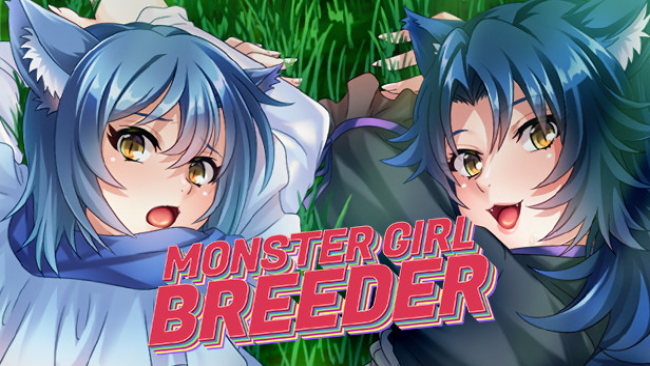
A sealed fantasy village provides the setting for an adults-only visual novel built around an intentionally outrageous premise: an ordinary man is summoned through another world to help a community of monster girls survive. The inhabitants are trapped behind a magical barrier, cut off from any male population, and they quickly decide that the newcomer is their answer. Monster Girl Breeder leans into broad comedy, fantasy clichés, and unapologetically erotic material rather than drama or tactical adventure. Its uncensored presentation makes it firmly aimed at players who want an explicit, character-focused hentai VN.
Most of the experience consists of reading translated Japanese dialogue, following the protagonist’s encounters with the village residents, and advancing through a series of adult-focused story sequences. The game uses traditional visual-novel presentation: character sprites appear over illustrated backdrops, dialogue carries the narrative, and voiced Japanese performances give each monster girl a distinct presence. Sprite animation, music, sound effects, and HD-upscaled artwork make the presentation feel more polished than a bare-bones slideshow. Progression is straightforward and accessible, with a scene select and gallery allowing players to revisit unlocked content instead of replaying large sections solely to find a favorite moment.
Its biggest strength is the commitment to the premise and the variety of fantasy character designs, pairing familiar monster-girl archetypes with fully voiced scenes and expressive art. Support for both 16:9 and 4:3 display formats is a welcome touch for an older Japanese release, while the sizable collection of 18 adult scenes gives the game a clear completion goal. Players looking for elaborate branching routes, combat, or deep simulation systems should look elsewhere, since the focus remains tightly on linear erotic storytelling. Fans of translated adult visual novels and lighthearted monster-girl fantasy, especially those who value voiced characters and a convenient replay gallery, are the natural audience.
Screenshots
Installation
- Select the Download button at the top of this page to open UploadHaven.
- On UploadHaven, wait for any countdown, then select Free Download. Optional: UploadHaven Pro for faster downloads.
- When complete, extract the archive to a Monster Girl Breeder folder using 7-Zip.
- Open the extracted folder and start the game normally.
- For errors, check Setup Guide & Troubleshooting below. Keep your security software enabled.
System Requirements
- OS: Windows 7 / 8 / 8.1 / 10
- Processor: 2.0 GHz Core 2 Duo
- Memory: 1 GB RAM
- Graphics: DirectX compatible
- DirectX: Version 9.0c
- Storage: 1 GB available space
- Sound Card: DirectX-compatible sound
Setup Guide & Troubleshooting
How do I fix missing DLL errors for Monster Girl Breeder (Uncensored)?
After extracting Monster Girl Breeder (Uncensored), navigate to the _Redist or _CommonRedist folder inside the game directory and install DirectX, Vcredist, and any other dependencies included.
What should I do if the downloaded file is corrupted?
The full archive is 808.15 MB — make sure your download completed fully before extracting. Use 7-Zip to extract the files. If you still see a "file corrupted" error, re-download and try again.
Do I need to run the game as administrator?
Usually, no. Start the game normally from the extracted folder. If you see a permissions or save error, check that the folder is writable and follow the game's documented fix. Only grant administrator access when a trusted game's specific setup requires it.
How do I update my GPU drivers for this game?
The game won't launch — what should I try?
Check that extraction completed and your PC meets the system requirements, including Version 9.0c. Note any error message before choosing a fix. If it identifies a missing runtime, install the required DirectX components or Microsoft Visual C++ Redistributable from Microsoft.
My antivirus is blocking the game — is it safe?
A warning needs to be investigated; the download source alone cannot confirm that a file is safe. Keep your security software enabled and review the detection details. Do not run or restore a flagged file unless you have verified that it is a false positive. If you are unsure, leave it quarantined.