
Game Overview
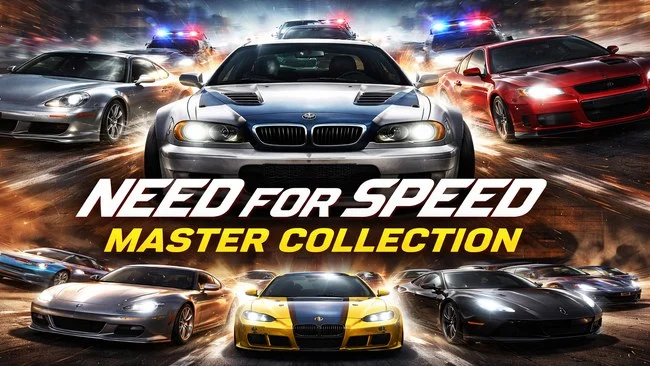
From sunlit point-to-point sprints in exotic supercars to neon-soaked import builds and relentless police pursuits, this collection captures the many identities that made Need for Speed a racing staple. Its selection spans the series’ formative arcade years, the Porsche-focused simulation leanings of the late 1990s, and the street-racing boom of the 2000s. Every included entry stands on its own, so the appeal is less a single campaign than a broad playable history of how arcade racing evolved. The mood shifts dramatically between games: one moment is pure open-road speed, the next is a tense escape from a growing police dragnet.
Races revolve around accessible high-speed handling, aggressive cornering, traffic dodging, and a constant push to find the quickest line through varied routes. Earlier titles emphasize exotic cars, scenic circuits, split-screen-style arcade sensibilities, and Hot Pursuit chases, while High Stakes adds consequences through vehicle damage and career progression. Porsche Unleashed offers a more deliberate handling model and a long automotive timeline, whereas Underground, Underground 2, Most Wanted, Carbon, Undercover, and ProStreet focus on career ladders, event variety, visual customization, performance tuning, and rival racers. Open-city driving takes center stage in Underground 2, Most Wanted, Carbon, and Undercover, while ProStreet trades illegal street culture for organized race-day competition and more demanding grip-focused events.
What makes the set valuable is its range rather than uniformity: it preserves games with distinctly different physics, presentation, car rosters, and ideas about what Need for Speed should be. Most Wanted remains the standout for many players thanks to its memorable pursuit escalation and blacklist structure, while Underground 2 is the obvious destination for deep customization fans. The older releases show their age in controls, visuals, and interface design, but they retain a direct, energetic style modern racers often smooth away. Fans of Burnout-style arcade immediacy, Midnight Club-era street racing, or classic police chases get plenty to revisit, while newcomers can sample nearly every major flavor of the franchise’s golden period.
Screenshots
Installation
- Select the Download button at the top of this page to open UploadHaven.
- On UploadHaven, wait for any countdown, then select Free Download. Optional: UploadHaven Pro for faster downloads.
- When complete, extract the archive to a Need for Speed: Master Collection folder using 7-Zip.
- Open the extracted folder and start the game normally.
- For errors, check Setup Guide & Troubleshooting below. Keep your security software enabled.
System Requirements
- OS *: Windows XP / Vista / 7 / 8 / 10 / 11
- Processor: Intel Pentium III / AMD Athlon (1.0 GHz or higher)
- Memory: 1 GB RAM
- Graphics: DirectX 8.1–compatible GPU with 128 MB VRAM
- DirectX: Version 8.1
- Storage: 25 GB available space
Setup Guide & Troubleshooting
How do I fix missing DLL errors for Need for Speed: Master Collection?
After extracting Need for Speed: Master Collection, navigate to the _Redist or _CommonRedist folder inside the game directory and install DirectX, Vcredist, and any other dependencies included.
What should I do if the downloaded file is corrupted?
The full archive is 22.15 GB — make sure your download completed fully before extracting. Use 7-Zip to extract the files. If you still see a "file corrupted" error, re-download and try again.
Do I need to run the game as administrator?
Usually, no. Start the game normally from the extracted folder. If you see a permissions or save error, check that the folder is writable and follow the game's documented fix. Only grant administrator access when a trusted game's specific setup requires it.
How do I update my GPU drivers for this game?
The game won't launch — what should I try?
Check that extraction completed and your PC meets the system requirements, including Version 8.1. Note any error message before choosing a fix. If it identifies a missing runtime, install the required DirectX components or Microsoft Visual C++ Redistributable from Microsoft.
My antivirus is blocking the game — is it safe?
A warning needs to be investigated; the download source alone cannot confirm that a file is safe. Keep your security software enabled and review the detection details. Do not run or restore a flagged file unless you have verified that it is a false positive. If you are unsure, leave it quarantined.