
NejicomiSimulator TMA02 (v1.09 & Uncensored)
Game Overview
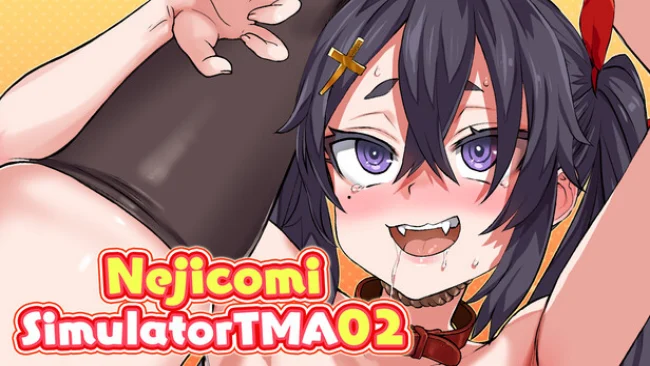
A character-driven adult interaction simulator, it focuses less on narrative and more on responsive animation, audiovisual feedback, and player-controlled scenes. NejicomiSimulator TMA02 presents its fan-event premise through newly created artwork from illustrator Asanagi, with a portrait-oriented composition that puts the featured character front and center. The appeal lies in its immediate, tactile presentation: inputs prompt reactions in real time, supported by synchronized voice work, breathing, and motion. Its tone is unabashedly mature and playful, designed as a compact digital toy rather than a long-form adventure.
Players use drag-based controls across different interaction points, testing how individual inputs alter animations and reactions. The central loop is experimentation, as each area responds with its own movement patterns and timing, encouraging repeated attempts to find combinations that look and feel most satisfying. A multi-recording system gives the experience more creative depth than a basic touch sim, letting players layer separate input passes over one another. Recording full-body motion first and then adding more focused gestures can produce customized sequences, turning simple controls into a lightweight animation-building tool.
What separates it from many adult visual novelties is its emphasis on responsiveness instead of dialogue trees, collectible scenes, or branching romance routes. The polished character art and carefully matched sound design sell the sense that every input has an immediate effect, while the recording feature offers replay value for players who enjoy tinkering. Content is deliberately narrow in scope, so anyone seeking story, exploration, or conventional progression may find it slight. For mature players who enjoy interactive adult doujin titles and want a more hands-on, customizable format, it is a focused showcase of reactive animation.
Screenshots
Installation
- Select the Download button at the top of this page to open UploadHaven.
- On UploadHaven, wait for any countdown, then select Free Download. Optional: UploadHaven Pro for faster downloads.
- When complete, extract the archive to a NejicomiSimulator TMA02 folder using 7-Zip.
- Open the extracted folder and start the game normally.
- For errors, check Setup Guide & Troubleshooting below. Keep your security software enabled.
System Requirements
- Requires a 64-bit processor and operating system
- OS: 7
- Processor: intel core i5 compatible
- Memory: 8 GB RAM
- Graphics: DirectX 10 compatible graphics card
- DirectX: Version 10
- Storage: 250 MB available space
Setup Guide & Troubleshooting
How do I fix missing DLL errors for NejicomiSimulator TMA02 (v1.09 & Uncensored)?
After extracting NejicomiSimulator TMA02 (v1.09 & Uncensored), navigate to the _Redist or _CommonRedist folder inside the game directory and install DirectX, Vcredist, and any other dependencies included.
What should I do if the downloaded file is corrupted?
The full archive is 366.38 MB — make sure your download completed fully before extracting. Use 7-Zip to extract the files. If you still see a "file corrupted" error, re-download and try again.
Do I need to run the game as administrator?
Usually, no. Start the game normally from the extracted folder. If you see a permissions or save error, check that the folder is writable and follow the game's documented fix. Only grant administrator access when a trusted game's specific setup requires it.
How do I update my GPU drivers for this game?
The game won't launch — what should I try?
Check that extraction completed and your PC meets the system requirements, including Version 10. Note any error message before choosing a fix. If it identifies a missing runtime, install the required DirectX components or Microsoft Visual C++ Redistributable from Microsoft.
My antivirus is blocking the game — is it safe?
A warning needs to be investigated; the download source alone cannot confirm that a file is safe. Keep your security software enabled and review the detection details. Do not run or restore a flagged file unless you have verified that it is a false positive. If you are unsure, leave it quarantined.