
Game Overview
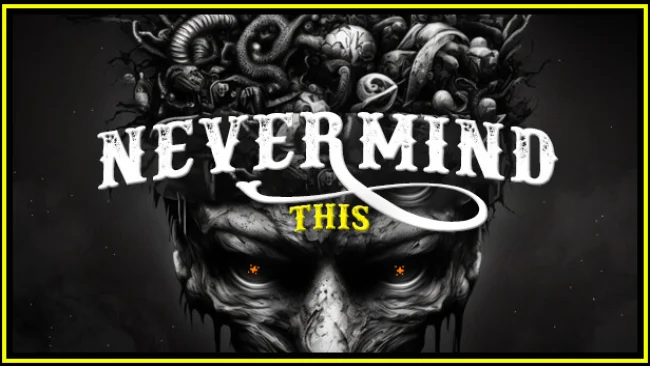
A snowbound cabin becomes a pressure cooker for paranoia in Nevermind This, a first-person indie horror adventure set far beyond the comfort of civilization. You play Mike, an aging lumberjack whose lonely routine collapses after he returns home during a bitter winter night. The surrounding forest, the isolated railway, and the cabin’s shifting interior create an oppressive sense that reality is no longer reliable. Its horror leans into solitude, disorientation, and the unnerving feeling that something is wrong long before a scare confirms it.
Progress centers on searching the hut and its frozen surroundings for clues, useful objects, and answers to the strange events consuming Mike’s life. Environmental puzzles and paranormal obstacles interrupt the exploration, asking players to pay attention to details while the game deliberately undermines their confidence in what they see. Rather than offering action-heavy combat, the experience emphasizes survival through observation, problem-solving, and keeping calm when surreal incidents turn familiar rooms into hostile spaces. Unpredictable encounters and changing conditions make each trip through the cabin feel tense, especially when blizzard weather cuts off any easy sense of escape.
Nevermind This stands out through its deliberately confusing atmosphere: it treats the cabin less like a static level and more like a psychological trap shaped by isolation and fear. The railway acts as a faint reminder of the outside world, while scattered hints gradually reveal the tragedy surrounding Mike and the land where he lives. Its rough, intimate horror approach should appeal to players who enjoy the uneasy exploration of P.T.-style haunted-house games or the cold rural dread of Silent Hill, rather than those seeking elaborate combat systems. Newcomers can handle its straightforward first-person controls, but veterans of psychological horror are likely to get the most from its disturbing imagery and willingness to make them question every discovery.
Screenshots
Installation
- Select the Download button at the top of this page to open UploadHaven.
- On UploadHaven, wait for any countdown, then select Free Download. Optional: UploadHaven Pro for faster downloads.
- When complete, extract the archive to a Nevermind This folder using 7-Zip.
- Open the extracted folder and start the game normally.
- For errors, check Setup Guide & Troubleshooting below. Keep your security software enabled.
System Requirements
- Requires a 64-bit processor and operating system
- OS: WINDOWS® 10 (64-BIT Required)
- Processor: Intel® Core™ i3-9100
- Memory: 6 GB RAM
- Graphics: NVIDIA® GeForce® GTX 1050
- DirectX: Version 11
- Storage: 6 GB available space
Setup Guide & Troubleshooting
How do I fix missing DLL errors for Nevermind This?
After extracting Nevermind This, navigate to the _Redist or _CommonRedist folder inside the game directory and install DirectX, Vcredist, and any other dependencies included.
What should I do if the downloaded file is corrupted?
The full archive is 3.26 GB — make sure your download completed fully before extracting. Use 7-Zip to extract the files. If you still see a "file corrupted" error, re-download and try again.
Do I need to run the game as administrator?
Usually, no. Start the game normally from the extracted folder. If you see a permissions or save error, check that the folder is writable and follow the game's documented fix. Only grant administrator access when a trusted game's specific setup requires it.
How do I update my GPU drivers for this game?
The game won't launch — what should I try?
Check that extraction completed and your PC meets the system requirements, including Version 11. Note any error message before choosing a fix. If it identifies a missing runtime, install the required DirectX components or Microsoft Visual C++ Redistributable from Microsoft.
My antivirus is blocking the game — is it safe?
A warning needs to be investigated; the download source alone cannot confirm that a file is safe. Keep your security software enabled and review the detection details. Do not run or restore a flagged file unless you have verified that it is a false positive. If you are unsure, leave it quarantined.