
Game Overview
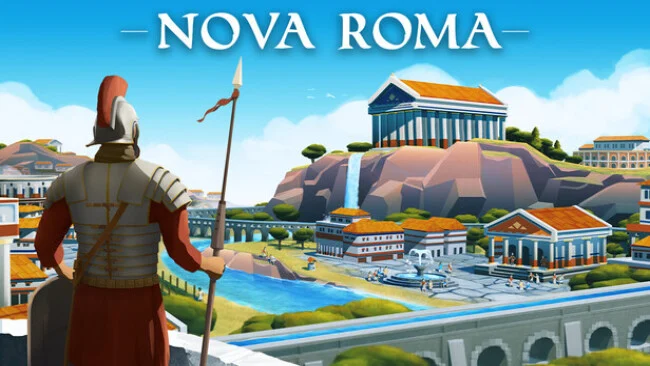
Rome’s collapse becomes the starting point for a demanding settlement-builder where survival depends as much on engineering as ambition. Nova Roma places you in charge of citizens fleeing a decaying empire, asking you to turn a small frontier village into a durable Roman metropolis. Its tone is thoughtful rather than militaristic: prosperity comes from careful planning, stable supply lines, civic order, and respect for powers that may punish arrogance. Every expansion carries weight when harsh weather, flooding, exhausted soil, and unhappy residents can undermine years of work.
City building revolves around shaping both the land and the society living on it. You lay out housing, workshops, farms, roads, temples, and public amenities, while constructing aqueducts, dams, reservoirs, and artificial drainage systems to direct water where the settlement needs it most. Remote resources require expeditions and transport infrastructure, so raw materials and finished products must move reliably across a broad wilderness before the city’s economy can flourish. Citizens expect increasingly sophisticated comforts, including food, pottery, wine, entertainment, and security, while taxes, research, specialized professions, and changing social roles provide the sense of long-term progression.
Water management is Nova Roma’s defining hook, separating it from Roman city builders that treat rivers and rain as background scenery. Floods, rainfall, watersheds, and fertility turn terrain into a practical puzzle, making a visually impressive city plan worthless if its farms wash away or its neighborhoods lack dependable water. The gods add another strategic pressure point, since monumental temples are not merely decorative projects but part of keeping divine favor on your side. Fans of Anno-style production chains, Banished-like environmental pressures, and classical city simulations such as Caesar should find plenty to appreciate, especially if they enjoy slow, methodical planning over fast-paced conquest.
Screenshots
Installation
- Select the Download button at the top of this page to open UploadHaven.
- On UploadHaven, wait for any countdown, then select Free Download. Optional: UploadHaven Pro for faster downloads.
- When complete, extract the archive to a Nova Roma folder using 7-Zip.
- Open the extracted folder and start the game normally.
- For errors, check Setup Guide & Troubleshooting below. Keep your security software enabled.
System Requirements
- Requires a 64-bit processor and operating system
- OS: Windows® 10 (64-bit)
- Processor: Intel® Core™ i5-6600K (quad-core) / AMD® Ryzen™ 3 2200G (quad-core)
- Memory: 4 GB RAM
- Graphics: NVIDIA® GeForce® GTX 1050 (2 GB) / AMD® Radeon™ R9 285 (2 GB)
- DirectX: Version 11
- Storage: 2 GB available space
Setup Guide & Troubleshooting
How do I fix missing DLL errors for Nova Roma (v0.7.2703)?
After extracting Nova Roma (v0.7.2703), navigate to the _Redist or _CommonRedist folder inside the game directory and install DirectX, Vcredist, and any other dependencies included.
What should I do if the downloaded file is corrupted?
The full archive is 407.46 MB — make sure your download completed fully before extracting. Use 7-Zip to extract the files. If you still see a "file corrupted" error, re-download and try again.
Do I need to run the game as administrator?
Usually, no. Start the game normally from the extracted folder. If you see a permissions or save error, check that the folder is writable and follow the game's documented fix. Only grant administrator access when a trusted game's specific setup requires it.
How do I update my GPU drivers for this game?
The game won't launch — what should I try?
Check that extraction completed and your PC meets the system requirements, including Version 11. Note any error message before choosing a fix. If it identifies a missing runtime, install the required DirectX components or Microsoft Visual C++ Redistributable from Microsoft.
My antivirus is blocking the game — is it safe?
A warning needs to be investigated; the download source alone cannot confirm that a file is safe. Keep your security software enabled and review the detection details. Do not run or restore a flagged file unless you have verified that it is a false positive. If you are unsure, leave it quarantined.