
Game Overview
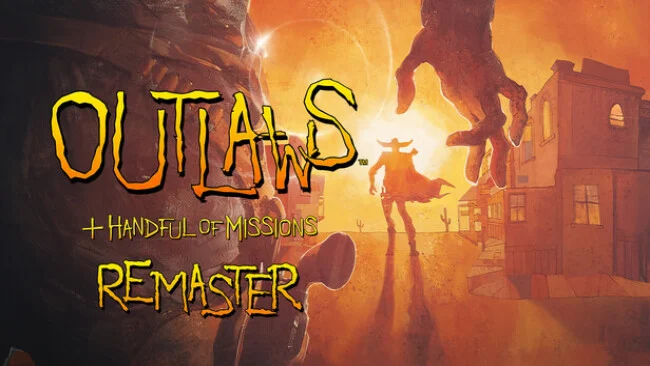
Gun smoke, crooked land barons, and a personal rescue mission drive this revived 1997 first-person shooter. You play former Marshal James Anderson, chasing the men responsible for tearing apart his family while a wider scheme of property theft and political corruption comes into focus. The mood sits somewhere between a gritty revenge western and a Saturday-morning serial, with hand-drawn cinematics, exaggerated villains, and dusty towns full of danger. Outlaws + Handful of Missions keeps that distinctly LucasArts flavor intact rather than sanding it down into a modern military shooter.
The campaign sends Anderson through forts, mines, rail yards, canyons, and frontier settlements, where progress often means finding keys, tracking switches, uncovering routes, and surviving ambushes. Gunfights reward careful aim and weapon choice: revolvers handle quick duels, rifles pick off distant threats, and shotguns dominate cramped rooms. Levels retain the sprawling, occasionally maze-like design of late-’90s FPS games, so players need to pay attention to their surroundings instead of simply following objective markers. The included Handful of Missions expansion adds more single-player stages, while gamepad support, a weapon wheel, rumble, and gyro aiming make the action far more comfortable on current hardware.
What separates Outlaws from most western shooters is its willingness to be both earnest and playful, mixing harsh frontier violence with cartoon-styled presentation and memorable oddball multiplayer ideas. The remaster rebuilds character, enemy, and weapon artwork from archived materials, upgrades the cinematics, and supports resolutions up to 4K at 120 FPS without losing the original color and personality. Cross-platform multiplayer brings back Deathmatch, Team Play, Capture the Flag, and the wonderfully absurd chicken-carrying mode, giving the package more life beyond the campaign. Fans of Dark Forces, classic DOOM-era level design, or Red Dead’s western atmosphere should find plenty to enjoy, though newcomers should expect old-school navigation and a tougher, less guided pace.
Screenshots
Installation
- Select the Download button at the top of this page to open UploadHaven.
- On UploadHaven, wait for any countdown, then select Free Download. Optional: UploadHaven Pro for faster downloads.
- When complete, extract the archive to a Outlaws + Handful of Missions: Remaster folder using 7-Zip.
- Open the extracted folder and start the game normally.
- For errors, check Setup Guide & Troubleshooting below. Keep your security software enabled.
System Requirements
- Requires a 64-bit processor and operating system
- OS: Windows 10 (64-bit required)
- Processor: Intel or AMD Dual-Core at 2.0 GHz
- Memory: 2 GB RAM
- Graphics: GPU with DirectX 11 or Vulkan 1.1 support
- Sound Card: 100% DirectX compatible sound card or onboard sound
Setup Guide & Troubleshooting
How do I fix missing DLL errors for Outlaws + Handful of Missions: Remaster?
After extracting Outlaws + Handful of Missions: Remaster, navigate to the _Redist or _CommonRedist folder inside the game directory and install DirectX, Vcredist, and any other dependencies included.
What should I do if the downloaded file is corrupted?
The full archive is 4.41 GB — make sure your download completed fully before extracting. Use 7-Zip to extract the files. If you still see a "file corrupted" error, re-download and try again.
Do I need to run the game as administrator?
Usually, no. Start the game normally from the extracted folder. If you see a permissions or save error, check that the folder is writable and follow the game's documented fix. Only grant administrator access when a trusted game's specific setup requires it.
How do I update my GPU drivers for this game?
The game won't launch — what should I try?
Check that extraction completed and your PC meets the system requirements. Note any error message before choosing a fix. If it identifies a missing runtime, install the required DirectX components or Microsoft Visual C++ Redistributable from Microsoft.
My antivirus is blocking the game — is it safe?
A warning needs to be investigated; the download source alone cannot confirm that a file is safe. Keep your security software enabled and review the detection details. Do not run or restore a flagged file unless you have verified that it is a false positive. If you are unsure, leave it quarantined.