
Game Overview
Creative freedom sits at the center of Park Studio, an indie simulation focused on designing a theme park down to its smallest visual details. Rather than pushing players through a rigid campaign, it leans into the satisfying sandbox appeal of laying out pathways, sculpting terrain, constructing attractions, and shaping a park that reflects a personal style. The mood is inventive and relaxed, whether you want to recreate a favorite real-world coaster, build a polished family resort, or assemble a spectacularly impractical thrill-ride collection. Its ambitions clearly target players who enjoy the construction side of modern park simulators.
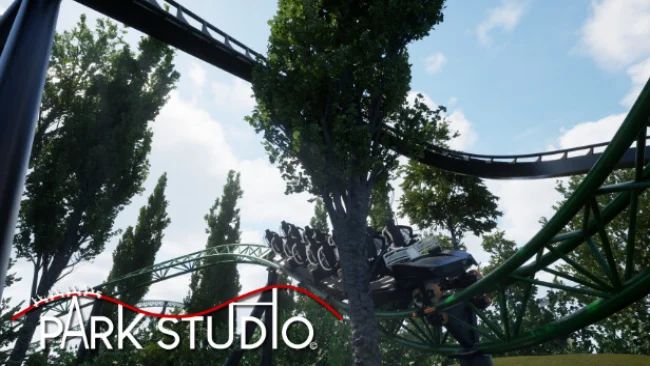
Roller coasters are the main event, with an editor built around creating custom layouts and replicating existing designs. Players can focus on track flow, dramatic drops, tight turns, and the look of highly detailed coaster trains, then surround those rides with plazas, queue areas, scenery, and purpose-built structures. A library containing more than 3,000 building pieces supports elaborate custom architecture instead of limiting you to pre-made shops and facades. Landscaping tools add another layer to the process, allowing hills, cliffs, and more varied terrain to turn a flat plot into a convincing park environment.
Park Studio stands out through the scale of its building set and its emphasis on granular decoration, making it closer in spirit to the creative modes of Planet Coaster than to a management-heavy tycoon game. The ability to import personal music, sound effects, and images is planned, as is Workshop support for trading parks and blueprints, which should give dedicated builders more ways to personalize and share their work. Community feedback also plays a visible role in its development direction, so the available tools can continue to grow alongside player requests. It is best suited to patient creators, coaster enthusiasts, and screenshot-focused builders; newcomers can enjoy simple layouts, while veterans have the pieces needed to chase highly detailed recreations.
Screenshots
Installation
- Select the Download button at the top of this page to open UploadHaven.
- On UploadHaven, wait for any countdown, then select Free Download. Optional: UploadHaven Pro for faster downloads.
- When complete, extract the archive to a Park Studio folder using 7-Zip.
- Open the extracted folder and start the game normally.
- For errors, check Setup Guide & Troubleshooting below. Keep your security software enabled.
System Requirements
- Requires a 64-bit processor and operating system
- OS: Windows 10 or 11 64 bit
- Processor: Intel Core i5 10th | AMD Ryzen 5 5000
- Memory: 8 GB RAM
- Graphics: NVIDIA GeForce GTX 1650 | AMD Radeon RX 580
- DirectX: Version 12
- Storage: 50 GB available space
- Additional Notes: Installation on an SSD preferred.
Setup Guide & Troubleshooting
How do I fix missing DLL errors for Park Studio?
After extracting Park Studio, navigate to the _Redist or _CommonRedist folder inside the game directory and install DirectX, Vcredist, and any other dependencies included.
What should I do if the downloaded file is corrupted?
The full archive is 24.90 GB — make sure your download completed fully before extracting. Use 7-Zip to extract the files. If you still see a "file corrupted" error, re-download and try again.
Do I need to run the game as administrator?
Usually, no. Start the game normally from the extracted folder. If you see a permissions or save error, check that the folder is writable and follow the game's documented fix. Only grant administrator access when a trusted game's specific setup requires it.
How do I update my GPU drivers for this game?
The game won't launch — what should I try?
Check that extraction completed and your PC meets the system requirements, including Version 12. Note any error message before choosing a fix. If it identifies a missing runtime, install the required DirectX components or Microsoft Visual C++ Redistributable from Microsoft.
My antivirus is blocking the game — is it safe?
A warning needs to be investigated; the download source alone cannot confirm that a file is safe. Keep your security software enabled and review the detection details. Do not run or restore a flagged file unless you have verified that it is a false positive. If you are unsure, leave it quarantined.