
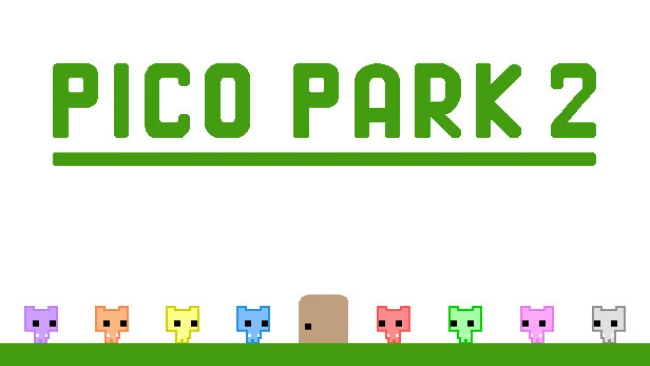
PICO PARK 2 (v1.04 & Multiplayer)
Game Overview
Cooperative chaos drives every second of this bright, deceptively demanding 2D puzzle platformer. PICO PARK 2 turns simple goals—collecting keys, reaching exits, moving blocks, and surviving traps—into group problems that only work when everyone communicates. Its colorful, minimalist presentation keeps the mood playful, but failed jumps and mistimed plans can turn a friendly session into loud, hilarious blame-sharing. Whether played on a couch or over the internet, it is built around the idea that nobody gets through alone.
Each stage asks two to eight players to combine their characters’ abilities through positioning, timing, and improvisation. One player may need to act as a platform, another may hold a switch, while the rest carry a key across shifting hazards or coordinate a simultaneous leap. Levels scale to the number of people present, so a duo can tackle the same content as a full eight-player party, while online play supports cross-platform groups and allows several people to join from one PC. Beyond the standard World stages, Endless mode tests how long a team can maintain focus, Battle mode introduces more competitive mini-game energy, and Dark mode adds tougher, deliberately mean-spirited challenges for groups that want to suffer together.
What separates PICO PARK 2 from most party platformers is how completely it commits to collaboration rather than individual skill. The controls are approachable enough for newcomers, yet the puzzles create memorable moments when a nearly perfect plan collapses because one person jumps early. Its clean visual design makes hazards and puzzle elements easy to read, keeping the attention on teamwork instead of clutter. Fans of Overcooked’s communication meltdowns or the cooperative problem-solving of Heave Ho will find a sharper, more platform-focused party game here, especially if they have a regular group willing to coordinate, argue, laugh, and try again.
Screenshots
Installation
- Select the Download button at the top of this page to open UploadHaven.
- On UploadHaven, wait for any countdown, then select Free Download. Optional: UploadHaven Pro for faster downloads.
- When complete, extract the archive to a PICO PARK 2 folder using 7-Zip.
- Open the extracted folder and start the game normally.
- For errors, check Setup Guide & Troubleshooting below. Keep your security software enabled.
System Requirements
- Requires a 64-bit processor and operating system
- OS: Windows 10, 64-bit / Windows 11, 64-bit
- Processor: Intel Core i3
- Memory: 4 GB RAM
- Storage: 1 GB available space
Setup Guide & Troubleshooting
How do I fix missing DLL errors for PICO PARK 2 (v1.04 & Multiplayer)?
After extracting PICO PARK 2 (v1.04 & Multiplayer), navigate to the _Redist or _CommonRedist folder inside the game directory and install DirectX, Vcredist, and any other dependencies included.
What should I do if the downloaded file is corrupted?
The full archive is 178.97 MB — make sure your download completed fully before extracting. Use 7-Zip to extract the files. If you still see a "file corrupted" error, re-download and try again.
Do I need to run the game as administrator?
Usually, no. Start the game normally from the extracted folder. If you see a permissions or save error, check that the folder is writable and follow the game's documented fix. Only grant administrator access when a trusted game's specific setup requires it.
How do I update my GPU drivers for this game?
The game won't launch — what should I try?
Check that extraction completed and your PC meets the system requirements. Note any error message before choosing a fix. If it identifies a missing runtime, install the required DirectX components or Microsoft Visual C++ Redistributable from Microsoft.
My antivirus is blocking the game — is it safe?
A warning needs to be investigated; the download source alone cannot confirm that a file is safe. Keep your security software enabled and review the detection details. Do not run or restore a flagged file unless you have verified that it is a false positive. If you are unsure, leave it quarantined.