
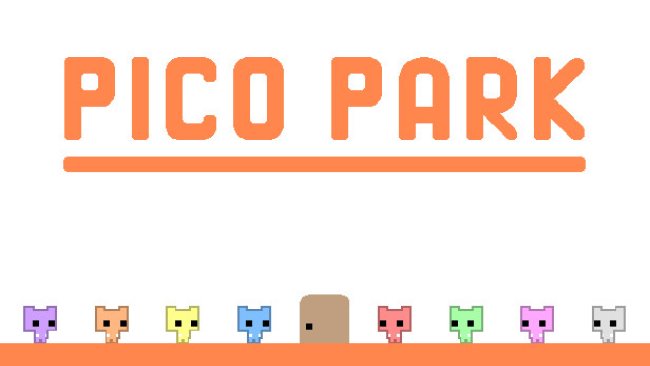
Game Overview
A handful of tiny cats turns simple platforming into a loud, clever test of teamwork. PICO PARK is a minimalist cooperative puzzle game built around one objective: collect the key, open the exit, and make sure every player reaches it alive. Its bright, stripped-back presentation keeps the focus on communication, while the actual mood swings from friendly problem-solving to hilarious blame-sharing whenever someone mistimes a jump. Designed around multiplayer from the ground up, it works best with a group willing to talk, improvise, and occasionally sacrifice a teammate for the greater good.
Each of the 48 stages introduces a new obstacle or rule that forces players to coordinate in a different way. Groups stack their characters into makeshift ladders, hold switches for one another, synchronize movement across unstable platforms, manage shared objects, and work out how to move everyone through spaces that no single player can solve alone. The controls are deliberately simple, so the challenge comes from reading the room and executing a plan together rather than mastering complex moves. Online play makes it easy to bring distant friends into the chaos, while local sessions are especially effective for parties and couch co-op nights.
What separates PICO PARK from most cooperative platformers is how efficiently it turns tiny rooms and basic mechanics into puzzles that demand real group participation. Nobody can simply carry the team; even an experienced player is limited by the coordination of everyone else, making failure as entertaining as success. Battle Mode offers competitive breaks after the cooperative campaign, and Endless Mode pushes teams to chase larger scores through sustained collaboration. Fans of Overcooked’s frantic communication or Heave Ho’s physical comedy should find an immediately appealing multiplayer staple here, though newcomers should know that patience and a talkative group matter far more than platforming skill.
Screenshots
Installation
- Select the Download button at the top of this page to open UploadHaven.
- On UploadHaven, wait for any countdown, then select Free Download. Optional: UploadHaven Pro for faster downloads.
- When complete, extract the archive to a Pico Park folder using 7-Zip.
- Open the extracted folder and start the game normally.
- For errors, check Setup Guide & Troubleshooting below. Keep your security software enabled.
System Requirements
- Requires a 64-bit processor and operating system
- OS: Windows 7 or later 64bit
- Memory: 4 GB RAM
- Graphics: 2nd Generation Intel Core HD Graphics (2000/3000), 512MB
- DirectX: Version 9.0c
- Storage: 100 MB available space
Setup Guide & Troubleshooting
How do I fix missing DLL errors for Pico Park?
After extracting Pico Park, navigate to the _Redist or _CommonRedist folder inside the game directory and install DirectX, Vcredist, and any other dependencies included.
What should I do if the downloaded file is corrupted?
The full archive is 52.64 MB — make sure your download completed fully before extracting. Use 7-Zip to extract the files. If you still see a "file corrupted" error, re-download and try again.
Do I need to run the game as administrator?
Usually, no. Start the game normally from the extracted folder. If you see a permissions or save error, check that the folder is writable and follow the game's documented fix. Only grant administrator access when a trusted game's specific setup requires it.
How do I update my GPU drivers for this game?
The game won't launch — what should I try?
Check that extraction completed and your PC meets the system requirements, including Version 9.0c. Note any error message before choosing a fix. If it identifies a missing runtime, install the required DirectX components or Microsoft Visual C++ Redistributable from Microsoft.
My antivirus is blocking the game — is it safe?
A warning needs to be investigated; the download source alone cannot confirm that a file is safe. Keep your security software enabled and review the detection details. Do not run or restore a flagged file unless you have verified that it is a false positive. If you are unsure, leave it quarantined.