
Game Overview
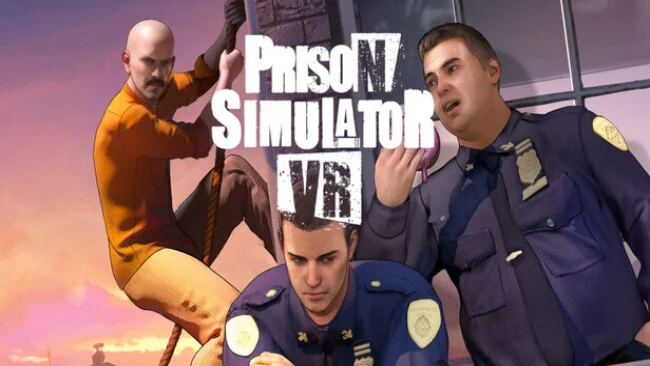
A guarded cell block becomes a tense workplace in virtual reality, where routine inspections can turn into confrontations and every inmate remembers how you treat them. Prison Simulator VR casts you as an officer responsible for keeping order inside a harsh, unpredictable facility rather than an action hero simply blasting through criminals. Its mood balances dark humor, institutional pressure, and the uneasy moral compromises that come with having power over people. Authority is never entirely secure, and the choices made during a shift shape the atmosphere around you.
Daily work revolves around hands-on guard duties: checking prisoners, searching cells, locating prohibited items, confiscating contraband, and dealing with staff as well as inmates. VR puts these actions at close range, so tasks feel physical and personal instead of being handled through menus from a distant management screen. Players can enforce regulations strictly, cultivate fear, build a degree of respect, or take a corrupt route by cooperating with prisoners for their own reasons. Reactions change according to that behavior, meaning an overly aggressive approach can create as many problems as it solves.
Story mode gives Prison Simulator VR a directed campaign built around prison politics, hidden agendas, and escalating consequences, while freeplay mode focuses on the open-ended rhythm of working the block. The appeal lies in its role-playing flexibility: the same job can feel like a procedural inspection simulator, a morality test, or a volatile sandbox where control may slip away at any moment. Rather than offering the grand strategy depth of Prison Architect, it delivers a more immediate, first-person perspective on the same setting, with the added discomfort and presence of VR. It suits VR players who enjoy interactive job simulations and choice-driven systems, especially those willing to accept tension, routine, and uncomfortable decisions as part of the experience.
Screenshots
Installation
- Select the Download button at the top of this page to open UploadHaven.
- On UploadHaven, wait for any countdown, then select Free Download. Optional: UploadHaven Pro for faster downloads.
- When complete, extract the archive to a Prison Simulator VR folder using 7-Zip.
- Open the extracted folder and start the game normally.
- For errors, check Setup Guide & Troubleshooting below. Keep your security software enabled.
System Requirements
- OS *: 32/64-bit Windows 7 / 8.1 / 10
- Processor: Intel Core i5-4590/AMD FX 8350
- Memory: 6 GB RAM
- Graphics: NVIDIA GeForce GTX 970, AMD Radeon R9 290
- DirectX: Version 11
- Storage: 10 GB available space
- VR Support: SteamVR. Standing or Room Scale
- Additional Notes: VR support is required (HMD + 2 hand controllers)
Setup Guide & Troubleshooting
How do I fix missing DLL errors for Prison Simulator VR?
After extracting Prison Simulator VR, navigate to the _Redist or _CommonRedist folder inside the game directory and install DirectX, Vcredist, and any other dependencies included.
What should I do if the downloaded file is corrupted?
The full archive is 3.38 GB — make sure your download completed fully before extracting. Use 7-Zip to extract the files. If you still see a "file corrupted" error, re-download and try again.
Do I need to run the game as administrator?
Usually, no. Start the game normally from the extracted folder. If you see a permissions or save error, check that the folder is writable and follow the game's documented fix. Only grant administrator access when a trusted game's specific setup requires it.
How do I update my GPU drivers for this game?
The game won't launch — what should I try?
Check that extraction completed and your PC meets the system requirements, including Version 11. Note any error message before choosing a fix. If it identifies a missing runtime, install the required DirectX components or Microsoft Visual C++ Redistributable from Microsoft.
My antivirus is blocking the game — is it safe?
A warning needs to be investigated; the download source alone cannot confirm that a file is safe. Keep your security software enabled and review the detection details. Do not run or restore a flagged file unless you have verified that it is a false positive. If you are unsure, leave it quarantined.