
Game Overview
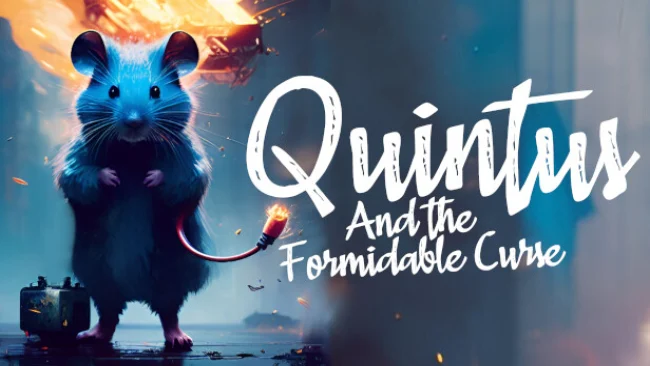
Alan and Quintus return to a creepier, more ambitious corner of fictional Washington State, where a seemingly ordinary road trip turns into a fight against a dangerous curse. The horror-adventure sequel continues directly after the pair’s previous case, pairing a vulnerable human protagonist with a resourceful mouse companion in a world full of locked doors, hostile encounters, and unsettling locations. Its tone leans toward accessible indie horror rather than relentless terror, balancing eerie exploration with the charm of its unlikely heroes. A larger journey across Cificap County gives the adventure more of a connected-road-trip feel than a series of isolated scares.
Players control Alan while switching to Quintus whenever a puzzle calls for a creature small enough to crawl through vents, machinery, wall channels, and other spaces out of human reach. The central loop involves searching environments for clues and usable objects, restoring power, opening routes, and combining the different talents of the mouse team to clear obstacles. New elemental companions broaden the puzzle design: one channels electricity into equipment and enemies, while another provides fire for illumination, environmental interactions, and combat support. Alan also handles direct threats with improvised melee weapons such as bats and pipes, though using the mice’s abilities wisely makes confrontations less punishing. Driving a rental van across a top-down county map links the major areas and gives players control over how they move between destinations.
What makes the sequel stand out is how thoroughly it builds its identity around scale: Alan can fight and investigate at human height, while the mice turn tiny environmental details into essential paths forward. Switching characters is integrated into the adventure rather than being confined to separate puzzle sections, making exploration feel more flexible and less scripted. The combination of light survival-horror combat, companion abilities, and compact adventure-game puzzles recalls smaller-scale Resident Evil-style exploration, filtered through a distinctly odd-couple premise. Fans of the first installment should find a broader, more mechanically varied follow-up, while newcomers who enjoy creepy puzzles without extreme horror are likely to appreciate its approachable pace.
Screenshots
Installation
- Select the Download button at the top of this page to open UploadHaven.
- On UploadHaven, wait for any countdown, then select Free Download. Optional: UploadHaven Pro for faster downloads.
- When complete, extract the archive to a Quintus and the Formidable Curse folder using 7-Zip.
- Open the extracted folder and start the game normally.
- For errors, check Setup Guide & Troubleshooting below. Keep your security software enabled.
System Requirements
- OS *: Windows 7, 8, 10
- Processor: Intel Core i3-4340 / AMD FX-6300
- Memory: 2 GB RAM
- Graphics: nVidia GeForce GTX 660 2GB / AMD Radeon HD 7850 2GB
- DirectX: Version 11
- Storage: 10 GB available space
Setup Guide & Troubleshooting
How do I fix missing DLL errors for Quintus and the Formidable Curse?
After extracting Quintus and the Formidable Curse, navigate to the _Redist or _CommonRedist folder inside the game directory and install DirectX, Vcredist, and any other dependencies included.
What should I do if the downloaded file is corrupted?
The full archive is 5.04 GB — make sure your download completed fully before extracting. Use 7-Zip to extract the files. If you still see a "file corrupted" error, re-download and try again.
Do I need to run the game as administrator?
Usually, no. Start the game normally from the extracted folder. If you see a permissions or save error, check that the folder is writable and follow the game's documented fix. Only grant administrator access when a trusted game's specific setup requires it.
How do I update my GPU drivers for this game?
The game won't launch — what should I try?
Check that extraction completed and your PC meets the system requirements, including Version 11. Note any error message before choosing a fix. If it identifies a missing runtime, install the required DirectX components or Microsoft Visual C++ Redistributable from Microsoft.
My antivirus is blocking the game — is it safe?
A warning needs to be investigated; the download source alone cannot confirm that a file is safe. Keep your security software enabled and review the detection details. Do not run or restore a flagged file unless you have verified that it is a false positive. If you are unsure, leave it quarantined.