
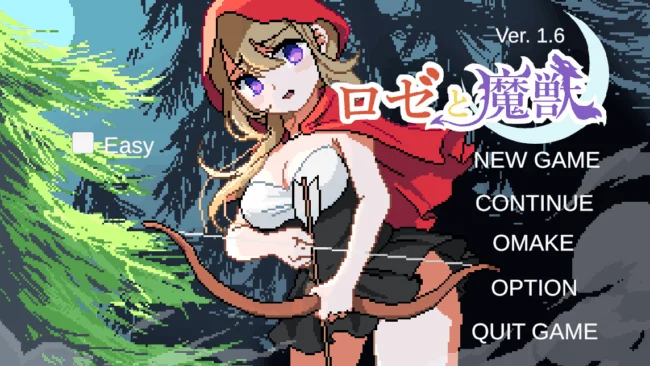
Rosé and the Magic Beast (v1.6 & Uncensored)
Game Overview
A hostile pixel-art wilderness turns a simple escape story into a tense adult side-scrolling action challenge. Rosé and the Magic Beast follows Rose after a sudden monster attack leaves her trying to survive a dangerous realm populated by predatory creatures and uncertain routes forward. Its mood is more vulnerable and peril-driven than power-fantasy driven, using mature themes alongside straightforward arcade-style platforming. The focus stays on keeping Rose moving, finding safer paths, and avoiding the consequences of being overwhelmed.
Rose runs, jumps across hazards, passes through doors, and fights back with a close-range kick when enemies get too near. A bow provides a more cautious ranged option, including a lowered shot for targets positioned beneath her, so encounters reward awareness of enemy placement rather than blind rushing. When a creature restrains her, players must actively resist instead of simply accepting defeat, adding pressure to mistakes and close calls. Simple keyboard controls make the basics easy to grasp, while the limited tools encourage careful timing, spacing, and deciding when to attack or retreat.
The appeal comes from the contrast between its cute, compact pixel presentation and the much harsher adult survival scenario underneath it. Rather than building a sprawling RPG around statistics and loot, it delivers a focused sequence of platforming obstacles, monster encounters, and escape-oriented tension. Its deliberately direct design makes it accessible for players who want a short, mechanically clear adult action title without wrestling with complicated systems. Fans of retro 2D games with mature content, especially those who prefer active resistance and combat over purely passive visual-novel scenes, are the best fit for Rose’s dangerous journey.
Screenshots
Installation
- Select the Download button at the top of this page to open UploadHaven.
- On UploadHaven, wait for any countdown, then select Free Download. Optional: UploadHaven Pro for faster downloads.
- When complete, extract the archive to a Rosé and the Magic Beast folder using 7-Zip.
- Open the extracted folder and start the game normally.
- For errors, check Setup Guide & Troubleshooting below. Keep your security software enabled.
System Requirements
- OS *: Windows 7 x64
- Processor: Intel Core i5-4590 / AMD FX-8350
- Memory: 8 GB RAM
- Graphics: Shader Model 4.0
- DirectX: Version 11
- Storage: 120 MB available space
Setup Guide & Troubleshooting
How do I fix missing DLL errors for Rosé and the Magic Beast (v1.6 & Uncensored)?
After extracting Rosé and the Magic Beast (v1.6 & Uncensored), navigate to the _Redist or _CommonRedist folder inside the game directory and install DirectX, Vcredist, and any other dependencies included.
What should I do if the downloaded file is corrupted?
The full archive is 121.06 MB — make sure your download completed fully before extracting. Use 7-Zip to extract the files. If you still see a "file corrupted" error, re-download and try again.
Do I need to run the game as administrator?
Usually, no. Start the game normally from the extracted folder. If you see a permissions or save error, check that the folder is writable and follow the game's documented fix. Only grant administrator access when a trusted game's specific setup requires it.
How do I update my GPU drivers for this game?
The game won't launch — what should I try?
Check that extraction completed and your PC meets the system requirements, including Version 11. Note any error message before choosing a fix. If it identifies a missing runtime, install the required DirectX components or Microsoft Visual C++ Redistributable from Microsoft.
My antivirus is blocking the game — is it safe?
A warning needs to be investigated; the download source alone cannot confirm that a file is safe. Keep your security software enabled and review the detection details. Do not run or restore a flagged file unless you have verified that it is a false positive. If you are unsure, leave it quarantined.