
Game Overview
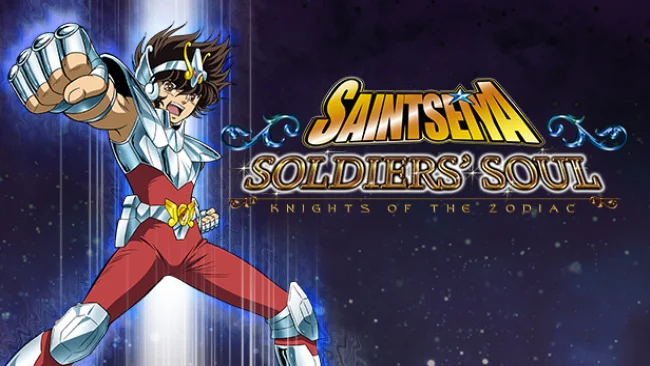
Athena’s warriors return in a fast, flashy arena fighter built around the melodrama and cosmic-scale clashes of the Saint Seiya anime. Saint Seiya: Soldiers’ Soul covers major story arcs from the climb through the Twelve Houses to the war against Hades, using voiced 3D scenes and familiar rivalries to give its campaign some fan-service weight. The mood is unapologetically theatrical: armor explodes apart, heroes shout attack names, and every finishing move aims to recreate the spectacle of the source material. Its large roster draws from across the saga, including the Gold Saints and their powerful God Cloth forms.
Matches take place in compact 3D arenas where fighters dash, sidestep, block, charge Cosmo energy, and trade rapid strings of punches before unleashing signature techniques. Combat is accessible at a basic level, but successful play depends on managing meter, recognizing openings, using evasions, and choosing when to spend energy on stronger attacks or defensive options. Aerial attacks and varied attack ranges make movement more important than in earlier series entries, while cinematic super moves provide the expected momentum swings. Story-focused Legend of Cosmos content sits alongside versus battles, allowing players to test matchups outside the campaign and settle arguments between favorite Saints.
What stands out is the commitment to Saint Seiya’s entire visual language, from gleaming Cloth transformations to absurdly destructive Cosmos attacks and reverent recreations of iconic fights. It is less interested in the frame-perfect precision of Street Fighter or Tekken than in delivering an anime brawl where recognizable characters feel powerful immediately. The camera and visual effects can make close-range exchanges chaotic, and the campaign lands best for players who already care about the cast, but the controls remain welcoming enough for casual fighters. Fans of Dragon Ball-style arena combat and veteran Saint Seiya followers get the most from it, especially if assembling dream battles matters more than tournament-grade balance.
Screenshots
Installation
- Select the Download button at the top of this page to open UploadHaven.
- On UploadHaven, wait for any countdown, then select Free Download. Optional: UploadHaven Pro for faster downloads.
- When complete, extract the archive to a Saint Seiya: Soldiers' Soul folder using 7-Zip.
- Open the extracted folder and start the game normally.
- For errors, check Setup Guide & Troubleshooting below. Keep your security software enabled.
System Requirements
- OS *: Windows Vista/7/8/8.1
- Processor: Intel Core 2 Duo 2.4Ghz / AMD Athlon 64 X2 5200+, 2.6GHz
- Memory: 1 GB RAM
- Graphics: 512 MB Nvidia GeForce 8800 / ATI Radeon HD 3870
- DirectX: Version 9.0
- Network: Broadband Internet connection
- Storage: 12 GB available space
Setup Guide & Troubleshooting
How do I fix missing DLL errors for Saint Seiya: Soldiers’ Soul?
After extracting Saint Seiya: Soldiers’ Soul, navigate to the _Redist or _CommonRedist folder inside the game directory and install DirectX, Vcredist, and any other dependencies included.
What should I do if the downloaded file is corrupted?
The full archive is 3.99 GB — make sure your download completed fully before extracting. Use 7-Zip to extract the files. If you still see a "file corrupted" error, re-download and try again.
Do I need to run the game as administrator?
Usually, no. Start the game normally from the extracted folder. If you see a permissions or save error, check that the folder is writable and follow the game's documented fix. Only grant administrator access when a trusted game's specific setup requires it.
How do I update my GPU drivers for this game?
The game won't launch — what should I try?
Check that extraction completed and your PC meets the system requirements, including Version 9.0. Note any error message before choosing a fix. If it identifies a missing runtime, install the required DirectX components or Microsoft Visual C++ Redistributable from Microsoft.
My antivirus is blocking the game — is it safe?
A warning needs to be investigated; the download source alone cannot confirm that a file is safe. Keep your security software enabled and review the detection details. Do not run or restore a flagged file unless you have verified that it is a false positive. If you are unsure, leave it quarantined.