
Game Overview
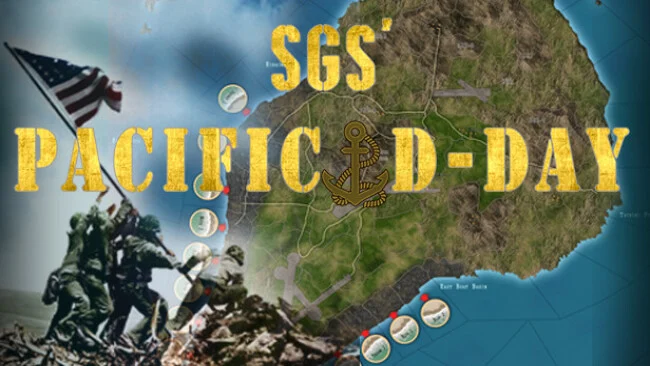
Amphibious warfare becomes a tense exercise in planning, attrition, and hard compromises across five of the Pacific War’s most punishing island campaigns. SGS Pacific D-Day is a turn-based operational wargame covering Tarawa, Saipan, Tinian, Peleliu, and Iwo Jima, placing players on either side of the American assaults from late 1943 through early 1945. Its mood is sober rather than triumphant: every advance is measured against casualties, time limits, and terrain built to favor defenders. Historical inevitability does not remove the challenge, because success depends on reducing the human cost of victory—or making that victory unbearably expensive.
Players command forces at battalion scale in the larger operations and company scale in the especially detailed Peleliu and Iwo Jima scenarios. American commanders coordinate infantry, armor, carrier aircraft, naval bombardment, reinforcements, and limited time to seize objectives, while Japanese commanders shape a layered defense with bunkers, trenches, mines, tunnels, and stubborn ground troops. Each turn supplies event cards that can alter the battlefield through support assets, tactical complications, and faction-specific advantages, making timing as important as unit placement. Scenarios last roughly 20 to 40 turns, and alternate setups can change deployments, reserves, and air support, offering meaningful reasons to revisit familiar battles.
The asymmetric design is the major attraction: American firepower is formidable, yet deadlines and fortified terrain make a careless advance disastrous, while Japan survives through preparation, concealment, and delaying actions rather than mobility. Maps and unit scale emphasize operational decisions over individual firefights, so the appeal lies closer to digital board wargames than to real-time strategy spectacles. Optional starting conditions give history-minded players room to test counterfactual approaches without abandoning the character of each operation. Fans of SGS’s other strategy titles, or players who enjoy the deliberate pressure of Order of Battle and tabletop-style hex wargames, find a focused and demanding campaign package here; newcomers should expect a learning curve, but the compact scenarios make it an approachable entry into serious WWII strategy.
Screenshots
Installation
- Select the Download button at the top of this page to open UploadHaven.
- On UploadHaven, wait for any countdown, then select Free Download. Optional: UploadHaven Pro for faster downloads.
- When complete, extract the archive to a SGS Pacific D-Day folder using 7-Zip.
- Open the extracted folder and start the game normally.
- For errors, check Setup Guide & Troubleshooting below. Keep your security software enabled.
System Requirements
- OS: Windows 10+
- Processor: 2.5 GHz Intel Dual Core
- Memory: 2 GB RAM
- Graphics: 512 MB NVIDIA GeForce 9600 or equivalent
- DirectX: Version 9.0
- Storage: 950 MB available space
- Sound Card: DirectX Compatible
- Additional Notes: Max 21:9 ratio on full screens. Use windowed mode on Xtra large monitors.
Setup Guide & Troubleshooting
How do I fix missing DLL errors for SGS Pacific D-Day?
After extracting SGS Pacific D-Day, navigate to the _Redist or _CommonRedist folder inside the game directory and install DirectX, Vcredist, and any other dependencies included.
What should I do if the downloaded file is corrupted?
The full archive is 745.95 MB — make sure your download completed fully before extracting. Use 7-Zip to extract the files. If you still see a "file corrupted" error, re-download and try again.
Do I need to run the game as administrator?
Usually, no. Start the game normally from the extracted folder. If you see a permissions or save error, check that the folder is writable and follow the game's documented fix. Only grant administrator access when a trusted game's specific setup requires it.
How do I update my GPU drivers for this game?
The game won't launch — what should I try?
Check that extraction completed and your PC meets the system requirements, including Version 9.0. Note any error message before choosing a fix. If it identifies a missing runtime, install the required DirectX components or Microsoft Visual C++ Redistributable from Microsoft.
My antivirus is blocking the game — is it safe?
A warning needs to be investigated; the download source alone cannot confirm that a file is safe. Keep your security software enabled and review the detection details. Do not run or restore a flagged file unless you have verified that it is a false positive. If you are unsure, leave it quarantined.