
Game Overview
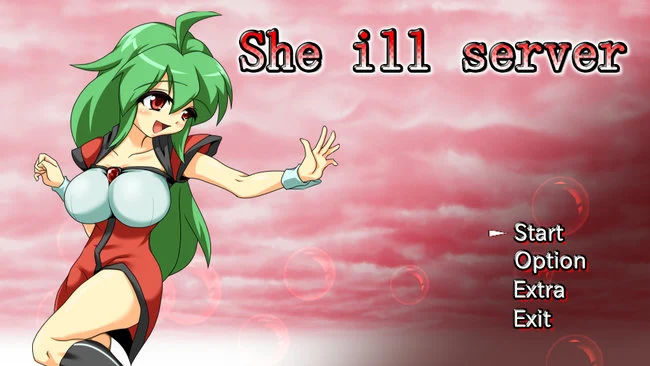
She Ill Server is a 3D adult side-scrolling H-game set inside a research facility that has been overrun by hostile creatures. After the women staff are overwhelmed, the professor releases a powerful experimental subject known as Ex-Ill, who becomes the only hope of pushing back against the outbreak.
Gameplay revolves around summoning different creatures and using them to fight enemies, trigger sexual attacks, and infiltrate female characters encountered throughout the facility. You can control several different companion types, each offering its own abilities and approach to the sexual acts.
As you move deeper through the laboratory, you’ll face increasingly dangerous enemies while making use of your summoned creatures to clear obstacles and reach new areas. She Ill Server combines 3D side-scrolling action, creature-based mechanics, and adult H-game content into a short experimental-style adventure.
Screenshots
Installation
- Select the Download button at the top of this page to open UploadHaven.
- On UploadHaven, wait for any countdown, then select Free Download. Optional: UploadHaven Pro for faster downloads.
- When complete, extract the archive to a She Ill Server folder using 7-Zip.
- Open the extracted folder and start the game normally.
- For errors, check Setup Guide & Troubleshooting below. Keep your security software enabled.
System Requirements
- OS: Windows 10
- Processor: 2.0 GHz Core 2 Duo
- Memory: 4 GB RAM
- Graphics: OpenGL 2.0 or DirectX 9.0c compatible
- DirectX: Version 9.0c
- Storage: 11 GB available space
- Additional Notes: OpenGL 2, DirectX 9c, or OpenGL ES 2 are required
Setup Guide & Troubleshooting
How do I fix missing DLL errors for She Ill Server (v1.19 & R18)?
After extracting She Ill Server (v1.19 & R18), navigate to the _Redist or _CommonRedist folder inside the game directory and install DirectX, Vcredist, and any other dependencies included.
What should I do if the downloaded file is corrupted?
The full archive is 358.71 MB — make sure your download completed fully before extracting. Use 7-Zip to extract the files. If you still see a "file corrupted" error, re-download and try again.
Do I need to run the game as administrator?
Usually, no. Start the game normally from the extracted folder. If you see a permissions or save error, check that the folder is writable and follow the game's documented fix. Only grant administrator access when a trusted game's specific setup requires it.
How do I update my GPU drivers for this game?
The game won't launch — what should I try?
Check that extraction completed and your PC meets the system requirements, including Version 9.0c. Note any error message before choosing a fix. If it identifies a missing runtime, install the required DirectX components or Microsoft Visual C++ Redistributable from Microsoft.
My antivirus is blocking the game — is it safe?
A warning needs to be investigated; the download source alone cannot confirm that a file is safe. Keep your security software enabled and review the detection details. Do not run or restore a flagged file unless you have verified that it is a false positive. If you are unsure, leave it quarantined.