
Game Overview
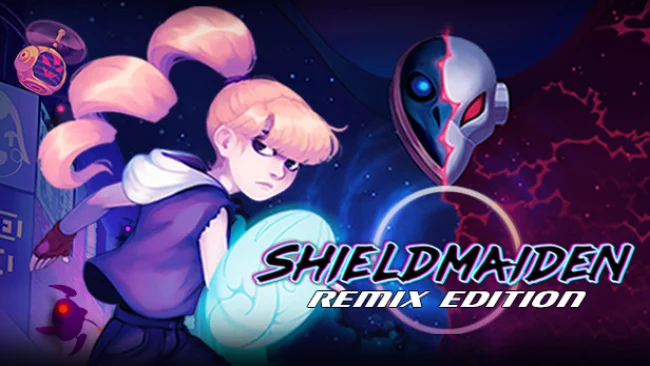
Modigard is already dying when Asta begins her search for a missing sister, leaving its neon-lit streets to the machines that now rule them. Shieldmaiden is a focused 2D action-platformer built around a lonely apocalyptic mood, but its bright pixel art and retro-futurist color palette keep the ruins from becoming visually bleak. Glowing cityscapes, wrecked technology, and a soundtrack blending classical drama with synth-heavy ’80s energy give the adventure the feel of a modern electronic myth. The story stays personal amid the catastrophe: one warrior pushing deeper into a hostile city because there is nobody else left to help.
Combat revolves around Asta’s shield, making defense as important as aggression. Players read enemy patterns, block incoming attacks, react quickly under pressure, and find safe openings to push through robotic threats rather than simply overwhelming everything with button-mashing. Platforming and route-finding carry Asta through four distinct machine-infested areas, each escalating the danger with new encounters and major boss fights. Success comes from learning timing, staying composed in crowded fights, and steadily mastering the shield’s reflex-driven toolkit.
What separates Shieldmaiden from a standard pixel-art brawler is its commitment to defensive play and clean, expressive animation. Every clash is meant to feel readable and deliberate, while the saturated visuals turn an end-of-the-world setting into something vivid rather than muddy or generic. Its compact city journey and boss-centered structure should appeal to players who enjoy the precision of action platformers such as Katana ZERO or the tense pattern-learning of classic arcade games, even if its pace is more shield-focused than sword-focused. Newcomers can appreciate the straightforward premise and striking presentation, while genre veterans are likely to get the most from refining blocks, reactions, and combat rhythm against increasingly dangerous machines.
Screenshots
Installation
- Select the Download button at the top of this page to open UploadHaven.
- On UploadHaven, wait for any countdown, then select Free Download. Optional: UploadHaven Pro for faster downloads.
- When complete, extract the archive to a Shieldmaiden folder using 7-Zip.
- Open the extracted folder and start the game normally.
- For errors, check Setup Guide & Troubleshooting below. Keep your security software enabled.
System Requirements
- Requires a 64-bit processor and operating system
- OS: Windows 7 or Higher
- Processor: Intel Pentium 4 3.00 Ghz or AMD Athlon 64 3000+ @ 1.8 Ghz.
- Memory: 2000 MB RAM
- Graphics: Radeon X600 XT ou GeForce 6800 GT
- DirectX: Version 10
- Storage: 1 GB available space
Setup Guide & Troubleshooting
How do I fix missing DLL errors for Shieldmaiden (v2021.09.16)?
After extracting Shieldmaiden (v2021.09.16), navigate to the _Redist or _CommonRedist folder inside the game directory and install DirectX, Vcredist, and any other dependencies included.
What should I do if the downloaded file is corrupted?
The full archive is 145.28 MB — make sure your download completed fully before extracting. Use 7-Zip to extract the files. If you still see a "file corrupted" error, re-download and try again.
Do I need to run the game as administrator?
Usually, no. Start the game normally from the extracted folder. If you see a permissions or save error, check that the folder is writable and follow the game's documented fix. Only grant administrator access when a trusted game's specific setup requires it.
How do I update my GPU drivers for this game?
The game won't launch — what should I try?
Check that extraction completed and your PC meets the system requirements, including Version 10. Note any error message before choosing a fix. If it identifies a missing runtime, install the required DirectX components or Microsoft Visual C++ Redistributable from Microsoft.
My antivirus is blocking the game — is it safe?
A warning needs to be investigated; the download source alone cannot confirm that a file is safe. Keep your security software enabled and review the detection details. Do not run or restore a flagged file unless you have verified that it is a false positive. If you are unsure, leave it quarantined.