
Game Overview
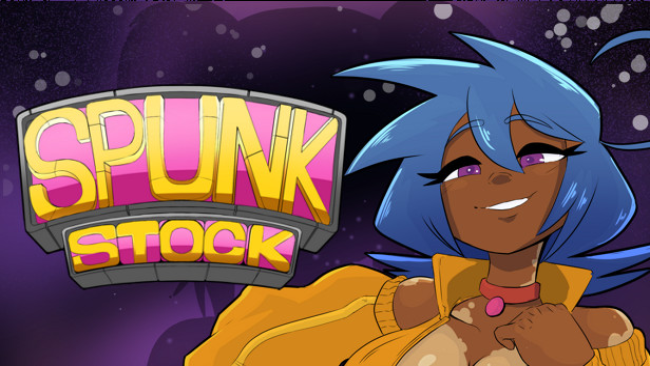
A chaotic music festival becomes the backdrop for an adult, choice-driven adventure built around backstage access, artist relationships, and customizable challenge. Spunkstock: Music Festival (Uncensored) mixes flirtatious character interactions with light progression systems, giving the experience more structure than a straightforward scene gallery. Its tone is playful and knowingly over-the-top, with a cast of performers to meet and multiple routes that shape where the story goes. Animated adult scenes and optional content are central to the package, but the game also aims to make earning them part of the journey.
Players slip behind the scenes, interact with the festival’s artists, complete musical objectives, and earn Reputation for success. A modifier system lets you tune each run by adding helpful advantages or tougher rules that increase the potential payoff, so difficulty can range from relaxed experimentation to demanding stacked challenges. Performing especially well earns tokens, which feed into a shop offering quest-related unlocks, cosmetics, and collectible pin-ups. Side activities break up the main loop with arcade-style diversions, including platforming challenges and a haunted-hall sequence with its own distinct mechanics.
Choice and customization give the festival setting its strongest hook. Rather than locking everyone into one preferred route, the modifier selection encourages players to build around their appetite for risk, rewards, and repeat attempts. Relationships with the cast influence the available ending variations, making it worthwhile to revisit encounters and pursue different characters. The presentation suits players looking for an uncensored adult game with animated scenes, collectible rewards, and simple minigame variety; those expecting a deep rhythm simulator or complex dating sim should keep expectations measured, but fans of light adult progression games have plenty of reasons to linger backstage.
Screenshots
Installation
- Select the Download button at the top of this page to open UploadHaven.
- On UploadHaven, wait for any countdown, then select Free Download. Optional: UploadHaven Pro for faster downloads.
- When complete, extract the archive to a Spunkstock: Music Festival folder using 7-Zip.
- Open the extracted folder and start the game normally.
- For errors, check Setup Guide & Troubleshooting below. Keep your security software enabled.
System Requirements
- OS: Windows 7 SP1+
- Processor: i5-4690K CPU
- Memory: 2 GB RAM
- Graphics: NVIDIA GTX 960
- Storage: 2 GB available space
Setup Guide & Troubleshooting
How do I fix missing DLL errors for Spunkstock: Music Festival (Uncensored)?
After extracting Spunkstock: Music Festival (Uncensored), navigate to the _Redist or _CommonRedist folder inside the game directory and install DirectX, Vcredist, and any other dependencies included.
What should I do if the downloaded file is corrupted?
The full archive is 328.76 MB — make sure your download completed fully before extracting. Use 7-Zip to extract the files. If you still see a "file corrupted" error, re-download and try again.
Do I need to run the game as administrator?
Usually, no. Start the game normally from the extracted folder. If you see a permissions or save error, check that the folder is writable and follow the game's documented fix. Only grant administrator access when a trusted game's specific setup requires it.
How do I update my GPU drivers for this game?
The game won't launch — what should I try?
Check that extraction completed and your PC meets the system requirements. Note any error message before choosing a fix. If it identifies a missing runtime, install the required DirectX components or Microsoft Visual C++ Redistributable from Microsoft.
My antivirus is blocking the game — is it safe?
A warning needs to be investigated; the download source alone cannot confirm that a file is safe. Keep your security software enabled and review the detection details. Do not run or restore a flagged file unless you have verified that it is a false positive. If you are unsure, leave it quarantined.