
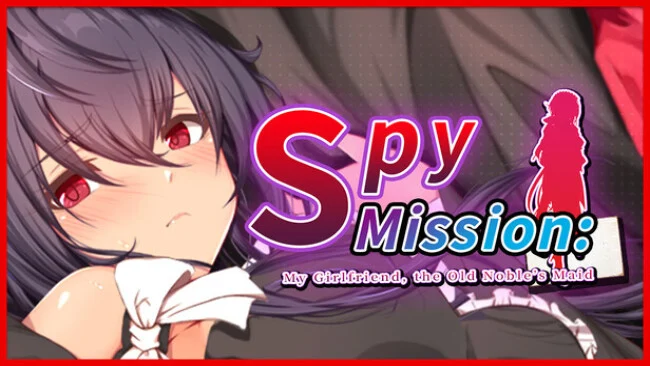
Spy Mission: My Girlfriend, the Old Noble’s Maid (Uncensored)
Game Overview
A covert operation inside a decadent noble estate turns an ordinary RPG investigation into a tense race against a predatory baron. Spy Mission: My Girlfriend, the Old Noble’s Maid follows Yuuto and Azami, agents posing as household staff while they pursue proof of Baron Holland’s crimes and try to leave together. Its atmosphere mixes mansion mystery, melodramatic romance, and adult NTR-themed material, so the stakes lean deliberately uncomfortable rather than playful. The premise works best when every conversation feels like potential intelligence and every night threatens to undo the day’s progress.
Days are structured around a limited number of actions: speak to maids, improve their trust, investigate rooms, uncover items, and assemble the three keys required to reach the estate’s sealed area. Coins can purchase tips from Aloe, while relationships supply access to clues that are easy to miss if you spend your turns carelessly. Night shifts the focus from searching to prevention, requiring Yuuto to intervene before the Baron reaches Azami or other vulnerable staff. Progress therefore depends less on combat prowess than route planning, observation, and knowing when to pursue evidence instead of social opportunities.
That day-and-night rhythm gives the mansion a compact, almost board-game-like tension, with failure states and choices feeding into three possible outcomes. A varied, voiced maid cast adds personality to the investigation, although the erotic scenes and betrayal premise are central rather than optional flavor. The result is a roughly four-to-five-hour adult visual-novel/RPG hybrid built around replaying decisions rather than a sprawling stealth adventure. Fans of light exploration systems, relationship management, and darker fetish-driven visual novels find more to engage with here than players seeking action-heavy espionage or a conventional romance.
Screenshots
Installation
- Select the Download button at the top of this page to open UploadHaven.
- On UploadHaven, wait for any countdown, then select Free Download. Optional: UploadHaven Pro for faster downloads.
- When complete, extract the archive to a Spy Mission: My Girlfriend, the Old Noble’s Maid folder using 7-Zip.
- Open the extracted folder and start the game normally.
- For errors, check Setup Guide & Troubleshooting below. Keep your security software enabled.
System Requirements
- OS: Windows 10
- Processor: Intel Core i3-2120 3.30GHz
- Graphics: DirectX 9/OpenGL 4.1
- DirectX: Version 9.0
- Storage: 8 GB available space
Setup Guide & Troubleshooting
How do I fix missing DLL errors for Spy Mission: My Girlfriend, the Old Noble’s Maid (Uncensored)?
After extracting Spy Mission: My Girlfriend, the Old Noble’s Maid (Uncensored), navigate to the _Redist or _CommonRedist folder inside the game directory and install DirectX, Vcredist, and any other dependencies included.
What should I do if the downloaded file is corrupted?
The full archive is 2.35 GB — make sure your download completed fully before extracting. Use 7-Zip to extract the files. If you still see a "file corrupted" error, re-download and try again.
Do I need to run the game as administrator?
Usually, no. Start the game normally from the extracted folder. If you see a permissions or save error, check that the folder is writable and follow the game's documented fix. Only grant administrator access when a trusted game's specific setup requires it.
How do I update my GPU drivers for this game?
The game won't launch — what should I try?
Check that extraction completed and your PC meets the system requirements, including Version 9.0. Note any error message before choosing a fix. If it identifies a missing runtime, install the required DirectX components or Microsoft Visual C++ Redistributable from Microsoft.
My antivirus is blocking the game — is it safe?
A warning needs to be investigated; the download source alone cannot confirm that a file is safe. Keep your security software enabled and review the detection details. Do not run or restore a flagged file unless you have verified that it is a false positive. If you are unsure, leave it quarantined.