
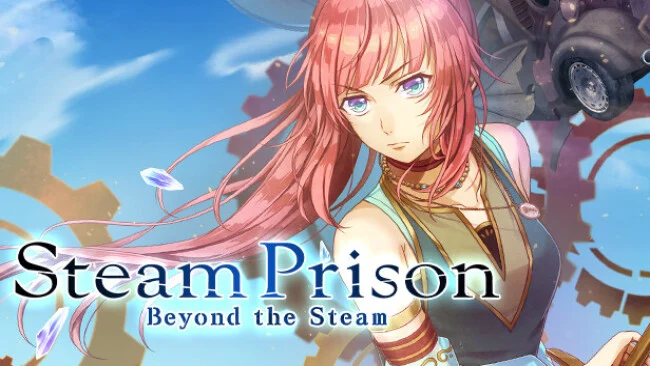
Game Overview
Two linked stories turn a class-divided steampunk romance into a broader visual-novel follow-up, balancing political friction, personal guilt, and the series’ familiar otome focus. Steam Prison -Beyond the Steam- continues Cyrus Tistella’s journey after the original’s Grand Ending, as the formerly separated Heights and Depths struggle to function under a shared government. An expedition beyond the fog carries Cyrus and returning companions to Cainabel, an unfamiliar land ruled by two kings whose competing ideals complicate every alliance. A separate scenario returns to the darker foundation of Cyrus being framed for murder and sentenced to the Depths, giving the package both a sequel’s hopeful outlook and the cruelty that defines the original conflict.
Most of the experience centers on reading richly illustrated, fully voiced scenes and making choices that shape Cyrus’s relationships and route outcomes. The Cainabel storyline divides its cast into two traveling groups, letting players see the new country through distinct perspectives while pursuing returning favorites such as Ulrik, Adage, Fin, Eltcreed, Ines, and Yune, alongside the new kings Jevite and Jereme. Each romantic route develops through conversations, revelations, and branching decisions rather than combat or exploration, with multiple endings encouraging replays. Players unfamiliar with the previous finale receive a built-in recap, although the emotional weight lands best for anyone who already knows Cyrus and her companions.
What separates this release from a routine fan disc is its willingness to offer both forward-looking romance and an alternate, more confrontational tale about institutional injustice. Cainabel’s foreign culture gives the established cast fresh social pressures, while A New Theory puts the severe HOUNDS leader Sachsen at the center of a route built around survival and clearing Cyrus’s name. A small spot-the-difference minigame, Petit Prison, breaks up the drama with voiced chibi characters and light comedy. Fans of Code: Realize-style historical fantasy romance, especially players invested in Steam Prison’s original Grand Ending, find plenty here; newcomers can follow along, but series veterans get far more from its character payoffs.
Screenshots
Installation
- Select the Download button at the top of this page to open UploadHaven.
- On UploadHaven, wait for any countdown, then select Free Download. Optional: UploadHaven Pro for faster downloads.
- When complete, extract the archive to a Steam Prison -Beyond the Steam- folder using 7-Zip.
- Open the extracted folder and start the game normally.
- For errors, check Setup Guide & Troubleshooting below. Keep your security software enabled.
System Requirements
- Requires a 64-bit processor and operating system
- OS: Windows 10 and up
- Storage: 4 GB available space
Setup Guide & Troubleshooting
How do I fix missing DLL errors for Steam Prison -Beyond the Steam?
After extracting Steam Prison -Beyond the Steam, navigate to the _Redist or _CommonRedist folder inside the game directory and install DirectX, Vcredist, and any other dependencies included.
What should I do if the downloaded file is corrupted?
The full archive is 3.30 GB — make sure your download completed fully before extracting. Use 7-Zip to extract the files. If you still see a "file corrupted" error, re-download and try again.
Do I need to run the game as administrator?
Usually, no. Start the game normally from the extracted folder. If you see a permissions or save error, check that the folder is writable and follow the game's documented fix. Only grant administrator access when a trusted game's specific setup requires it.
How do I update my GPU drivers for this game?
The game won't launch — what should I try?
Check that extraction completed and your PC meets the system requirements. Note any error message before choosing a fix. If it identifies a missing runtime, install the required DirectX components or Microsoft Visual C++ Redistributable from Microsoft.
My antivirus is blocking the game — is it safe?
A warning needs to be investigated; the download source alone cannot confirm that a file is safe. Keep your security software enabled and review the detection details. Do not run or restore a flagged file unless you have verified that it is a false positive. If you are unsure, leave it quarantined.