
Game Overview
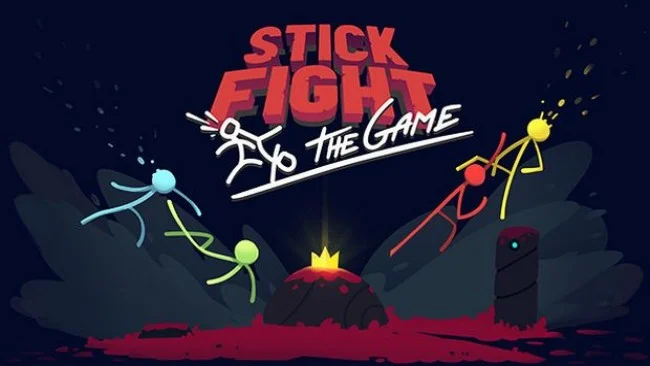
Chaotic stick-figure duels turn every round into a miniature disaster movie, with collapsing platforms, stray rockets, and sudden one-hit kills deciding who survives. Stick Fight: The Game is a fast, physics-driven party brawler built for two to four players, whether everyone is sharing a couch or connecting online. Its tiny arenas and stripped-back characters make the action easy to read, but the matches quickly become loud, unpredictable contests of reflexes and opportunism. The mood is gleefully ridiculous rather than serious, capturing the violent slapstick energy of old internet stick-figure animations.
Players spawn into compact stages, scramble for whatever weapon appears first, and try to be the last fighter standing. Guns, swords, explosives, and absurdly powerful specialty weapons radically change the pace of a round, while destructible terrain means a well-placed shot can drop an entire platform out from under the competition. Movement feels intentionally loose and animated, so characters tumble, recoil, and fling themselves around in ways that create as many accidental victories as carefully planned ones. Rounds are short, deaths are instant, and the constant resets encourage rematches; however, the game is multiplayer-only, with no campaign, bots, or traditional solo mode to fall back on.
Its strongest feature is how much variety it extracts from simple controls and roughly 80 interactive arenas. A stage may become a tactical shootout one moment, then turn into a frantic escape sequence when lava rises, hazards activate, or the floor gives way. The procedural animation gives every jump, punch, and weapon recoil a deliberately clumsy character that separates it from cleaner, more competitive platform fighters. Fans of Duck Game, Nidhogg, Gang Beasts, or local multiplayer staples such as TowerFall will immediately understand the appeal, while newcomers can join because the rules are simple—though veterans will get more mileage from mastering movement, weapon timing, and level-specific tricks.
Screenshots
Installation
- Select the Download button at the top of this page to open UploadHaven.
- On UploadHaven, wait for any countdown, then select Free Download. Optional: UploadHaven Pro for faster downloads.
- When complete, extract the archive to a Stick Fight: The Game folder using 7-Zip.
- Open the extracted folder and start the game normally.
- For errors, check Setup Guide & Troubleshooting below. Keep your security software enabled.
System Requirements
- OS: 10, 8, 7
- Processor: 2GHz
- Memory: 1 GB RAM
- DirectX: Version 9.0
- Storage: 400 MB available space
Setup Guide & Troubleshooting
How do I fix missing DLL errors for Stick Fight: The Game (v1.2.08)?
After extracting Stick Fight: The Game (v1.2.08), navigate to the _Redist or _CommonRedist folder inside the game directory and install DirectX, Vcredist, and any other dependencies included.
What should I do if the downloaded file is corrupted?
The full archive is 108.42 MB — make sure your download completed fully before extracting. Use 7-Zip to extract the files. If you still see a "file corrupted" error, re-download and try again.
Do I need to run the game as administrator?
Usually, no. Start the game normally from the extracted folder. If you see a permissions or save error, check that the folder is writable and follow the game's documented fix. Only grant administrator access when a trusted game's specific setup requires it.
How do I update my GPU drivers for this game?
The game won't launch — what should I try?
Check that extraction completed and your PC meets the system requirements, including Version 9.0. Note any error message before choosing a fix. If it identifies a missing runtime, install the required DirectX components or Microsoft Visual C++ Redistributable from Microsoft.
My antivirus is blocking the game — is it safe?
A warning needs to be investigated; the download source alone cannot confirm that a file is safe. Keep your security software enabled and review the detection details. Do not run or restore a flagged file unless you have verified that it is a false positive. If you are unsure, leave it quarantined.