
Game Overview
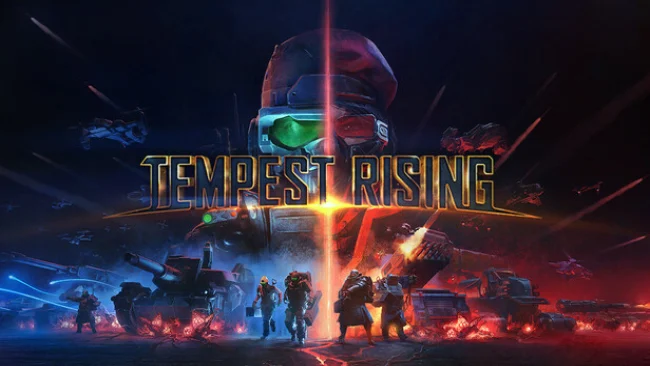
A poisoned alternate-history Earth becomes the battlefield for a brisk, old-school command-and-conquer war built around a strange resource called Tempest. Its spreading vines offer enormous military and economic potential, turning ruined cities and scarred wastelands into prizes worth fighting over. The tone is knowingly pulpy and militaristic, with rival armies trading heavy artillery fire, deploying superweapons, and uncovering a larger conspiracy behind the planet’s transformation. Modern presentation and responsive controls give the familiar 1990s RTS formula a welcome update without stripping away its direct, aggressive character.
Players establish bases, secure Tempest fields, construct production structures, and assemble mixed forces before pushing toward enemy territory. The Global Defense Forces favor mobility, advanced hardware, and disciplined tactical tools, while the Tempest Dynasty leans into tougher, more forceful units and a scrappier approach to war. Two story campaigns, each spanning 11 missions, let commanders adjust their available army between operations, adding strategic planning beyond simply winning the current map. Skirmishes, custom matches, and competitive online play provide the long-term challenge, with ranked matchmaking using a Glicko-2 rating system for players who want serious head-to-head battles.
What separates Tempest Rising from a simple nostalgia project is its commitment to faction identity, readable battlefield action, and fast matches where smart scouting and counterbuilding matter. Unit rosters are built to encourage combined-arms tactics rather than mindless tank spam, while the Tempest resource creates natural flashpoints across every map. It clearly speaks to fans of Command & Conquer, Red Alert, and other base-building RTS classics, especially those who miss campaigns with personality and multiplayer that rewards mechanical skill. Newcomers can enjoy its clean, accessible fundamentals, but genre veterans are likely to get the most from mastering build orders, map control, and each faction’s battlefield tricks.
Screenshots
Installation
- Select the Download button at the top of this page to open UploadHaven.
- On UploadHaven, wait for any countdown, then select Free Download. Optional: UploadHaven Pro for faster downloads.
- When complete, extract the archive to a Tempest Rising folder using 7-Zip.
- Open the extracted folder and start the game normally.
- For errors, check Setup Guide & Troubleshooting below. Keep your security software enabled.
System Requirements
- Requires a 64-bit processor and operating system
- OS: Windows 10 or 11 (64 bit)
- Processor: Intel Core i5-8600 / AMD Ryzen 5 1600 or better
- Memory: 8 GB RAM
- Graphics: NVIDIA GTX 1060 3GB/6GB / AMD RX 580 8GB or better
- DirectX: Version 11
- Storage: 45 GB available space
- Additional Notes: SSD is recommended
Setup Guide & Troubleshooting
How do I fix missing DLL errors for Tempest Rising (v1.9.1 & ALL DLC)?
After extracting Tempest Rising (v1.9.1 & ALL DLC), navigate to the _Redist or _CommonRedist folder inside the game directory and install DirectX, Vcredist, and any other dependencies included.
What should I do if the downloaded file is corrupted?
The full archive is 42.97 GB — make sure your download completed fully before extracting. Use 7-Zip to extract the files. If you still see a "file corrupted" error, re-download and try again.
Do I need to run the game as administrator?
Usually, no. Start the game normally from the extracted folder. If you see a permissions or save error, check that the folder is writable and follow the game's documented fix. Only grant administrator access when a trusted game's specific setup requires it.
How do I update my GPU drivers for this game?
The game won't launch — what should I try?
Check that extraction completed and your PC meets the system requirements, including Version 11. Note any error message before choosing a fix. If it identifies a missing runtime, install the required DirectX components or Microsoft Visual C++ Redistributable from Microsoft.
My antivirus is blocking the game — is it safe?
A warning needs to be investigated; the download source alone cannot confirm that a file is safe. Keep your security software enabled and review the detection details. Do not run or restore a flagged file unless you have verified that it is a false positive. If you are unsure, leave it quarantined.