
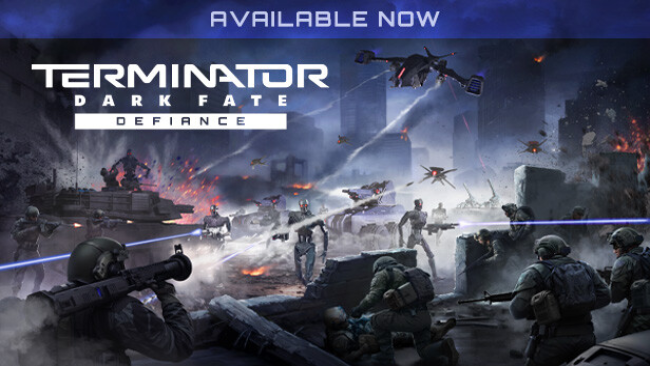
Terminator: Dark Fate – Defiance (v1.09.1221 & ALL DLC)
Game Overview
A bruising machine war unfolds across ruined highways, desert outposts, and collapsing city blocks, where every surviving tank and rifle squad matters. Terminator: Dark Fate – Defiance turns the Dark Fate timeline into a serious real-time strategy campaign focused on command decisions rather than superhero spectacle. You lead the Founders, a military remnant caught between Legion’s relentless synthetic army and hostile human factions with their own agendas. The mood is tense and militaristic, with limited supplies, fragile forces, and battles that can go badly wrong through one careless push.
Combat revolves around careful positioning, reconnaissance, ammunition management, and using the right weapon against the right armor. Infantry can occupy useful ground while armored vehicles, drones, artillery, plasma weapons, and scavenged technology reshape the frontline; damaged machines do not simply lose health, as individual components and armor sections can fail under fire. Missions take place on broad maps that reward flanking maneuvers, ambushes, line-of-sight control, and destructive use of the environment, including demolishing buildings to remove cover or open new routes. Your army carries forward through the campaign, so recruiting troops, training units, assigning equipment, and preserving veterans become as important as winning the immediate objective.
Choice-driven progression gives the campaign more weight than a standard mission list, since alliances, enemy relationships, and later operations shift according to your conduct. Skirmish and multiplayer expand the package with the distinct Founders, Movement, and Legion factions, each encouraging different unit mixes and battlefield priorities. Its deliberate pace, persistent losses, and detailed vehicle combat make it a stronger fit for players who enjoy the tactical grit of World in Conflict or the large-scale decision making of classic Command & Conquer, rather than fast click-heavy RTS action. Strategy veterans get the most from its systems, but patient newcomers can still learn its fundamentals through replaying missions and refining their approach.
Screenshots
Installation
- Select the Download button at the top of this page to open UploadHaven.
- On UploadHaven, wait for any countdown, then select Free Download. Optional: UploadHaven Pro for faster downloads.
- When complete, extract the archive to a Terminator: Dark Fate - Defiance folder using 7-Zip.
- Open the extracted folder and start the game normally.
- For errors, check Setup Guide & Troubleshooting below. Keep your security software enabled.
System Requirements
- Requires a 64-bit processor and operating system
- OS: 64-bit Windows 10
- Processor: Intel Core i5 or equivalent
- Memory: 8 GB RAM
- Graphics: Geforce GTX 750 (2GB)
- DirectX: Version 11
- Storage: 25 GB available space
- Sound Card: DirectX Compatible Sound Card
Setup Guide & Troubleshooting
How do I fix missing DLL errors for Terminator: Dark Fate – Defiance (v1.09.1221 & ALL DLC)?
After extracting Terminator: Dark Fate – Defiance (v1.09.1221 & ALL DLC), navigate to the _Redist or _CommonRedist folder inside the game directory and install DirectX, Vcredist, and any other dependencies included.
What should I do if the downloaded file is corrupted?
The full archive is 34.21 GB — make sure your download completed fully before extracting. Use 7-Zip to extract the files. If you still see a "file corrupted" error, re-download and try again.
Do I need to run the game as administrator?
Usually, no. Start the game normally from the extracted folder. If you see a permissions or save error, check that the folder is writable and follow the game's documented fix. Only grant administrator access when a trusted game's specific setup requires it.
How do I update my GPU drivers for this game?
The game won't launch — what should I try?
Check that extraction completed and your PC meets the system requirements, including Version 11. Note any error message before choosing a fix. If it identifies a missing runtime, install the required DirectX components or Microsoft Visual C++ Redistributable from Microsoft.
My antivirus is blocking the game — is it safe?
A warning needs to be investigated; the download source alone cannot confirm that a file is safe. Keep your security software enabled and review the detection details. Do not run or restore a flagged file unless you have verified that it is a false positive. If you are unsure, leave it quarantined.