
Game Overview
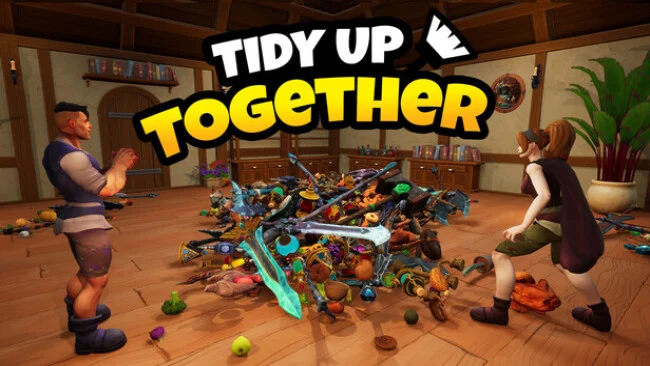
A fantasy storefront lies in complete disarray after a malicious wizard turns its stockroom into a floor-to-ceiling sorting disaster. Tidy Up Together turns the humble act of putting things back where they belong into a calm, tactile puzzle, asking players to restore an adventurer’s shop packed with everything from enchanted weapons and potions to food and oddball merchandise. The mood stays cheerful and low-pressure rather than frantic, making it an easygoing cleanup game with a playful fantasy flavor. Success comes from transforming visual chaos into a neatly arranged, satisfying space.
Players pick up, carry, rotate, and place thousands of scattered objects into their proper areas, gradually rebuilding each shop item by item. Categories matter: swords, produce, consumables, and other stock all need sensible separation, so the task becomes part organization challenge and part spatial puzzle. Three locations scale up dramatically in scope, beginning with hundreds of objects and eventually demanding order from nearly 10,000 items across 14 product types. Magical upgrades earned while tidying improve efficiency, while full controller support, character outfits, and an optional completion-time display add welcome convenience without forcing a score-chasing mindset.
Co-op is the major draw, letting a group divide the mess into manageable jobs or create the sort of friendly chaos that naturally comes from everyone moving inventory at once. Solo play remains equally viable, since there are no deadlines, fail states, or pressure to finish at anyone else’s pace. Its appeal sits somewhere between the meditative placement of A Little to the Left and the lighthearted multiplayer disorder of Moving Out, though the focus is firmly on restoring order rather than racing through objectives. Tidy Up Together suits players who find satisfaction in clean shelves, cooperative chores, and watching an impossible mess slowly become a proper shop again.
Screenshots
Installation
- Select the Download button at the top of this page to open UploadHaven.
- On UploadHaven, wait for any countdown, then select Free Download. Optional: UploadHaven Pro for faster downloads.
- When complete, extract the archive to a Tidy Up Together folder using 7-Zip.
- Open the extracted folder and start the game normally.
- For errors, check Setup Guide & Troubleshooting below. Keep your security software enabled.
System Requirements
- Requires a 64-bit processor and operating system
- OS: Windows 10+ (64bit)
- Processor: Intel i3 / AMD FX series or equivalent
- Memory: 4 GB RAM
- Graphics: Nvidia 450 / AMD equivalent with 2GB+ of Video RAM
- DirectX: Version 12
- Storage: 8 GB available space
Setup Guide & Troubleshooting
How do I fix missing DLL errors for Tidy Up Together (v1.5)?
After extracting Tidy Up Together (v1.5), navigate to the _Redist or _CommonRedist folder inside the game directory and install DirectX, Vcredist, and any other dependencies included.
What should I do if the downloaded file is corrupted?
The full archive is 3.92 GB — make sure your download completed fully before extracting. Use 7-Zip to extract the files. If you still see a "file corrupted" error, re-download and try again.
Do I need to run the game as administrator?
Usually, no. Start the game normally from the extracted folder. If you see a permissions or save error, check that the folder is writable and follow the game's documented fix. Only grant administrator access when a trusted game's specific setup requires it.
How do I update my GPU drivers for this game?
The game won't launch — what should I try?
Check that extraction completed and your PC meets the system requirements, including Version 12. Note any error message before choosing a fix. If it identifies a missing runtime, install the required DirectX components or Microsoft Visual C++ Redistributable from Microsoft.
My antivirus is blocking the game — is it safe?
A warning needs to be investigated; the download source alone cannot confirm that a file is safe. Keep your security software enabled and review the detection details. Do not run or restore a flagged file unless you have verified that it is a false positive. If you are unsure, leave it quarantined.