
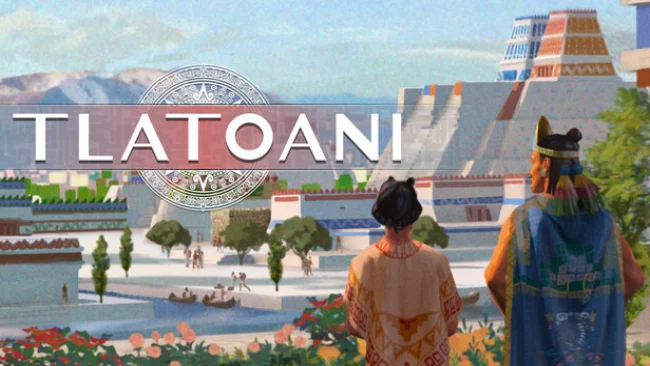
Game Overview
Mesoamerica becomes a demanding canvas for empire building, where a single settlement can grow into a network of rival city-states and eventually a dominant Aztec power. Tlatoani: Aztec Cities is a historical city builder with a close eye on the people living beneath its temples, markets, farms, and ceremonial plazas. Its mood balances colorful hand-drawn presentation and traditional music with the harsher responsibilities of rule: hunger, warfare, tribute, religion, and the expectations of the gods all shape a ruler’s decisions.
Every inhabitant functions as an individual rather than a simple population number, carrying personal abilities, obligations, beliefs, morale, and a working schedule. Players lay out roads and districts, secure raw materials, turn them into useful products, fund public services, maintain an army, and keep the treasury healthy while their settlement expands. City planning has an unusual spiritual dimension, since carefully mirrored and balanced layouts please divine forces, while disorder can bring consequences that make aesthetics part of the strategy. Beyond local management, diplomacy, commerce, alliances, and military campaigns connect each settlement to the wider region, letting players negotiate with neighboring powers or absorb them by force.
The symmetry system gives the familiar city-builder formula a memorable identity, encouraging deliberate, ceremonial planning instead of simply filling every available tile with efficient production chains. Aztec customs are not decorative background either: festivals, calendars, Nahuatl terms, religious observances, and sacrificial rituals feed directly into the atmosphere of governing a civilization with its own values and pressures. A broad historical campaign suits players who want structured expansion, while standalone challenges and sandbox play offer room to experiment with layouts and economies. Fans of Banished, Pharaoh, or the slower political side of Anno should find plenty to enjoy, especially if they want a less commonly explored setting and a city simulation that rewards both careful administration and visual order.
Screenshots
Installation
- Select the Download button at the top of this page to open UploadHaven.
- On UploadHaven, wait for any countdown, then select Free Download. Optional: UploadHaven Pro for faster downloads.
- When complete, extract the archive to a Tlatoani: Aztec Cities folder using 7-Zip.
- Open the extracted folder and start the game normally.
- For errors, check Setup Guide & Troubleshooting below. Keep your security software enabled.
System Requirements
- OS: Windows
- Processor: Core i5 or equivalent
- Memory: 1 GB RAM
- Graphics: Integrated Graphics
- Storage: 400 MB available space
Setup Guide & Troubleshooting
How do I fix missing DLL errors for Tlatoani: Aztec Cities (v1.4.1i)?
After extracting Tlatoani: Aztec Cities (v1.4.1i), navigate to the _Redist or _CommonRedist folder inside the game directory and install DirectX, Vcredist, and any other dependencies included.
What should I do if the downloaded file is corrupted?
The full archive is 368.22 MB — make sure your download completed fully before extracting. Use 7-Zip to extract the files. If you still see a "file corrupted" error, re-download and try again.
Do I need to run the game as administrator?
Usually, no. Start the game normally from the extracted folder. If you see a permissions or save error, check that the folder is writable and follow the game's documented fix. Only grant administrator access when a trusted game's specific setup requires it.
How do I update my GPU drivers for this game?
The game won't launch — what should I try?
Check that extraction completed and your PC meets the system requirements. Note any error message before choosing a fix. If it identifies a missing runtime, install the required DirectX components or Microsoft Visual C++ Redistributable from Microsoft.
My antivirus is blocking the game — is it safe?
A warning needs to be investigated; the download source alone cannot confirm that a file is safe. Keep your security software enabled and review the detection details. Do not run or restore a flagged file unless you have verified that it is a false positive. If you are unsure, leave it quarantined.