
Game Overview
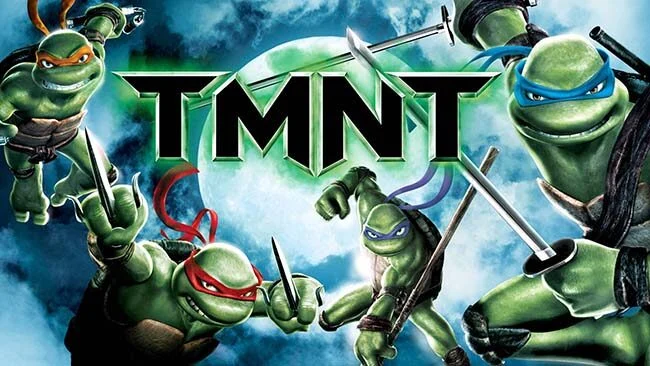
New York’s rooftops become a fast, vertical playground as four masked brothers reunite to face street gangs, ancient monsters, and a threat tied to their fractured family. Based on the 2007 animated film, TMNT delivers a focused single-player action-adventure built around the distinct personalities of Leonardo, Raphael, Donatello, and Michelangelo. Its mood balances comic-book energy with a slightly darker, rain-soaked city atmosphere, while the story follows the movie’s central conflict between the Turtles, the Foot Clan, and the mysterious forces haunting Manhattan. Fans looking for a compact, movie-era Ninja Turtles adventure get a faithful tour through its biggest locations and confrontations.
Play revolves around moving quickly through linear levels, using wall runs, jumps, swings, ledge grabs, and rooftop routes to keep momentum alive. Combat is straightforward but energetic, mixing light attacks, charged strikes, dodges, airborne moves, and contextual finishing blows against groups of Foot soldiers and supernatural enemies. Each Turtle has individual stages and abilities that suit their personality, with Leonardo often receiving more disciplined combat challenges while Michelangelo’s missions lean into speed and agility. Collectibles and optional objectives encourage replaying missions, although the campaign is designed as a brisk cinematic run rather than a deep open-world brawler.
The strongest element is its parkour-like traversal, which gives the Turtles a sense of speed and athleticism that many licensed beat-’em-ups miss. Character banter, stylized cutscenes, and recognizable film locations help sell the brotherly dynamic, even when the camera and platforming precision show their mid-2000s origins. Combat lacks the technical depth of modern action games, and there is no cooperative campaign, so it works best as a solo nostalgia trip instead of a long-term multiplayer brawler. Players who enjoy the movie, classic licensed platform-action games, or the acrobatic movement of early Prince of Persia-style adventures should find plenty to like, while genre veterans should expect a short, accessible experience rather than a demanding combat showcase.
Screenshots
Installation
- Select the Download button at the top of this page to open UploadHaven.
- On UploadHaven, wait for any countdown, then select Free Download. Optional: UploadHaven Pro for faster downloads.
- When complete, extract the archive to a TMNT (2007) folder using 7-Zip.
- Open the extracted folder and start the game normally.
- For errors, check Setup Guide & Troubleshooting below. Keep your security software enabled.
System Requirements
- OS: Windows XP or later
- Processor:1.5 GHz Pentium® 4 (2.0 GHz Recommended)
- Memory: 512 MB RAM
- Graphics: ATI Radeon series, Nvidia GeForce series, or better
- Storage: 1 GB available space
Setup Guide & Troubleshooting
How do I fix missing DLL errors for TMNT (2007)?
After extracting TMNT (2007), navigate to the _Redist or _CommonRedist folder inside the game directory and install DirectX, Vcredist, and any other dependencies included.
What should I do if the downloaded file is corrupted?
The full archive is 1.03 GB — make sure your download completed fully before extracting. Use 7-Zip to extract the files. If you still see a "file corrupted" error, re-download and try again.
Do I need to run the game as administrator?
Usually, no. Start the game normally from the extracted folder. If you see a permissions or save error, check that the folder is writable and follow the game's documented fix. Only grant administrator access when a trusted game's specific setup requires it.
How do I update my GPU drivers for this game?
The game won't launch — what should I try?
Check that extraction completed and your PC meets the system requirements. Note any error message before choosing a fix. If it identifies a missing runtime, install the required DirectX components or Microsoft Visual C++ Redistributable from Microsoft.
My antivirus is blocking the game — is it safe?
A warning needs to be investigated; the download source alone cannot confirm that a file is safe. Keep your security software enabled and review the detection details. Do not run or restore a flagged file unless you have verified that it is a false positive. If you are unsure, leave it quarantined.