
Game Overview
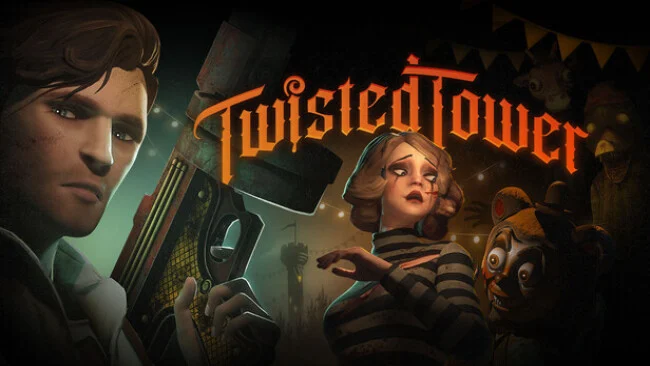
A decaying 1950s holiday resort becomes the stage for a grimly playful first-person shooter built around a climb toward a towering, impossible destination. Its pastel amusement-park cheer masks broken rides, abandoned attractions, and corrupted storybook mascots that are far more dangerous than their cartoon faces suggest. The central goal is suitably melodramatic: fight upward through the resort to rescue the person you love, while uncovering why this magical getaway has become such a nightmare. The mood lands somewhere between BioShock’s ruined retro-futurism and a Disney park after closing time, mixing macabre imagery with deliberately ridiculous weapons.
Combat revolves around fast, bloody gunfights and improvised movement through hostile themed environments. Rather than relying on standard military hardware, the arsenal turns toys and playground junk into weapons, from mallets and slingshots to rubber-band pistols, bubblegum-firing chainguns, and absurd shotguns with a crude sense of humor. Bizarre collectibles expand your traversal options, letting you jump farther, dash through danger, and grapple toward new routes as you ascend. Progression comes through weapon upgrades and branching paths, so runs through the resort can reveal different encounters and layouts instead of following one completely fixed corridor.
Five distinct areas give the climb a strong visual identity, moving from a hotel and waterpark to a clown-filled casino, carnival forest, and even a space station. That escalation is the main attraction: each zone pushes the resort’s fantasy further away from reality while keeping its damaged mid-century theme intact. Twisted Tower stands out through its collision of emotional stakes, colorful nightmare design, and old-school shooter energy rather than pure survival horror. Fans of retro-inspired FPS games, BioShock-like environmental storytelling, or the surreal menace of horror mascots should find plenty to like, while players wanting a straightforward, grounded shooter may find its deliberately goofy weaponry less appealing.
Screenshots
Installation
- Select the Download button at the top of this page to open UploadHaven.
- On UploadHaven, wait for any countdown, then select Free Download. Optional: UploadHaven Pro for faster downloads.
- When complete, extract the archive to a Twisted Tower folder using 7-Zip.
- Open the extracted folder and start the game normally.
- For errors, check Setup Guide & Troubleshooting below. Keep your security software enabled.
System Requirements
- Requires a 64-bit processor and operating system
- OS: Windows 10 64-bit
- Processor: i5-6600 / Ryzen 5 1600X
- Memory: 8 GB RAM
- Graphics: GTX 670 / RX 570 / Arc B580
- DirectX: Version 11
- Storage: 8 GB available space
Setup Guide & Troubleshooting
How do I fix missing DLL errors for Twisted Tower (v1.0.4.4.2)?
After extracting Twisted Tower (v1.0.4.4.2), navigate to the _Redist or _CommonRedist folder inside the game directory and install DirectX, Vcredist, and any other dependencies included.
What should I do if the downloaded file is corrupted?
The full archive is 3.25 GB — make sure your download completed fully before extracting. Use 7-Zip to extract the files. If you still see a "file corrupted" error, re-download and try again.
Do I need to run the game as administrator?
Usually, no. Start the game normally from the extracted folder. If you see a permissions or save error, check that the folder is writable and follow the game's documented fix. Only grant administrator access when a trusted game's specific setup requires it.
How do I update my GPU drivers for this game?
The game won't launch — what should I try?
Check that extraction completed and your PC meets the system requirements, including Version 11. Note any error message before choosing a fix. If it identifies a missing runtime, install the required DirectX components or Microsoft Visual C++ Redistributable from Microsoft.
My antivirus is blocking the game — is it safe?
A warning needs to be investigated; the download source alone cannot confirm that a file is safe. Keep your security software enabled and review the detection details. Do not run or restore a flagged file unless you have verified that it is a false positive. If you are unsure, leave it quarantined.