
Game Overview
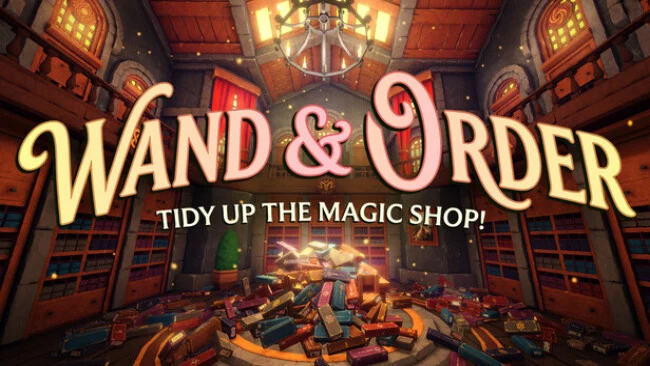
A botched housekeeping spell turns a quiet magical workshop into a sprawling organizational disaster, and the result is a surprisingly absorbing cozy-cleanup game. You play as the Alchemist’s homunculi, racing to restore order before their creator returns to find every shelf, cabinet, and laboratory surface buried under enchanted clutter. The tone stays playful rather than stressful, even as the scale escalates from scattered tarot cards to mountains of potion bottles and magical equipment. Wand & Order: Tidy up the magic shop! treats tidiness as a puzzle, with every properly sorted collection delivering the same small, satisfying payoff as fitting the final piece into place.
Most of the work involves identifying an item’s category, gathering matching objects, and returning them to the correct storage spot across three increasingly busy areas. The Archives challenge players to recognize and shelve tarot decks, the wand workshop asks them to distinguish materials and magical schools, and the alchemy lab becomes a dense sorting test involving jars, cases, ingredients, and bottles. Clicking selected objects creates tidy, perfectly aligned stacks, removing the fiddly physics frustrations that often slow down cleanup simulators. Progress earns useful spells such as item-highlighting vision, a magnetic collection effect, and instant placement magic, while simple environmental puzzles unlock movement upgrades that make larger jobs easier to manage.
Its strongest feature is the sense of momentum: what begins as careful one-by-one sorting gradually becomes a fast magical workflow once upgraded tools come online. Cleaning is not limited to shelves either, as players can sweep floors, polish frames, and tend plants to make each room feel properly restored rather than merely emptied. Solo play suits anyone looking for a calm, methodical session, while cooperative play should appeal to friends who enjoy dividing tasks and turning chaos into an efficient assembly line. Fans of A Little to the Left, House Flipper, or the cataloguing side of Unpacking will find a more playful, three-dimensional take on organizational satisfaction here.
Screenshots
Installation
- Select the Download button at the top of this page to open UploadHaven.
- On UploadHaven, wait for any countdown, then select Free Download. Optional: UploadHaven Pro for faster downloads.
- When complete, extract the archive to a Wand & Order: Tidy up the magic shop! folder using 7-Zip.
- Open the extracted folder and start the game normally.
- For errors, check Setup Guide & Troubleshooting below. Keep your security software enabled.
System Requirements
- Requires a 64-bit processor and operating system
- Processor: Intel i3 / AMD FX series or equivalent
- Memory: 8 GB RAM
- Graphics: Nvidia 1050/AMD equivalent
- Storage: 2 GB available space
Setup Guide & Troubleshooting
How do I fix missing DLL errors for Wand & Order: Tidy up the magic shop!?
After extracting Wand & Order: Tidy up the magic shop!, navigate to the _Redist or _CommonRedist folder inside the game directory and install DirectX, Vcredist, and any other dependencies included.
What should I do if the downloaded file is corrupted?
The full archive is 777.31 MB — make sure your download completed fully before extracting. Use 7-Zip to extract the files. If you still see a "file corrupted" error, re-download and try again.
Do I need to run the game as administrator?
Usually, no. Start the game normally from the extracted folder. If you see a permissions or save error, check that the folder is writable and follow the game's documented fix. Only grant administrator access when a trusted game's specific setup requires it.
How do I update my GPU drivers for this game?
The game won't launch — what should I try?
Check that extraction completed and your PC meets the system requirements. Note any error message before choosing a fix. If it identifies a missing runtime, install the required DirectX components or Microsoft Visual C++ Redistributable from Microsoft.
My antivirus is blocking the game — is it safe?
A warning needs to be investigated; the download source alone cannot confirm that a file is safe. Keep your security software enabled and review the detection details. Do not run or restore a flagged file unless you have verified that it is a false positive. If you are unsure, leave it quarantined.