
Game Overview
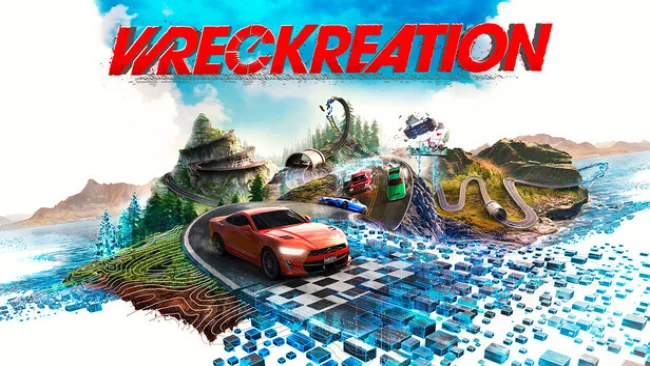
Arcade racing meets sandbox construction across a sprawling 400-square-kilometre playground built for speed, destruction, and increasingly ridiculous stunts. Wreckreation puts players in control of a customizable driving world where a quiet stretch of road can become a loop-filled crash course, a precision drift circuit, or a towering ramp to nowhere. Its tone is loud, playful, and proudly over-the-top, drawing on the thrill of chasing one more perfect run while encouraging spectacular failures. Rather than treating the open world as a backdrop, it makes the map itself part of the creative toolset.
Driving revolves around fast, accessible handling and constant score-chasing across activities such as drifting, airtime, near misses, stunts, crashes, and traditional time trials. Records can be set almost anywhere, so free-roaming has the same competitive pull as a structured event; a familiar road can always become another leaderboard challenge. The “Mix My World” editor lets players place ramps, loops, half-pipes, moving hazards, and larger structures directly into the landscape, then adjust traffic, weather, and time of day to shape the conditions. Online collaboration extends that idea, allowing friends to build, race, and stage team-based stunt events together, while extensive vehicle customization covers everything from paint and wheels to boost effects, glass tint, tire choices, and engine noise.
What distinguishes Wreckreation is how completely it combines the freedom of an open-world racer with the improvisation of a track-building game. Every car option is available immediately, avoiding the grind often attached to cosmetic experimentation, and 16 radio channels give long sessions a welcome sense of variety. The pedigree of Three Fields Entertainment, a studio formed by veteran arcade-racing developers, shows in its focus on speed, impact, and score-driven driving rather than simulation realism. Fans of Burnout-style chaos, Trackmania’s creative courses, or Forza Horizon’s open-road distractions should find plenty to enjoy, especially if they prefer making challenges as much as mastering them.
Screenshots
Installation
- Select the Download button at the top of this page to open UploadHaven.
- On UploadHaven, wait for any countdown, then select Free Download. Optional: UploadHaven Pro for faster downloads.
- When complete, extract the archive to a Wreckreation folder using 7-Zip.
- Open the extracted folder and start the game normally.
- For errors, check Setup Guide & Troubleshooting below. Keep your security software enabled.
System Requirements
- Requires a 64-bit processor and operating system
- OS: Windows 10 or 11 (64 bit)
- Processor: AMD Ryzen 3 3100 / Core i3-8100
- Memory: 8 GB RAM
- Graphics: GeForce GTX 1060 (6GB) / Radeon RX 580 (8GB)
- DirectX: Version 12
- Storage: 60 GB available space
Setup Guide & Troubleshooting
How do I fix missing DLL errors for Wreckreation (v1.0.144924)?
After extracting Wreckreation (v1.0.144924), navigate to the _Redist or _CommonRedist folder inside the game directory and install DirectX, Vcredist, and any other dependencies included.
What should I do if the downloaded file is corrupted?
The full archive is 35.89 GB — make sure your download completed fully before extracting. Use 7-Zip to extract the files. If you still see a "file corrupted" error, re-download and try again.
Do I need to run the game as administrator?
Usually, no. Start the game normally from the extracted folder. If you see a permissions or save error, check that the folder is writable and follow the game's documented fix. Only grant administrator access when a trusted game's specific setup requires it.
How do I update my GPU drivers for this game?
The game won't launch — what should I try?
Check that extraction completed and your PC meets the system requirements, including Version 12. Note any error message before choosing a fix. If it identifies a missing runtime, install the required DirectX components or Microsoft Visual C++ Redistributable from Microsoft.
My antivirus is blocking the game — is it safe?
A warning needs to be investigated; the download source alone cannot confirm that a file is safe. Keep your security software enabled and review the detection details. Do not run or restore a flagged file unless you have verified that it is a false positive. If you are unsure, leave it quarantined.