
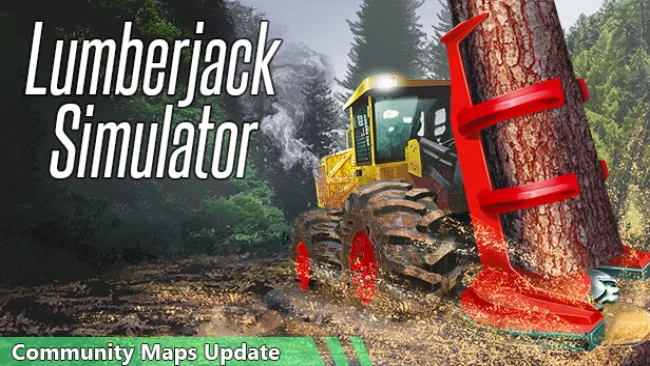
Lumberjack Simulator (v2022.08.31 & ALL DLC)
Game Overview
Running a profitable logging operation demands more than pointing a chainsaw at a tree and watching it fall. Lumberjack Simulator turns forestry work into a hands-on open-world simulation where rough terrain, heavy machinery, and the physical behavior of every trunk all matter. Its pace is methodical rather than flashy, built around the satisfaction of transforming a wild stretch of woodland into a functioning business. Muddy tracks, steep hills, and unforgiving hauling routes give the experience a grounded, practical tone that suits players who enjoy working vehicles and careful planning.
Each job begins with choosing a section of forest, approaching it on foot or by off-road vehicle, and deciding how to bring down and process the trees. Players use chainsaws, axes, and other equipment to fell trunks, remove branches, move timber, and prepare valuable logs for transport to the mill. Terrain can be altered as you work, while the vehicles respond to steering, suspension, gears, transmission behavior, and selected drive modes, so an overloaded truck or a poor route can quickly create a costly recovery job. Selling delivered timber produces the money needed for stronger machines, vehicle improvements, and additional land, gradually expanding a small operation into a more capable forestry outfit.
What separates Lumberjack Simulator from lighter farming-style sims is its emphasis on the physical challenges between cutting a tree and actually getting it sold. Trees are not merely scenery or simple resource nodes: their position, branches, and surrounding ground shape how efficiently they can be handled. The freedom to leave a vehicle, tackle work manually, and choose equipment makes each harvesting site feel like a small logistical problem rather than a scripted mission. Players who enjoy the deliberate machinery focus of SnowRunner or the business routine of Farming Simulator should find plenty to like, especially if they prefer solo, task-driven simulation over fast action.
Screenshots
Installation
- Select the Download button at the top of this page to open UploadHaven.
- On UploadHaven, wait for any countdown, then select Free Download. Optional: UploadHaven Pro for faster downloads.
- When complete, extract the archive to a Lumberjack Simulator folder using 7-Zip.
- Open the extracted folder and start the game normally.
- For errors, check Setup Guide & Troubleshooting below. Keep your security software enabled.
System Requirements
- OS: Windows 7 SP1+
- Processor: 2.5GHZ or higher
- Memory: 8 GB RAM
- Graphics: GTX 960 or equivalent
- DirectX: Version 11
- Storage: 2 GB available space
- Additional Notes: Full controller support
Setup Guide & Troubleshooting
How do I fix missing DLL errors for Lumberjack Simulator (v2022.08.31 & ALL DLC)?
After extracting Lumberjack Simulator (v2022.08.31 & ALL DLC), navigate to the _Redist or _CommonRedist folder inside the game directory and install DirectX, Vcredist, and any other dependencies included.
What should I do if the downloaded file is corrupted?
The full archive is 1.25 GB — make sure your download completed fully before extracting. Use 7-Zip to extract the files. If you still see a "file corrupted" error, re-download and try again.
Do I need to run the game as administrator?
Usually, no. Start the game normally from the extracted folder. If you see a permissions or save error, check that the folder is writable and follow the game's documented fix. Only grant administrator access when a trusted game's specific setup requires it.
How do I update my GPU drivers for this game?
The game won't launch — what should I try?
Check that extraction completed and your PC meets the system requirements, including Version 11. Note any error message before choosing a fix. If it identifies a missing runtime, install the required DirectX components or Microsoft Visual C++ Redistributable from Microsoft.
My antivirus is blocking the game — is it safe?
A warning needs to be investigated; the download source alone cannot confirm that a file is safe. Keep your security software enabled and review the detection details. Do not run or restore a flagged file unless you have verified that it is a false positive. If you are unsure, leave it quarantined.